2820 questions (possibly numptyish)

ronnie69

Well-known member
UKGSer Subscriber
Joined
Oct 22, 2006
Messages
1,579
Reaction score
52
Location
Newcastle under Lyme, Staffs
OK, probably :o numptyish.

Background:
Bought a second hand but apparently little used and very good nick 2820 with unlock code.

DVD it came with says City Navigator NT+ Europe v8 Version 8.02.

GPS itself says, on the "About" screen on the unit, that the software already installed is City Navigator Europe NT v9. :confused:

The yellow unlock code slip doesn't say which it is for. :rolleyes:

Problem 1:
I've done a search on here and seen others referring to the unit being de-registered with garmin before being sold. How do I find out whether it has been or not (before I hassle the seller or garmin) ? :nenau

Problem 2:
Also, the 2820 was referred to as working "straight out the box" - one of the attractions for me. I wanted to have a bit of a play about to get familiar with it. However, when I try to enter a route, I have problems straight away. If I follow the following prompts:
Where To? /
Address /
What Country? [- select 'England' ] /
Select City/Postal Code [ insert in to the GPS ST5 (where I am, so I know it exists) ], it doesn't even let me enter the rest of the postcode, it just goes to a screen saying "None Found". Try other postcodes which I know to exist and I only get the first 2 letters entered and the "None Found" warning.

I've only tried it on the "Use Indoors" setting so far, but can't see why that would have any bearing.

I suspect this may be (my) user incompetence - any ideas, wiser ones ?

TIA (and sorry to ramble on but trying to give the whole picture to avoid you helpful types having to ask lots of questions in order to understand the problem) :bow
 
OK, so problem 1 resolved - unit is now registered with garmin - easier than I thought.

Postcode search still doesn't work in or outdoors. Even tried the same postcode as is shown in some of the garmin piccies with the unit in action - and that doesn't work either .............. :confused:
 
2820

Have you registered in your name? If so it will tell you when you log on to your Garmin account what is unlocked on your GPS and will have the unlock codes there too.

The Mapsource on your GPS (NTV9) is later than (NTV8). The 2820 uses NT Mapsouce maps which are currently also used on Zumo and Nuvi so updates are available - currently NT2010.

To make routes in doors you go to GPS Settings and switch off the satellite reception and "use in doors" - (it will prompt you to do this after a few minutes if you dont do it).

To enter post code, open Where to, then Address, touch England, select city/postal code, enter code, touch done,touch code you want on screen, enter house number, click done, and up will come the location with "go to" at bottom right of screen - touch this, touch faster or shorter and you are then asked if you want to simulate driving this route. Touch yes to simulate. Touch Menu button to STOP route.

Another way to make a route -- View Map, touch anywhere on the map to make a waypoint and save it as a Favourite. The open favourites, click the new waypoint and follow instructions - ie "go to", fastest route etc.

I also suggest you load the Mapsource disc on your computer and learn how to make routes and waypoints on the computer to then download to the GPS.

It is much easier this way!
Hope this helps.
Mike
 
Ronnie, What postcode are you trying to enter? I'll try in on my 2820.
Try entering it without any spaces - although this does not make a difference on my machine.
 
Have you registered in your name?

Yes - now registered to me and software and firmware updated

If so it will tell you when you log on to your Garmin account what is unlocked on your GPS and will have the unlock codes there too.

As you'll have gathered, I'm no expert, but it doesn't seem as though anything is locked - I can access maps etc, but it just won't accept postcodes.

The Mapsource on your GPS (NTV9) is later than (NTV8). The 2820 uses NT Mapsouce maps which are currently also used on Zumo and Nuvi so updates are available - currently NT2010.

I've seen on garmin website that updates are available, but I'm not going to buy any until I can get the unit working. Map updates aren't cheap either, are they ?:eek:

To make routes in doors you go to GPS Settings and switch off the satellite reception and "use in doors" - (it will prompt you to do this after a few minutes if you dont do it).

Yes - I was already using the "use indoors" function, but even trying outside with satellites available and the gps "ready to navigate", it doesn't take any postcodes. :blast :nenau

To enter post code, open Where to, then Address, touch England, select city/postal code, enter code, touch done,touch code you want on screen

I'd already done all this in exactly that way, but it still just says "none found" before I even complete putting in the postcode - I've tried many codes, but never actually get to the end of a full postcode.

Another way to make a route -- View Map, touch anywhere on the map to make a waypoint and save it as a Favourite. The open favourites, click the new waypoint and follow instructions - ie "go to", fastest route etc.

I also suggest you load the Mapsource disc on your computer and learn how to make routes and waypoints on the computer to then download to the GPS.

It is much easier this way!
Hope this helps.
Mike

Thanks, but I think I need to walk before I run at this stage.:D Also, it occurs to me that if I load the maps from the disc that came with the 2820, I may be going back to V8, rather than the V9 which (although I don't know why) is already loaded on the gps.

FWIW, I use another GPS (Fujitsu Siemens) without any problem, so I'm not totally new to the gps concept, but I'm just not getting on with this 2820 on the most basic search.:( Maybe I need to investigate the unlocking possibility, but I'd have thought it would have warned me if this was the problem .......... :nenau
 
Ronnie, What postcode are you trying to enter? I'll try in on my 2820.
Try entering it without any spaces - although this does not make a difference on my machine.

ST5 9ER (doesn't get past ST5)
ST5 0QW (same)
S40 4HA (doesn't get past S4)
S1 (doesn't get that far)
B5 4TD (doesn't get past B5)
It does recognise NW11 8QT :nenau

spaces or not, it won't have the others.

When I go on select country, as soon as I put the letter S in, it states "None found" - it's supposed to have euro maps installed. Scotland, Sweden, Switzerland. It must be me, but I can't see what I'm overlooking ........ :confused:
 
My (Euro mapped) 2820 finds your first postal code straight off with no issues...

The way to find out what maps are loaded is to zoom the GPS all the way out (at least to 200km)... you will see a bunch of gold? rectangles showing the map tiles that are loaded...

If you have no rectangles over the UK then your UK postal code search will not work...

It may be possible that they loaded the maps without the UK, or missing some of the data...

If you are not planning on going to Eastern Europe, then going back to V8 would be no problem... even with the latest maps, you will be missing changes that are a couple years old.. The later versions bring more detail on the 'edges' of Europe...

Al...
 
My (Euro mapped) 2820 finds your first postal code straight off with no issues...

The way to find out what maps are loaded is to zoom the GPS all the way out (at least to 200km)... you will see a bunch of gold? rectangles showing the map tiles that are loaded...

If you have no rectangles over the UK then your UK postal code search will not work...

It may be possible that they loaded the maps without the UK, or missing some of the data...

If you are not planning on going to Eastern Europe, then going back to V8 would be no problem... even with the latest maps, you will be missing changes that are a couple years old.. The later versions bring more detail on the 'edges' of Europe...

Al...

Ahaaaa ....... we [by which of course I mean you - araspitfire ] may be on to something here. :clap :beerjug:

Zoomed out on the 2820 - 2 gold rectangles covering roughly the middle and south of England. However, one of those rectangles covers the area where I am (including ST5), so not sure why it doesn't recognise local postcodes to me, but does for down that london (eg NW11 8QT as mentioned above).

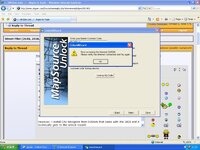
However, I install City Navigator on my PC from the DVDrom that came with the 2820 (in order to add tiles of maps on to the 2820 and it eventually gets to the unlock wizard. I go part way through that until I put in my customer number, it says it needs to connect to the 'net and then gives me the warning message below.

I have been hooked up to the net all morning and it's still all systems go. I've just just double checked the interent connection several times. WTF am I doing wrong now ?
 

Attachments

  • fault warning 12038 111009 800 size.jpg
    fault warning 12038 111009 800 size.jpg
    110.2 KB · Views: 200
I'm guessing firewall...

Check out the Garmin site and there will likely be instructions for opening a port on your firewall.

Al...
 
thanks for replies :beerjug:

mapsource problem seemed to go away, altho I don't know how. TBH, I forget what I was doing when that warning (printed above) arose, but the maps for the whole of GB and Ireland have now been successfully transferred from the DVD to the 2820 :clap. I've gone back to V8 in the process, but at least have the whole country and the postcode search works (so far). Still don't understand why it didn't work for localish postcodes when my local area maps were in place earlier, but then there are lots of things I don't understand..........:pullface

Now just need to mount and power the bally thing :rolleyes:

thanks again, peeps :thumb2
 
here;s another numpty question. How do you recalculate a route? It seems the only way to do it is to "GO TO" and select recently found destinations.

Is this the case?
 
here;s another numpty question. How do you recalculate a route? It seems the only way to do it is to "GO TO" and select recently found destinations.

Is this the case?

Not sure I follow, dude. It will automatically recalculate if you go off route. If you change the route profile (from say fastest to shortest route) it would still just recalculate - once you'd changed your preference.

Not sure that will help much :nenau
 
Not sure I follow, dude. It will automatically recalculate if you go off route. If you change the route profile (from say fastest to shortest route) it would still just recalculate - once you'd changed your preference.

Not sure that will help much :nenau

Of course it could be that whoever owned it previously has disabled the auto recalc, in which case if you wish, you should just enable it again.

However, my auto recalc is disabled so that if I have put in a route from Mapsource and deviate from that route the unit does not recalculate thereby changing the intended route.

Hope this helps..
 
So here's the situation. I use my 2820 in Istanbul a lot, and the mapping is not great - they are building roads every 2 minutes. When the Satellite lock goes off a bit it can put you to one side of the road you're on, then it thinks that you're off route and asks you if you want to recalculate. This also happened a lot in Holland the other week where they are rebuilding big stretches of motorway.

So the "Recalculate?" screen comes up in either of these circumstances - a blue screen with Yes and No buttons. So you have to choose Yes or No to see the map again. Press Yes, and it stops the routing and starts to recalculate, typically from a side road. Then when it realises you're still/back on the main road, it goes through the same process again... "Recalculate". Press "No" and it takes you back to the map, but will never offer to recalculate that route again, so when you actually want or need to recalculate, you have to start the whole New Route thing again by choosing a recently found destination.

On my previous 2610 and SP3s, it would come up as a box in the window which would then close if you chose no, so you could see the map and it wouldn't affect the routing. If you chose "No", it would continue to offer to recalculate whenever you were (or it thought you were) off route. There was also a seperate option (under the main menu?) which simply offered you a quick "Recalculate" whenever you felt like it.


Back
Top Bottom