(RIP) Mark H
Formerly known as Easyrider5258 (Mark)
Have switched from Android to iphone and want a shortcut to UKGSER on the the phone, was easy on Android but can't seem to do it on iphone? any clues please, Thanks



Personally, I believe that Apple software is much easier to figure out for a novice, than Android. I recall buying Android device in something like 2009-2010. Returned it 2 days later, as I found it to cumbersome and not very intuitive to use. Have not even attempted to try Android device since. I am simply not interested in them.

That used to be the case with the old software.I use the TAPATALK app for UKGSER on iPhone. I think it makes easier than using browser.
The only drawback with the current sofware Paul, is as @Arsey pointed out, is the lack of ability to upload multiple photographs at same time from the iPhone/iPad builtin photos app. Instead you have to be going back and forth as many times as there are photographs that need uploading.That used to be the case with the old software.
However, many now feel the browser version is better with the platform that we are now on.


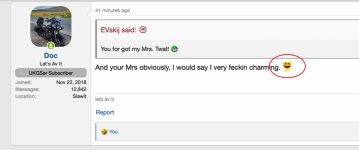
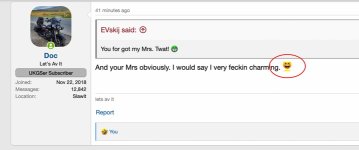
 . Perhaps not always but quite often I see an emoji being used within the text, and it is only half of the one emoji and the other half is of another. So you left guessing what was meant to have been used.
Using Safari on the iPhone or iPad allows multiple image uploads.The only drawback with the current sofware Paul, is as @Arsey pointed out, is the lack of ability to upload multiple photographs at same time from the iPhone/iPad builtin photos app. Instead you have to be going back and forth as many times as there are photographs that need uploading.
Not a huge problem if it is only one photo, but if doing ride report, or for sale add, then it is a bit of a pita. Tapatalk does allow you to select up-to 12 photos to be uploaded all at same time.
Can't replicate what you are saying on either device here.PS: the emoji (smiles) come out half cropped too. Need realigning better.
Here is an example
How?Using Safari on the iPhone or iPad allows multiple image uploads.
Here is an example from this morning...Can't replicate what you are saying on either device here.
By selecting multiple images to attach.How?
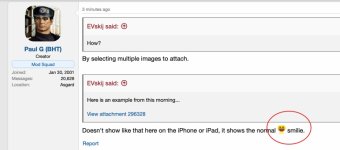
Doesn't show like that here on the iPhone or iPad, it shows the normal
 smilie.
Ok.By selecting multiple images to attach.
Doesn't show like that here on the iPhone or iPad, it shows the normal
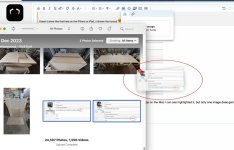
So you're not using a mobile device then, which is what I was referring to.Ok.
I will try that now on Mac using Safari.
You have a display problem there for some reason. Displaying fine on 3 different devices here..... with not a normal smile showing.
I have same problem using an Iphone.So you're not using a mobile device then, which is what I was referring to.
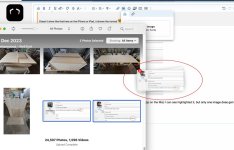

Perhaps I do then. Mac will be getting replaced in the new year, as it is only capable of running macOS 11.7.10. A bit long in the tooth it is.You have a display problem there for some reason. Displaying fine on 3 different devices here.

but it only allowing me to select one, then I am having to tap “done” which uploads the image
SAY what? You seem to speak Chinese now..That is by OS design, using the dialogue window.
Not sure if you can drag and drop (on desktop) more than one image at once though.

will give that a go.@EVskij
Selecting multiple photos to upload from iPhone works fine here.
Hold your finger down on a photo & an option to “Select” should appear.
Do this for each photo that you want to attach to a post

Funny i did the exact opposite, I tried and iPhone 5...whatever year that was.Personally, I believe that Apple software is much easier to figure out for a novice, than Android. I recall buying Android device in something like 2009-2010. Returned it 2 days later, as I found it to cumbersome and not very intuitive to use. Have not even attempted to try Android device since. I am simply not interested in them.

It’s true. I didn’t know it could be done but it can. Thank you.@EVskij
Selecting multiple photos to upload from iPhone works fine here.
Hold your finger down on a photo & an option to “Select” should appear.
Do this for each photo that you want to attach to a post