Favourites - Zumo 550

Wapping

Well-known member
Moderator
Joined
Oct 21, 2005
Messages
90,956
Reaction score
15,843
Location
Wapping, London
Is it possible to:

(a) Sort Favourites, so that the appear in a different order on the device?

(b) Create folders within Favourites, for instance to batch all my 'Favourite pubs' together in one folder and all my 'Favourite cafes' in another.

If so. How?

If, not. Any suggestions.

Many thanks,

Richard
 
a) No, they always appear in distance from present location order

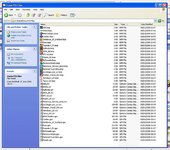
B) Not an option in Favourites but if you save a collection of say "Pubs" as a .gpx file using Mapsource then add them to your Zumo POI folder on your PC then upload them using POI loader they will appear in the extras menu as a separate collection of POI's :thumb2.
 

Attachments

  • ScreenShot044.jpg
    ScreenShot044.jpg
    115 KB · Views: 244
Edit: As terry said above
(a) Sort Favourites, so that the appear in a different order on the device?

No

(b) Create folders within Favourites, for instance to batch all my 'Favourite pubs' together in one folder and all my 'Favourite cafes' in another.

You can do this if you set them up as POI's.
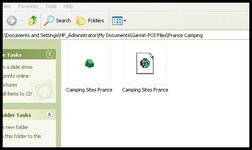
Create a folder for POI's on your PC and save mapsource file's(N.B GPX format) by category's eg Favorite Cafes etc.(Note: a seperate mapsource file per each group of favorites as well as a seperate BMP icon)
Create a BMP icon of say 22 x 22 size and give it the exact name as your mapsource file and put in the same folder.

BMP Icon Source: http://www.poi-factory.com/gps-icons

Then load your files to the unit via the garmin POI loader (available on the Garmin Site for download) where they will be loaded under extras
 

Attachments

  • Icon.jpg
    Icon.jpg
    25 KB · Views: 233
Many thanks.

I thought those would be the answers.

Clear advice on how to do something. Excellent. I had no idea how to make BMP icons.

Top men! :thumb2

I had not realised, after all this time, that the Favourites resorted themselves in relation to one's current position.

Richard
 
confused

am having some serious problems(not serious just annoying) with all this(check out 60csx for details)but searching for answers i see this thread....jaws100 the screenshot you have printed is of a tent and a .gdb file not a .gpx or am i doing this all wrong..if i try to make my p.o.i file look like this the poi loader cant see..and i cant get the tent to appear on the 51 files i am getting
 
eegit

after hours of searching i have discovered that only the poi in your local area show up..if you want to see the rest you have to turn the gps off set the location to another place and watch the poi change to that area:clap...am still getting the grey dot instead of a tent though

 
if you want to see the rest you have to turn the GPS off set the location to another place and watch the poi change to that area:...am still getting the grey dot instead of a tent though

Hi Dragonrider,
I'm not familiar with the 60csx unit, but in all likely-hood the unit firmware might not support the BMP icon files which might be why you only see a grey dot. I do have a Garmin Colorado 300 handheld mapping unit as well as a Zumo 550 and all my Poi's show on the screen as I approach them.

On the Colorado 300 I can call up "Custom Poi's" which will show me the nearest Poi's from all my categories or press "Options" then "Select Database" which will show me all my different category's of Poi's by grouping no-matter where they are in the World


Back
Top Bottom