


I was making some routes for an upcoming trip to Spain in September when I happened upon a wonky piece of Garmin mapping on Basecamp. I had thought of dividing the route in two but that would have required stopping to start the new route........or prodding at the screen! I was doing a bit of searching on Zumo forums so this is how you do it!
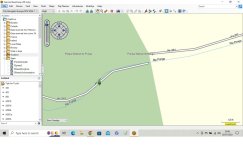
This is the offending bit of road. Tried to route past it and the route was doing a massive detour to get to the other side of the gap!
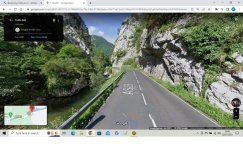
Road looks absolutlely grand on google street view.
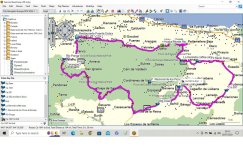
Proposed Route
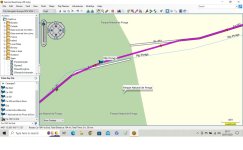
Wonky bit bypassed.
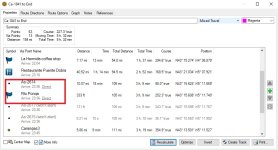
Put a Direct shaping point and Direct waypoint across the gap. How?
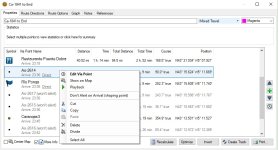
Click on the point and Edit Via point
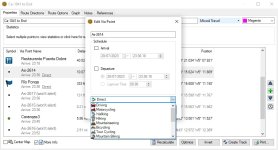
Change the point type to direct and calculate the route. Keep the rest with the motorcycling profile. I've tried this out locally and the route executes and if you make the points don't alert you don't notice the route has a patch/repair. Hopefully this will be useful to someone. Particularly so if negotiating an offroad stretch (thats not on the garmin mapping between roads).
This is the offending bit of road. Tried to route past it and the route was doing a massive detour to get to the other side of the gap!
Road looks absolutlely grand on google street view.
Proposed Route
Wonky bit bypassed.
Put a Direct shaping point and Direct waypoint across the gap. How?
Click on the point and Edit Via point
Change the point type to direct and calculate the route. Keep the rest with the motorcycling profile. I've tried this out locally and the route executes and if you make the points don't alert you don't notice the route has a patch/repair. Hopefully this will be useful to someone. Particularly so if negotiating an offroad stretch (thats not on the garmin mapping between roads).


