hard drive adaptor

millard

Registered user
Joined
Oct 27, 2007
Messages
912
Reaction score
0
Location
Southampton
DSC06450.jpg


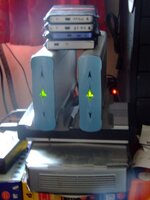
The top hard drive is the one from my PC and the bottom one is from an external drive which had a problem. An IT guy retrieved the data from the external one and told me that the drive itself was ok, it was the connectors and attatched PCB which were screwed, so I could use it as extra storage in my PC.
I got an adaptor thingy from ebay but it's the wrong one. So before I take another stab at it and waste more money, can some one please tell me what kind of connections I have on the top one and what the bottom has so I can get an adaptor and use both. I have spare leads for the top one in the pc presumably for expansion, so if I can get the right adaptor this time I'm assuming I can just plug'n'play.
Thanks
millard
 
Top is SATA, bottom is IDE, you need a motherboard which supports both types, you can't use adaptors, although you might be able to find an external box which will take an IDE drive to give a USB connection if your motherboard does not have IDE.

But most recent motherboards do support both types, you just need SATA and IDE cables.
 
The bottom one is an IDE (or PATA) connector - the standard connector for consumer hard drives for the last 10 years or so.

The top one is a SATA connector, the new de-facto standard for consumer hard drives. I've got an adaptor that allows me to read SATA drives by attaching them to IDE cables, that came from eBay. It's meant to work both ways, but I haven't tried that configuration yet.
 
As per the others regards PATA and SATA but just to say I've recently got and external box from www.cclonline.com (HDD3134).

It will take either a IDE or SATA hard disk, ie either of those shown, and connects to the computer either by USB or eSATA, and it was only just over £17.

Comes with all cables, an external power brick and Win 98 drivers if required (doesn't need any under XP onwards).

It's simple to assemble and you don't have to go delving inside your PC to play with it.
 
IDE to SATA Convertor

If your motherboard only supports SATA drives you need one of these...

DSCF0086.JPG


That will allow you to connect your IDE(External Drive) to the SATA controller on your motherboard.

Not sure where you can get these, the one in the photo came with Gygabyte motherboards. I will see if we have any spare ones at work...:D

PS. I will be in Marchwood on Thursday doing a job.
 
You could just get a hard drive caddy and connect via usb for the IDE drive less than a tenner in some places, don't know if they do them for sata drives but I would imagine they do.
 
You could just get a hard drive caddy and connect via usb for the IDE drive less than a tenner in some places, don't know if they do them for sata drives but I would imagine they do.

I had a nice caddy that I bought in the States on business. It took SATA drives and had SATA and USB interfaces. And then I plugged in the wrong power adapter and took out a disk and the caddy in one go :tears

So, yes, SATA caddies do exist, but they will almost certainly have SATA interfaces internally. You're unlikely to find a caddy that has both interfaces, so make sure that you read the box carefully.

Also, the disks that you showed were 3.5" - don't buy an IDE caddy for a 2.5" (laptop) disk, as the connector is different.
 
I had a nice caddy that I bought in the States on business. It took SATA drives and had SATA and USB interfaces. And then I plugged in the wrong power adapter and took out a disk and the caddy in one go :tears

So, yes, SATA caddies do exist, but they will almost certainly have SATA interfaces internally. You're unlikely to find a caddy that has both interfaces, so make sure that you read the box carefully.

Also, the disks that you showed were 3.5" - don't buy an IDE caddy for a 2.5" (laptop) disk, as the connector is different.

This one will do the IDE:thumb2

http://cgi.ebay.co.uk/USB-2-0-5-25-...oryZ3754QQssPageNameZWDVWQQrdZ1QQcmdZViewItem
 
If your motherboard only supports SATA drives you need one of these...

DSCF0086.JPG


That will allow you to connect your IDE(External Drive) to the SATA controller on your motherboard.

Not sure where you can get these, the one in the photo came with Gygabyte motherboards. I will see if we have any spare ones at work...:D

PS. I will be in Marchwood on Thursday doing a job.

Well thanks to all who took the time to reply.
I'm a wee bit confused as this is what I got from ebay

http://cgi.ebay.co.uk/ws/eBayISAPI....m=200176569985&ssPageName=STRK:MEWN:IT&ih=010

and it looks much the same to me as Mick_rw suggests above, however it still doesn't work. I have two of these drives and both worked when the IT guy hooked em up to his wee gizmo to retrieve the data, so I'm confident it's not the discs that's the problem. Maybe I'm just hooking em up wrong.
 
Well thanks to all who took the time to reply.
I'm a wee bit confused as this is what I got from ebay

http://cgi.ebay.co.uk/ws/eBayISAPI....m=200176569985&ssPageName=STRK:MEWN:IT&ih=010

and it looks much the same to me as Mick_rw suggests above, however it still doesn't work. I have two of these drives and both worked when the IT guy hooked em up to his wee gizmo to retrieve the data, so I'm confident it's not the discs that's the problem. Maybe I'm just hooking em up wrong.

I think that you got a SATA to IDE, you may have needed a IDE to SATA as some are one way only.:confused:
I'm with Dickieboy on external H/D's as shown below
2 x 300 gig
2 x 500 gig
all 3.5"
and 4 x 40gig 2.5"
I use the little 'uns for taking films etc to mates houses and let them burn to disc themselves..
 

Attachments

  • Memory.jpg
    Memory.jpg
    43.2 KB · Views: 62
Just to show it woks....

I don't have a desktop, only use a laptop at home....

Here is a IDE 2.5" hard drive connected to a IIDE 2.5" / IDE 3.5" convertor, which connects to a IDE / SATA convertor which connects to a SATA / USB convertor which connects to my laptop and shows as Drive 'F'

The IDE / SATA convertor is the one in my original picture.....


Hard Drive

DSCF0087.JPG


My Laptop

Drive.jpg
 
I don't have a desktop, only use a laptop at home....

Here is a IDE 2.5" hard drive connected to a IIDE 2.5" / IDE 3.5" convertor, which connects to a IDE / SATA convertor which connects to a SATA / USB convertor which connects to my laptop and shows as Drive 'F'

The IDE / SATA convertor is the one in my original picture.....


Hard Drive

DSCF0087.JPG


My Laptop

Drive.jpg

Mick it would be a lot simpler to use a caddy and connect with the usb, it will still show in 'My Computer' as a separate drive, and look a lot less messy and complicated than the 'Snakes honeymoon' you've got there:thumb2
 
I did that...

Dickieboy;1219318]Mick it would be a lot simpler to use a caddy and connect with the usb, it will still show in 'My Computer' as a separate drive, and look a lot less messy and complicated than the 'Snakes honeymoon' you've got there:thumb2

just to show the IDE to SATA convertor works....no other reason....:D

I use one of these for work Portable HDD


Back
Top Bottom