smilee mark
Registered user
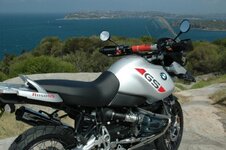
They are telling me that they take up too much space. Please help i got all these pics of my new 1150 adv that i want to show off. Please be gentle as i am not computor savvy so will need some specific instructions.



 Bugger that is a nasty cut on your leg
 , Posso your idea sound s great when my son comes home i will get him to show me. they r worth waiting for.) its gettin a bit late to go through it all now.

Harps said:Mark
Have emailed you back the re sized photo for you to post.
Very jealous of the shot by the way
 here it is and thankyou