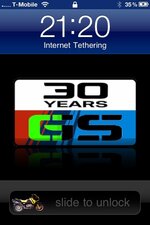
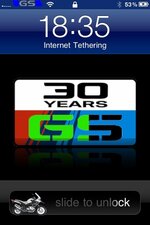
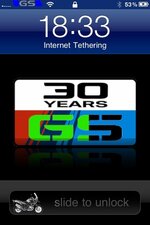
I've been messing with my iPhone , what do u think?

Northern Monkey

Registered user
Joined
May 13, 2010
Messages
761
Reaction score
0
Location
preston, lancashire
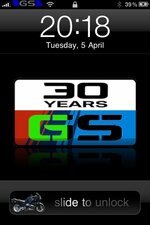
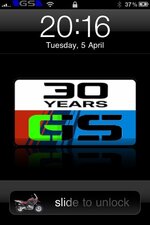
I know it's sad but the little Gs on the unlock screen makes me smile whenever I use it!
95feda03-9f46-7d40.jpg


Whilst docking about I changed some other bits too!
Like the tmobile logo in the top left I changed to a Gs logo
and I've made a 'charging screen' so when u plug into USB or charger rather than showing a boring battery it shows this... And the 'gs' part fills with green according to charge :)
95feda03-a018-0a27.jpg

95feda03-a027-2d43.jpg

simple things amuse me!!
 
Great idea...I like it:thumb2

Time to break my iphone out of jail, me thinks.
 
I have managed to publish it on Cydia under r1150gs slider. I've been asked to do a 1200gsa and a r1100rt.

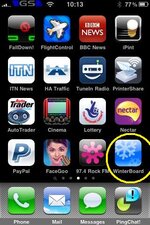
You will need winterboard installing from cydia - if anyone would like an idiots guide I will gladly do one :)
 
how to guide pt 1

how to add themes

firstly you need your iphone to be jailbroken - if you have not done this do a quick google search and theres loads of how to guides - very straightforward to do :) if you are worried about warranty etc simply restore your phone before you send it back to apple!

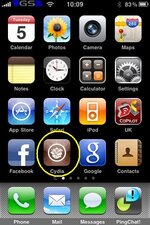
go to cydia (PHOTO1)

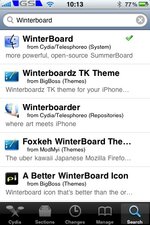
and search for 'winterboard' and install it (PHOTO2)

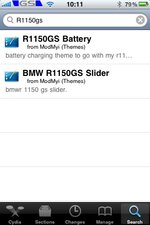
then search for 'R1150GS' , there should be two options one for the slider and one for the battery charging theme. (Photo3)

install what you want then exit cydia.

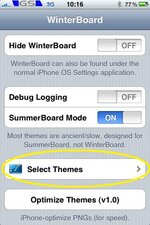
once installed find the new winterboard icon on the phone and press it. (PHOTO4)

then select ' select themes' (Photo5)

will continue in next post


'R1150GS'
 

Attachments

  • photo.jpg
    photo.jpg
    40.3 KB · Views: 192
  • photo (2).jpg
    photo (2).jpg
    58.3 KB · Views: 187
  • photo (1).jpg
    photo (1).jpg
    32.1 KB · Views: 192
  • photo (4).jpg
    photo (4).jpg
    31.7 KB · Views: 190
  • photo (3).jpg
    photo (3).jpg
    40.6 KB · Views: 192
pt 2

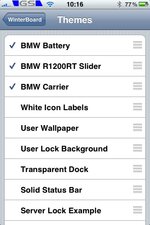
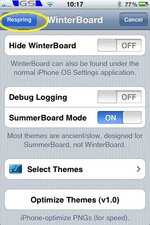
now select the themes you want to install - they should have a tick next to it. (see photos)

then press button on top left corner (shown in photo)

then all shuodl be done :) if it is not working straight away just turn phone off and back on again for it to recognise the changes :)


THE R1200GSA slider will be avaialble hopefully tomorrow - if there is anything in particular you would like jmust ask and i will see what i can do :):beerjug:
 

Attachments

  • photo (5).jpg
    photo (5).jpg
    42.8 KB · Views: 189
  • photo (6).jpg
    photo (6).jpg
    32.2 KB · Views: 188


Back
Top Bottom