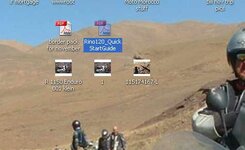
At some point on this Desktop PC I'm on, I've installed or modified something and any .jpg or .bmp files I have on my desktop appears as a mini weeny thumbnail, which is really handy when you're messing around with images or browsing and saving stuff etc etc.
It's easy to do in a folder in explorer view, but I can't remember how I did it on the desktop....and I'd like to reproduce this on the laptop....
Anyone know how I managed to do it??

It's easy to do in a folder in explorer view, but I can't remember how I did it on the desktop....and I'd like to reproduce this on the laptop....
Anyone know how I managed to do it??