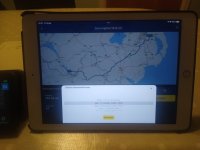
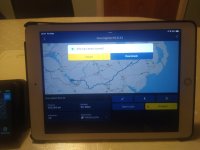
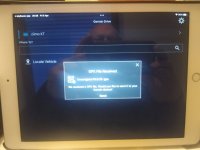
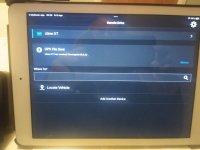
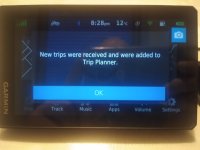
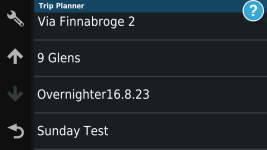
None of this stuff works for me.....

Yes, I think something is amiss. I got the phone to connect again and now have one of seven routes on my XT which looks like it is viable for use. No joy with the iPad though. Interesting side note - the routes from MRA look okay in the XT but are either a straight line or pretty off-route in Basecamp - most strange. @Wapping - it is the 1.2 files that are just a straight line along with an inaccurate track.

Agree about the later Macs, my Garmin used to show as a drive in Finder until we had the hardware upgraded; motherboard, chipset etc.

Yes - I only use the Garmin cable.

And am definitely going to redo everything in Basecamp so that I can be certain that things will work. In 4 weeks I am leading the ride for six mates that these routes pertain to so I don't want any fuckups!
export routes as 1.1 file instead.
 
I have Garmin Drive on an Ipad….. and have had no issue downloading routes and sending them to my XT…… eggs but have you checked your app permissions aren't preventing things from working

That is interesting.

I have Garmin Drive installed on my iPad.

I can open a MyRoute route in Garmin Drive on my iPad and get it ready to send to my XT.

I can get my iPad / Garmin Drive app to connect to my XT via Bluetooth but the connection very quickly fails each time. In short, it fails before I can send the route from Garmin Drive to my XT.

I have no such problems using my iPhone / S10, only with my iPad.

What, in simpleton language, preferably with pictures does:

…..check your app permissions aren't preventing things from working

Mean, please?
 
Can't understand why garmin don't buy a company like MRA to do their web based stuff?

I can only guess it’s because the good clog wearers of MyRoute, do no want to sell their souls to an American (Swiss-domiciled) global enterprise…… either that or Garmin haven’t come up with enough chocolate sprinkles (as loved by all right thinking clog wearers) to sweeten the deal :augie
 
Richard seems to adore MRA so he's the best person to seek advice from using that software.(y)

I don’t adore MyRoute per-se. I only started using it (learning it from scratch) when:

A. BaseCamp, which I really did like, became very unstable on my large Mac.

B. My XT (bought as an upgrade from my Nav V) refused to talk to BaseCamp on my Mac, without the intervention of third party software.

C. I realised the benefit of having the MyRoute application on my iPad / iPhone / S10, always to hand.

D. I discovered that MyRoute has a very good ‘Help’ forum, which helped me a lot, whilst I learned how to use the app. It is streets ahead of any other forums for that specific task.

Creating bespoke routes (I very rarely ask the app or any device to ‘Take me from A to B’) is very easy in MyRoute, no harder (or very different) than creating bespoke routes in BaseCamp. I have never subscribed to the “BaseCamp is crap” camp.

MyRoute is certainly not perfect. It is clunky in operation when it comes to displaying one route on top of another. Long winded, might well be a better word. But, I can cope with that. It’s way of storing favourites is not perfect (at least to me) but hey, I can cope with that, too.

I don’t make much use of MyRoute’s separate Navigation app, though I am happy running it through my sacrificial S10. That though is chiefly because I seem to always forget to plug my S10 into its bike powered USB C lead. That though is my failing, not its.

On bespoke route creation, I think we may well differ. Your post #18 seems to suggest you do use a navigation device for ‘Take me from A to B” routing, but then turn it off; which might beg the question as to why you have one at all. A paper map would do the same, surely? But it would be a very dull world if we were all the same.

:beerjug:
 
Fully understand your view Richard.
I use my satnavs to get me to specific places or find others which can be hard to find.
I do not, however, plan everything to the N'th degree or drive/ride with my nose firmly wedged on the satnav screen. It is a tool which I use when I need to.
I have never had problems with BC or Mapsource before that or nRoute before that aside from one cock up by Garmin when they put the wrong software update thereby bricking my unit which they replaced.

As I have said, it is what works for individuals and it is good to have a choice. You seem to enjoy MRA and are able to help others wishing to go down that route (pardon the pun!) and well done you for doing this.

I have never owned anything Apple and reading posts, it seems pretty clear to me that there are direct links with issues with Garmin gear/software there.

Whatever floats anyones' boat is fine with me(y)

p.s paper maps have their uses but you'd need a trailer to match the topography maps I use!
 
The issue is hardware and software incompatibility combined with buggy Garmin integration solutions.

I have just sent five bespoke routes from MyRoute on my iPhone, via Garmin Drive on my iPhone into my XT, using version 1.2.

The iPhone and XT found each other all but instantly. The five routes and their tracks transferred seamlessly. The shape of the routes are correct, the mileages correct (give or take a little bit of rounding up) and the times near enough correct, too.

The viapoints (hands when displayed in MyRoute, orange flags on my XT) transferred across, too. The only thing that does not display on the XT are the little blue dots of the shaping points, but that is the fault of version 1.2 transfer.

I have a second XT, which is currently updating its maps and software. When it’s done its thing, I’ll transfer to it the same five routes but in version 1.1, to see how that goes, too.

I appreciate that’s not much help to you but, at least we know it should work. I’d suggest:

Making sure the software / firmware on your IPhone and XT are both fully up to date.

Delete the Bluetooth connection (forget this device) on your iPhone and XT.

Delete MyRoute from your phone and reinstall it. As it’s cloud based you’ll not lose anything.

Delete Garmin Drive on your iPhone and reinstall it.

Sign into them all again.

Reconnect the iPhone to the XT and try again.

One thing I do do, is set my XT to permanently on, when doing any transfers or Bluetooth reconnections. There is nothing more annoying than it (or the phone) timing out and going to sleep.

Good luck.

 
Last edited:
Ah I see you got this sorted. All that I do is use one garmin drive connection at a time either the Ipad or the phone not both. Messed about trying to get a few photos together earlier. Fairly straightforward from either. Turn bluetooth off on the one that you are not using. IMG_20240405_202740640.jpg
IMG_20240405_202749953.jpg

IMG_20240405_202758038.jpg

IMG_20240405_202816363_MP.jpg

IMG_20240405_202837917.jpg

IMG_20240405_202853236 (1).jpg

126423.png
 
Ah I see you got this sorted. All that I do is use one garmin drive connection at a time either the Ipad or the phone not both. Messed about trying to get a few photos together earlier. Fairly straightforward from either. Turn bluetooth off on the one that you are not using.

Thank you.

Sorted in as much as I was using my iPhone, for very successful transfers into my XT via Garmin Drive.

I think the bit in red, might be the key as to why my iPad will not play nicely. I’ll muck about a bit more.
 
I have a second XT, which is currently updating its maps and software. When it’s done its thing, I’ll transfer to it the same five routes but in version 1.1, to see how that goes, too.

I have now tested my second XT too, again using my iPhone and Garmin Drive but this time exporting in version 1.1.

Again, 100% success with all five routes, perfect transfers.

As I suspected, the little blue shaping point dots also come across, as well as the orange flags of the via point markers There is something rather satisfying about seeing them, if only that it sort of confirms that the route (besides matching by shape, length and estimated time) should match the original.

One thing I did notice was that transfer of the individual routes, from the iPhone to the XT via Bluetooth, was noticeably quicker in version 1.1 than it was in 1.2. I have no idea why.
 
Thank you.

Sorted in as much as I was using my iPhone, for very successful transfers into my XT via Garmin Drive.

I think the bit in red, might be the key as to why my iPad will not play nicely. I’ll muck about a bit more.

Bingo! Thank you, Mzokk.

Turning off my iPhone’s Bluetooth, enabled my iPad to establish and maintain a stable connection with my XT. I sent a test route from my iPad, via Garmin Drive, into my iPad, using version 1.2, which transferred perfectly.
 
Good stuff. I think the XT can only cope with one Garmin Drive connection at a time. (y)
 
One thing I did notice was that transfer of the individual routes, from the iPhone to the XT via Bluetooth, was noticeably quicker in version 1.1 than it was in 1.2. I have no idea why.

It’s simply the file size. The 1.2 versions are 3x bigger for some reason. 👍🏻
 
I use a Mac, iPhone and iPad with MRA. I plan routes either on the Mac or iPad. I have MRA app on the iPhone and iPad. My iPhone is paired to the XT. When I want to transfer a route I just save it to Garmin drive and Garmin drive sends it to the XT. The only issue I ever have is sometimes the iPhone doesn’t see Garmin drive and I have to delete the app and reinstall.
 
The 1.2 versions are 3x bigger for some reason.

That’s the bit I don’t understand. Why is it three times the size? It doesn’t matter that it is, not least as I just accept it is, as with so much around the mysteries of the IT world. I have though asked the question on the MyRoute forum, along with a couple of other enquiries.
 
Last edited:
I got to the bottom of some of the issues I was having. Basecamp was a version behind my XT and once aligned, the MRA routes behaved better in Garmin world.


Back
Top Bottom