Picture Help - Optimum size/quality?

Rushy

Well-known member
UKGSer Subscriber
Joined
Feb 2, 2003
Messages
13,347
Reaction score
127
Location
Cheshire ....somewhere on my bike
Is there an optimum size/quality to post pics on the board?

My pics all look a bit shite once I have made the file size small enough to post.

Would changing the settings on my camera help?

I use a Sony Cybershot 5mgp camera but I leave it set on 3.1mgp, and the largest file size. I run a Mac and I've just bought Adobe Photoelements 2 to mess around with pictures.

6 inch wide looks like a good size to post but is 72dpi too low?

Other members pics look great but is this because they are hosted elsewhere?

My avatar also looks shite (wasnt a great pic to start with, possibly) But unless I use a really shit res' its too big of a file!!??

Advice?
 
Ian,

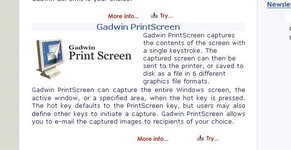
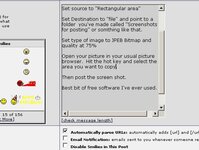
Go here and download screen print 2.6 (it's free)

Set source to "Rectangular area"

Set Destination to "file" and point to a folder you've made called "Screenshots for posting" or somthing like that.

Set type of image to JPEB Bitmap and quality at 75%

Open your picture in your usual picture browser. Hit the hot key and select the area you want to copy.

Then post the screen shot.

Best bit of free software I've ever used.
 

Attachments

  • screenshot073.jpg
    screenshot073.jpg
    39.2 KB · Views: 169
Whatton - does this work for PCs as well as Macs?
 
Yorkie said:
Whatton - does this work for PCs as well as Macs?

It only works for PC's, I don't think they do a version for Macs.
 

Attachments

  • screenshot074.jpg
    screenshot074.jpg
    39.9 KB · Views: 152
Rushy said:
Is there an optimum size/quality to post pics on the board?

My pics all look a bit shite once I have made the file size small enough to post.

Advice?

Run your camera at MAXIMUM resolution and quality all the time, let your computer do all the work later.

For posting to the web:

Resample (not resize) to 800x600 (some prefer 640 x 480, this will make a smaller file if you do use this size, I run a 1600 x 1200 screen res, 640 x 480 looks kind of small to me)

About 70% Jpeg Compressiion.

Save as a progressive JPG

Always keep your original pic, I have a seperate WEB direectory under each directory of photos where I save the small files for posting.

DPI means NOTHING for the screen

For the PC I use IrfanView, it's free and works a treat with just about anything, including batch processing directories of pics I have taken.

You should be able to get 70 - 110 KB with those settings, depending on the JPG compression algorhythm in the photo program you use. You may have to tweak the JPG compression setting but somewhere from 60 - 80% should do the trick.

For an Avatar, simpily resample to the size the Avatar is supposed to be. I run dial up .. sigh... and have Avatars turned off to save bandwidth.
 
Yorkie, your iMac has probably got iPhoto on it which allows you to easily choose a picture size and to export as a JPEG.

The ultimate would be Photoshop and the "Save to web" option which allows you to set the size of file you wish to use. One of the, biggest, online photo sites sets its limits at 500 pixles high/wide and a file size of 60k. I would suggest if they find this good enough for online pictures then its a good enough guide for most forum pictures.
 

Attachments

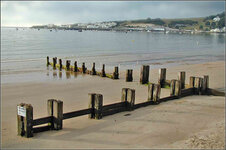
  • swanage.jpg
    swanage.jpg
    59.3 KB · Views: 99
Whatton said:
Set Destination to "file" and point to a folder you've made called "Screenshots for posting" or somthing like that.

An alternate method, you can do the same with the software that comes with your PC. Press PrintScr, this captures a screen shot, open any photo editing program, including MSPaint (comes with your Winblows system) or I prefer Irfanview (good freeware), crop the area you are interested, resample to the size you want and and save it as a JPEG (with the amount of compression you want) to a file.
 
Alternatively, upoad them to SmugMug (I seem to remember you saying you have a membership there), then just post a link to the shot - do it in 'Large' size and this is the size and resolution you'll get...

5221306-L.jpg


or 'Medium'

5221306-M.jpg


or 'Small'

5221306-S.jpg


or 'Thumbnail'

5221306-Ti.jpg


Mike:)
 
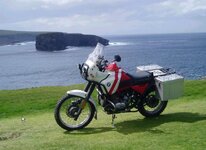
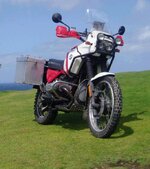
one more then sleep. I have made this as small as poss
 

Attachments

  • shots for posting003.jpg
    shots for posting003.jpg
    85.5 KB · Views: 78
Picture Help

Greetings Rushy,
You are on the right track with Mac+Photoshop elements, so you want about 75k max, I usually use 50k.
select you photo in Photoshop go to " file" then "save for web" and the computer +Photoshop will do it for you if the example shown is over 75k then change the Image size in the box on the right, click on image size, get it down to about 800k, go apply, presto.
You will be able to get the image to what ever size you want and see it before saving.
Good luck,
Barrie.


Back
Top Bottom