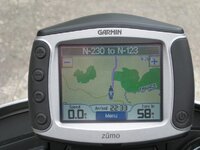
Question to Zumo 500/550 users

  • Thread starter Thread starter BlueJon
  • Start date Start date

BlueJon

Guest
Hello All

I'm new to the forum and have been reading with interest many threads on Garmin re Tomtom. As I'm keen to get myself a SatNav for my R1150GS. In my car I currently use a Tomtom and have been very pleased with it. But reading some of the prblems people have I think I'm going to have to get a Zumo. However I wanted to check other people experiences, and that my understanding is correct, before I buy. therefore a couple of questions (sorry if they seem a bit daft).

1) Am I right in thinking that you can run a hard wired connection to the zumo 500 or 550? (I'm not keen on having bluetooth in my helmet and don't see the point in hard wiring in a Sat Nav only to have to keep re charging the bluetooth!)

2) Do the voice prompts cancel out the mp3? (i.e. if I am listening to music do the vocie prompts cut out the music)

3) Can you download thrid party POI (I'm mainly thinking of speedcamera updates).

Any experiences you can share of the above or of taking the zumo between bike and car would be most welcome.

Cheers

John
 
Hi John

I have the Zumo 550 hardwired onto my 1150GSA and cannot recommend this set up high enough. I use an Autocom in conjunction with it and it all works perfectly. The music on the Zumo cuts out when the GPS (Emily!!) gives direction or when the phone is activated. Sound quality is fantastic with the MP3 files on the Zumo and plenty loud enough. Recently used it on a trip to Marbella and it made the trip a whole lot easier.

Transfering the Zumo to the car is a piece of cake as it comes with both the bike and car mounts...

Highly recommended...:thumb

Chris.
 

Attachments

  • IMG_0312.JPG
    IMG_0312.JPG
    59.7 KB · Views: 257
Ditto above. - The MP3 pauses AND mutes when directions are given so if you're listening to a podcast or something it doesn't skip bits. - A couple minor of gripes. It plays MP3 ONLY so won't play WMA files ripped via Windows Media Player into the standard Microsoft format. - A pain as 90% of my files are in this format and I will need to convert the ones I load to the Zumo. It also doesn't have an audio out in the body of the Zumo itself, only via the bike/car mount. This means you can't use it as a stand alone MP3 player with headphones when you're away from the bike, which would be useful if away on trips. Realistically you will also need to get an SD card for your additional music as I don't think there's much free internal memory after all the maps. - I just got 2GB for £16 at Costco.

I downloaded a Logis de France POI file for a test no bother. I don't know where the free speed camera ones are, though the Zumo has at least all the UK ones pre-loaded. - It's actually a bit annoying because it also has mobile camera areas and it 'bongs' all the time while you're driving through these areas - which can be a couple of mile streches. You can turn the 'proximity warnings' off but then you also lose the useful reminders of static ones.

Apart from that pretty good. - It has a neat fuel gauge feature when in the bike mount. No big deal as a replacement to your bikes gauge, but when it gets low, based on the range you tell it, a petrol icon pops up on the map and when you touch it, it brings up a list of all the nearest fuel locations. Each one has a little real time compass arrow by it with distance so you can tell if the p/station is ahead of you or behind.

Go for it!
 
Ditto the above. I have a starcom unit which I connect to the Zumo via bluetooth. Works perfectly. And my cell phone to my Zumo via blue tooth too. Play music via Ipod though hardwired to my stracom unit - only because more songs and memory on my Ipod. The music also fades as I get directions from my Zumo. Recommended. Very easy to use with touch screen and winter gloves. I like the speedometer too !

Rich
 
Hi Ive had both and after many miles of use:

Tom Tom is much easier to use ( less menu levels)
Has better options ( for eg calculation method)
Much better junction navigation.
Better avoid options (for eg choose the road from the route list)
Better speed camera warning options (you can alter distance)
POI's show better on map.

Zummo has better eastern Europe Mapping
 
Better speed camera warning options (you can alter distance)

I believe you can do that with the Zumo too, though you have to export the POI's (eg garmin speed cameras), edit the proximity warning values in excel and re-import. Only a 5 minute job


Back
Top Bottom