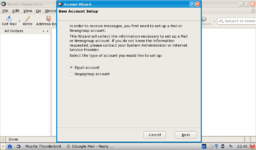
From your first post I assume that you had email working at some time. If so, your email account was either set up by entering the details of your account manually (lots and lots of geek-speak) or by running a setup disk from your ISP. Some months ago, in a moment of boredom, I inflicted Ubuntu Linux on a spare compuer. Setting up Thunderbird was similar to setting up Windows Mail/Outlook Express so I simply copied details of an account from one computer to another by reading things on one computer and typing them in on another. The details needed are the email address, the incoming mail server name and the outgoing mail server name. There is bound to be a password somewhere or other but hopefully you wrote it down when you set up the account. Following the wizard will hopefully get the job done but having never set up Thunderbird that way I can't be more specific.