PanEuropean
Registered user
I'm with Chasr and Jon on the North Up recommendation, that's really about the only way I ever view the GPSR, unless I am in the middle of some very old city center (like, one of those 1,000 year old towns that has alleys and paths running everywhere) poking along at 10 MPH and I have the GPSR set at a really high zoom level, for example 100 foot scale.
Having said that - what I would really like to see in the future is a "course up" presentation mode, by which the GPSR would always keep the active route line (the magenta line) exiting up the top of the screen, regardless of the actual heading of the motorcycle.
Last summer, in response to user requests, Garmin dampened down the amount of screen activity and redraws that take place when running in "track up" mode - so track up mode is a lot better today than it used to be. With the latest version of the SP software (III or 26xx), the screen display won't redraw unless the vehicle heading is becomes greater than 20° off the top of the screen.
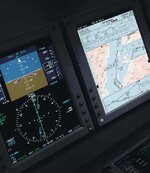
The 296 that I have offers three modes - north up, track up, and course up - but course up is only offered when running in aviation mode, not when running in automotive mode. Maybe sometime we'll get course up as an option on the automotive GPSR's. That's how all large aircraft EFIS systems (like the ones in the little picture of me to the left) present information, so it's what I am most comfortable with. But until then, like Chasr and Jon said, North Up is the easiest to work with. It's much easier to maintain your spatial orientation if the map display stays more or less the same all the time, and the only thing that changes is the orientation of the vehicle symbol.
PanEuropean
Having said that - what I would really like to see in the future is a "course up" presentation mode, by which the GPSR would always keep the active route line (the magenta line) exiting up the top of the screen, regardless of the actual heading of the motorcycle.
Last summer, in response to user requests, Garmin dampened down the amount of screen activity and redraws that take place when running in "track up" mode - so track up mode is a lot better today than it used to be. With the latest version of the SP software (III or 26xx), the screen display won't redraw unless the vehicle heading is becomes greater than 20° off the top of the screen.
The 296 that I have offers three modes - north up, track up, and course up - but course up is only offered when running in aviation mode, not when running in automotive mode. Maybe sometime we'll get course up as an option on the automotive GPSR's. That's how all large aircraft EFIS systems (like the ones in the little picture of me to the left) present information, so it's what I am most comfortable with. But until then, like Chasr and Jon said, North Up is the easiest to work with. It's much easier to maintain your spatial orientation if the map display stays more or less the same all the time, and the only thing that changes is the orientation of the vehicle symbol.
PanEuropean