Wireless?

newman7096

Registered user
Joined
Feb 10, 2004
Messages
1,088
Reaction score
0
Location
Tamworth
Can somebody explain in very simplistic terms how Wireless connection to the internet works?

Treat me as a five year old...make that a four year old.

What do I need? What plugs in to what? How much is it going to cost?

I'm currently using a Laptop connected via a cable modem (broadband) and I'm getting sick of untangling all the various wires!

Thanks.
 
Smoke and Mirrors Mate LOL

Router sits there anouncing itself to the world you fire up the laptop and it says hi can I play and properly set up router will say no b**** off to all but yours.

No its not that dificult to set up, a router replaces the modem, and a card fits in the side of you Laptop if you haven't already got wireless built in.

The easiest to install and secure is the Netgear Stuff, lots of deals on the Net go for a DG834GT, Router and a WG511T Card. Most companies offer a package of the two or the older DG834G don't really matter which but expect acost of £80 - 90 the pair.

Don't worry about the lastest MiMo or 108mbs 54mbs is fine for most people unless you live in stone built house, your a trogladite, live in a mansion.

Router will almost install itself, The laptop card needs the software installing BEFORE inscerting teh Card.

Phone me if you're worried before pluging it in and I'll talk you throught it G.

Had problems with Belkin a being unreliable found 3 com a little more dificult to set up, So Stick with Netgear.

If you want me to help
 
Thanks! :thumb

I think I understood the first three paragraphs! :D

Right I'm now going to attempt to see if I've already got the abaility to go Wireless. :eek:

Thanks for the info.

If I decide to go for the Wireless option I know where to come for help.
 
Computers saying its got a WIFI set up wizzard. Does that mean all i need is a router?
 
newman7096 said:
Computers saying its got a WIFI set up wizzard. Does that mean all i need is a router?

No mate, have to look at orginal spec of PC see if it metions wifi or 11g

Give me the make and model etc I'll look in the morning
 
I'd go for Belkin meself.....I had some problems with Netgear kit but the Belkin stuff has been so schweet to install I was surprissed.....

You've GOT to have windows XP first...don't even attempt it on win95, 2000 or any other windows OS unless you're even more of an IT guru that Steptoe.....

And do make sure everything is from the same manufacturer....Belkin will talk to Netgear and all the others and vice versa, they all operate on the same protocols and so on, but matched kit just seems to work better together.

I realyhate to say it, but PC world do some good deals on bundles that will give you everything you need.

Then don't forget the security of the network...or some scrote like me will come along on his lunch break and sit in his car down the road from you, surfing UKGSer from the car on your bandwidth (I might even have a look through yer porn ;) )

Otherwise, it's dead easy :thumb
 
Ok still can't figure out whether my PC is wifi enabled however if it isn't how do you fit the card?

Does it involve taking the PC apart? :eek:

Would I have to take the PC somewhere to have the card installed?

I really am clueless! :mmmm

Its windows XP Pentiun 4 if that means anything to you.
 
Ok I have a 3 inch wide slot on the side of my computer. Is where the card/adaptor goes? :nenau
 
here is a link to the manual for the V25 (the spec sheet i found states it should have wireless but it is a factory option :nenau )

http://www.samsungpc.com/gb/support/v20/manuals/v25/english/manual.pdf

no need to take anything apart if the laptop does not have wifi you just purchase a card that will slot in the side, what you will need however is an access point essentially a reciever which will talk to your broadband router/modem (unless it does wifi as well)

have a look at the manual (section "connecting to the internet" chapter "connecting through a wireless lan") it mentions viewing available wireless networks if you can get that far you we know your laptop has wifi and we can go from their
 
My son and his mates go out looking for unprotected WiFI, and sit outside the persons house downloading all their games onto their PSP's - :eek:
 
Steptoe said:
My son and his mates go out looking for unprotected WiFI, and sit outside the persons house downloading all their games onto their PSP's - :eek:

LOL,

Thats why I recomended Netgear easy to set up using mac address detection so no bugger can use it other than you, no need for encription or all that bollox for home use.

I've installed in the region of 30+ wireless networks over the last year currently only supply Netgear, 3 Com, or Draytek, others in this price range or less IMHO earn me money and cause customers hassle.

Yup slot in side is were it goes buddy

R's G.
 

Attachments

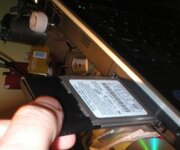
  • P1010003.JPG
    P1010003.JPG
    18.4 KB · Views: 154
I'm getting it! :D

Checked the manual and can confirm that I do not have a wifi enabled machine. :mmmm

So all I need to do now then is buy a card, install software, insert card, connect modem up to router and follow the install wizzard?

If so I'll order the relevant bits.

Can you just confirm the bits I need to order. (Netgear) And where from (cheapest).

I currently have a speedtouch modem thats providing me with a speed of 1.1mbps (whatever that means).
 
Fanum said:
Then don't forget the security of the network...or some scrote like me will come along on his lunch break and sit in his car down the road from you, surfing UKGSer from the car on your bandwidth (I might even have a look through yer porn ;)

I've recently installed a D-Link wireless router and card for SWMBO's laptop,my PC is hard wired to it.I am worried about security :eek: but don't know what I need,so any advice will be appreciated.
BTW, I went for D-Link as I had such trouble with PC World over a faulty Netgear unit that I went to a local independant supplier and D-Link is what he installs.
Tony
 
talltony said:
I've recently installed a D-Link wireless router and card for SWMBO's laptop,my PC is hard wired to it.I am worried about security :eek: but don't know what I need,so any advice will be appreciated.
BTW, I went for D-Link as I had such trouble with PC World over a faulty Netgear unit that I went to a local independant supplier and D-Link is what he installs.
Tony

The setup instructions for your router should include a way to get a setup screen via your browser (usually IE ). Amongst the various pages will be one on wireless security, normally a choice of various encryptions. The most secure is WPA. Normally you create a 'password' and then set your computer/s to this password to allow entry. This secures your router from being accessed by anyone else nearby.
 
talltony said:
I've recently installed a D-Link wireless router and card for SWMBO's laptop,my PC is hard wired to it.I am worried about security :eek: but don't know what I need,so any advice will be appreciated.
BTW, I went for D-Link as I had such trouble with PC World over a faulty Netgear unit that I went to a local independant supplier and D-Link is what he installs.
Tony

I live down in Weymouth Tony, if you want a hand, let me know? :thumb
 
Centaur,that sounds pretty straightforward--- a case of RTFM!

Salad Dodger,I'll let you know if I need more help.
Thank you both :beerjug:

Tony
 
Can someone offer me some advice on which way to go with my grand plan please. :)

I want to add a network storage device (Something like this or this What's the difference betwen the two? ) to store all my media, mainly music and photos, for all PC's to access plus media players by Hi-fi's (like this) and the TV (like this).

Small problem - I currently have ntl broadband distributed by a Linksys 4 port 802.11b wireless router. All 4 ports are taken by my CAT5 cabling (3 PC's and a PS2). The Linksys device is prone to locking up on a regular basis, say monthly, and requires a quick reset. Unfortuantely this normally loses the local network I have set up.

Questions as follows:

1. Do I need to upgrade my wireless to 802.11g for quality music streaming? If so should I go the whole hog and go for 108 MBps straight away?

2. a) If I don't need to upgrade to 802.11g can I just piggyback a Linksys 8 port hub/switch and connect everything to this?
b) Would this overcome the router reset problem and retain my network on all PC's?
c) Would the network storage device still be visible via the wireless router?

3. Option 2 - As I work from home, should I get a 'grown up' firewall type router to connect ntl broadband? Can I then attach an 8 port wireless broadcast device (if there is such a thing) to it?

4. Option 3 - How easy is it to set up a server using one of my old PIII PC's?

Blimey, that got a bit technical :confused:

I relaise there is almost an infinite ways of achieving this but I'm looking for the most cost effective and future proof method as I don't want to do it all again next year. Any advice greatfully recived.

Cheers

Adam :)



Back
Top Bottom