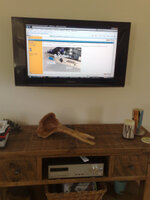
Advice on Flat Screen TV as a computer Diaplay???

Padge

Registered user
Joined
Nov 7, 2003
Messages
1,325
Reaction score
0
Location
Dublin
Need to get a flat screen display (32") for presentations in the office.
A specific hi-rez PC monitor of this size is crazy priced, so I'm looking at a 32" LCD TV as there's plenty around the €500 mark

It'll only be used infrequently, so not on constantly... so do I need to look for anything in particular?
 
I'd say any of the new ones is good enough, I have a samsung HD 1080 which is also compatible with computer work, but have not tried it for that...

Just go and get one and make sure it has the right connector...
 
I don't know about the modern stuff at 1080dpi as it's been a long time since I tried displaying apc output o TV, but I'm guessing the same still holds true (I'm sure someone will correct me if this is just rubbish :D)

The problem is with the resolution....even at 1080 dpi that doesn't give you much deskspace.

Certainly way back when, using a tv was no good because the resolutions supported by graphics cards looked awful on a tv....the icons and text got all pixellated and jagged (it's to do with dividing the available res with the actual output res and if the two aren't divisible by nice round whole numbers, you get odd effects)

If this isn't true any more, ignore it....but if it is, (and still another, possibly better option even if it isn't still true) you may be better off with a screen, either a roll up temporary but portable one or a ceiling mounted pull down permanently installed one) and a decent projector.

The advantage is of course that projectors are small and portable so you could take the presentation anywhere with you (particularly with a roll up screen on a collapsible tripod) and that the screen display size would be much, much larger......the disadvantages are that you need to turn the lights to a bit dimmer in the room :blast

I had a wall projector at one stage and playing Quake 3 online, projected onto a 6 foot wall space was pretty awesome :D

 
Our 36" Samsung TV has a PC connected to it as a media centre...

many of the modern TVs come ready to plug in a PC directly ... look for a VGA or a DVI connector on the TV and you should be good to go

dualmonitor_02.jpg
 
Right so..
I've 2 main uses for this, The first is presentations in the office(AutoCAD drawings, Excel Spreadsheets & Video files). It will also get used for some shows so this rules out a projector where the brightness would be a problem.

Found the following: SAMSUNG - LE32B530 (€470 with free wall bracket)
SAMSUNG 32" FULL HD 1080P LCD
* 1920 X 1080 PICTURE RESOLUTION
* CRYSTAL DESIGN
* HIGH CONTRAST
* WISE COLOUR ENHANCER 2 PICTURE
* 24P REAL MOVIE MODE
* SRS TRU SURROUND SOUND
* USB 2.0 CONNECTION FOR MP3 & JPEG
* 4X DIGITAL HDMI CONNECTIONS
* MPEG4 TUNER FOR IRISH DIGITAL TV

I'll be using the laptop on it, but it's an old one so no HDMI.
Does using HDMI connections give any advantage?
 
USe a panasonic to media centre pc.

PC has a freeview tuner, can get free stat tuner also.

OK for me, just use the HDMI cable to connect
 

Attachments

  • tv computer screen.jpg
    tv computer screen.jpg
    46 KB · Views: 103
HDMI input on a telly is the same as DVI-D for the video signal. You need a separate audio in for the sound though.

I have a 2 year old Samsung 32" running in the spare room with a belkin DVI-HDMI lead, and a 3.5mm optical to TOS lead for the sound. Works a treat.

Full HD is 1920*1080 pixels. A proper monitor is typically 1920*1200, just make sure your OS can adjust to the 1080 pixel version and you'll have a really nice big monitor. That sort of desktop is good enough for most folk.
 
I was outputting my laptop to a 42" Pioneer plasma via s-video from the PC to a Euro Scart adapter and it was OK.... OK for watching a film or TV but if you want to look at detailed spreadsheets or smaller text it's not great . Resolution is mediocre at best. I certainly wouldn't present this level of quality professionally. If you go direct from S-video on the PC to S-video on the TV it's much better.
 
Try and keep it all digital and you get a picture as crisp as a laptop / LCD monitor. I had to use VGA for a while due to a bug in 10.5.6 of osx and it was a bit less easy on the eye. The dvi-hdmi lead wasn't too expensive, £20 or so.
 
There are 2 things to aim for

pixel count per square inch
highest resolution for highest screen size -as a ratio

i'd aim for 1920x1080 or higher on a max screen size of 37" using dvi or hdmi digital.

just make sure the pc can output that resolution though.
Don't change from native screen resolution input though, it'll be nasty.
 
We've got a few at work we use for reviewing drawings, 3D models, etc. but you wouldn't want to use one as your desktop.


Back
Top Bottom