Carpuride W702 and Google Maps

P248

Registered user
Joined
Jan 20, 2019
Messages
189
Reaction score
14
Location
UK
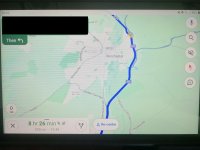
I've just fitted a W702 to my bike, and I'm very pleased with it. Just one thing is annoying me: it's the full screen display of Google Maps when navigating. Half of the display is obscured by the Maps route instructions panel ( white script on green background) and the panel showing time and distance to destination (black script on white background). The result is that the useable part of the map display is reduced to half the screen area. Sorry, I can't work out how to load a pic.

Is this display a Carpuride thing or a Google Maps on Android Auto thing? And is there anyway to hide the time/distance to destinaton panel or to reduce it in size?
 
Sorry, I’ve just realised this might not be in the correct sub-forum, and I don’t know how to move it.
 
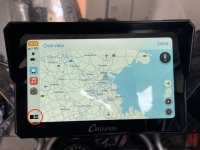
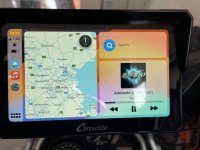
Toggle screens by tapping little button bottom left of screen.
 

Attachments

  • IMG_3434.jpeg
    IMG_3434.jpeg
    141.3 KB · Views: 51
  • IMG_3435.jpeg
    IMG_3435.jpeg
    143.6 KB · Views: 52
Just realised that is Waze, hopefully the same applies, failing that try tapping the map portion of the screen.
 
It's not the split screen showing a second app alongside Googe that's my problem. It's when Google Maps is displayed in full screen and is in navigation mode. The Maps navigation instructions panel and distance/time to destination panel cover nearly 50% of the map.
 
I'd upload a pic if I could work out how to do it.
 
I'd upload a pic if I could work out how to do it.

Like this ?

c16eafc20f68227391bf1ebce5511562.jpg
 
Just realised that is Waze, hopefully the same applies, failing that try tapping the map portion of the screen.
HOPs, your pics show the maps display in Waze, but not in navigation mode. In nav mode Waze also has panels showing route instructions and time/distance to destinaton which display over the map. They are smaller and less intrusive than the equivalent panels in Google Maps.
 
It's not the split screen showing a second app alongside Googe that's my problem. It's when Google Maps is displayed in full screen and is in navigation mode. The Maps navigation instructions panel and distance/time to destination panel cover nearly 50% of the map.
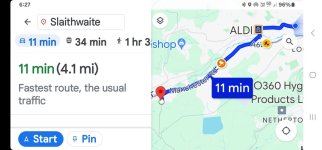
Mine is the same and very annoying. Screenshot_20240513_062708_Maps.jpg
 
Think he might mean this the amount of real estate google maps instructions take up. No there is no way to reduce the size of the instruction panel.

IMG_20240513_105914474.jpg
 
Do any of you have issues with using any on screen buttons? When using google, apple, waze, scenic maps when trying to use the + and - buttons to zoom in and out it is very flaky - like it takes multiple presses to get it to do anything - very frustrating.
 
What tablet & what app ?

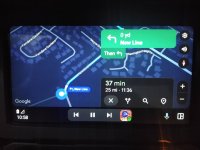
This is the display i get running google maps on my tablet ,

with a route in nav mode

map crop v2.jpg
 
Just thought?

Have you actually pressed the start button?

@ Doc - mine shows exactly what you show, until i press the start button, then it goes to the pic above


Back
Top Bottom