error picture message

Pauly S

Registered user
Joined
Mar 3, 2007
Messages
3,852
Reaction score
12
Location
Near Sevenoaks,Kent
HI guys , trying to post a pic, but getting this, whats it all about, anyone know?


DSCF0588.JPG
:
The Dimension limits for this filetype are 800 x 0. We were unable to resize your file so you will need to do so manually and upload it again. Your file is currently 1280 x 960.
 
HI guys , trying to post a pic, but getting this, whats it all about, anyone know?


DSCF0588.JPG
:
The Dimension limits for this filetype are 800 x 0. We were unable to resize your file so you will need to do so manually and upload it again. Your file is currently 1280 x 960.


Those words you always wanted to hear...........

Its too big Nomad
 
I dont understand this

ive used the same camera for years, and now this appears?wtf,not another you tube video saga......fook.
if i use 1 megapixel , the file size is too large in kb,if i use 0.3 mega pixel this appears, and ive changed nothing.
 
ive used the same camera for years, and now this appears?wtf,not another you tube video saga......fook.
if i use 1 megapixel , the file size is too large in kb,if i use 0.3 mega pixel this appears, and ive changed nothing.

Its to do with the size of the actual picture rather than the mega pixels when taken. I use a free software called irfanview to adjust the size of pics, then upload the pic to Photobucket and link the IMG code to the thread.

Theres threads on here on 'how to' I'll look some up for you :thumb2
 
ive used irfanview before

i have used irfan view to resize before, but the camera i use , the pics dont need to be resized , they just fit, straight from the camera to the site.
its almost like summat has changed here.??
a question, how does the file size change when the camera is set on 0.3 mega pixel.
is it that a picture which has dark sections ie black has less pixels hence a lower file size?
 
i have used irfan view to resize before, but the camera i use , the pics dont need to be resized , they just fit, straight from the camera to the site.
its almost like summat has changed here.??
a question, how does the file size change when the camera is set on 0.3 mega pixel.
is it that a picture which has dark sections ie black has less pixels hence a lower file size?

A pic taken on a 0.3 MP camera will appear less crisp and more grainy than a 3MP camera. The quality of pic is lost as you zoom in to it (you probably know that anyway)

I'm not so up on the posting of pic's I'm afraid. Fanum will probably be along and he has a lot more knowledge :nenau
 
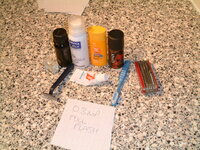
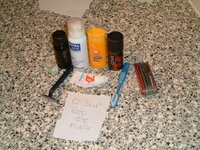
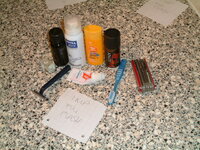
experiment num 1

test 1

pic 1 wouldnt load 1 kb too big
pic 2 121 kb
pic 3 122kb
pic 4 119.1kb
 

Attachments

  • DSCF0002.JPG
    DSCF0002.JPG
    121 KB · Views: 44
  • DSCF0003.JPG
    DSCF0003.JPG
    122 KB · Views: 46
  • DSCF0004.JPG
    DSCF0004.JPG
    119.1 KB · Views: 46
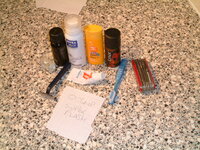
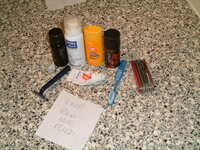
experiment num 2

pic 5 wont load 122.6kb
pic6 121.9kb
pic 7 121.2kb
pic wont load 123.8kb
 

Attachments

  • DSCF0006.JPG
    DSCF0006.JPG
    121.9 KB · Views: 43
  • DSCF0007.JPG
    DSCF0007.JPG
    121.2 KB · Views: 45
pics

These were all done with controlled conditions, the camera is on a tripod, same picture, same contents, but the different kind of flash makes a difference, also the difference in file size is neglible , considering 1 mp is three times more concentrated than 0.3mp wtf??
Calling Carl mr IQ
 
Its not about the megapixels used by the camera but the amount of compression applied by the internal software when saving as a jpg image. I would say yours uses differing compression for each size of pic it takes so they all end up around the same file size. You can take a 3mp which has dims of 1280 x 960 and apply more jpeg compression and still end up smaller but the pic will look very blocky. This is because the jpeg algorithm looks at surrounding pixels and if the colour is within the range dictated by the compression factor it turns the whole lump the same colour thereby making a smaller filesize ie: not as many colours to save. This throws away picture information which is why it is a lossy format. If you keep doing things to the same pic and resaving it will eventually end up looking like crap. Best bet for uploading to a forum like this is to take the pic at full bottle, then use something like Irfanview to resize to 800 x 600 and save as jpg with about 70% compression. You will get a pic that is still clear but under the limit.


Back
Top Bottom