Garmin 2610 Cheap In DUBAI

skipper

Active member
UKGSer Subscriber
Joined
Aug 11, 2003
Messages
193
Reaction score
3
Location
South Shields
Here is a good price, I have just returned from a trip to Dubai. While there I spent a little time looking around the radioshac stores and was amazed to see Garmin 2610's at 620 pounds including European CD V5 with upgrade to V6 available via the web. I checked the box and contents and they were identical including the GB plug (Dubai uses same sockets).

I had only parted with 960 the month previous.

I decided to buy a Garmin PDA Ique 3600 (handheld thingy) which cost me 310 against 525 here. I had no problems with the software of getting V6 upgrade.

This seems a better deal than the USA base map version. I used to think the cost difference was the cost of buying the mapping license for that particular country. But now it seems we must be getting ripped off, what 960 down to 620 and that was in a shopping mall, not a mail order depot with lower overheads.

The 3600 I bought will allow you to load which base map you want from the CD and then load the detailed maps on the memory card.

Oh do I like me gadgets

any comments ?
 
Skipper, let us know how your iQue works out on the moto. I would be interested to hear your experiences.

Congratulations on finding the great price.

PanEuropean
 
skipper said:
Here is a good price, I have just returned from a trip to Dubai. While there I spent a little time looking around the radioshac stores and was amazed to see Garmin 2610's at 620 pounds including European CD V5 with upgrade to V6 available via the web. I checked the box and contents and they were identical including the GB plug (Dubai uses same sockets).
any comments ?
Are you going again soon??:D :D :D
John
 
Why won't it do roundabouts?

PanEuropean said:
Skipper, let us know how your iQue works out on the moto. I would be interested to hear your experiences.

Congratulations on finding the great price.

PanEuropean

PanEuropean,

Wonder if you could help with a simple query I have about the iQue. It is that it doesn't do roundabouts properly.

Rather than say things like "take the 3rd" exit, it will go "turn left and left and right" or something like that. Which means you have to divert your eyes to see where to go at every roundabout.

Why is this? Is this common with all garmin GPS devices? I've recently done the latest software update and that hasn't helped.

Thought you might be able to direct us to the answer as you seem to be the most knowledgeable person on Garmin products.

Thanks in advance,
T.
 
T

Reading your bit on the IQUE and roundabouts, you are correct in what you say only the software version puzzles me because V5 city select has the roundabouts wrong but in V6 this has been corrected.

I had a free upgrade to V6 and asked Garmin if I could wait till V7 and jump 2 steps. That’s fine by them but he then went on to say about the roundabouts in V5.

Don’t know how others feel but I think all faults in software should be fixed free and not at the cost of an upgrade.

Regards
 
so it's the mapsource software??

Thanks for the tip.

So if I can get an upgrade to v6 then it should be sorted?

What a bunch of W**kers! The sales person never mentioned it. Garmin for shipping something with a bug in it.

I will now proceed to bug Garmin.

T.
 
Novice:

I am quite perplexed to hear that the iQue does not do roundabouts properly.

I spent months in the summer of 2001 working directly with the programmer at Garmin to get roundabouts working 100% on the SP III - that was way back at software version 2.17 or so. In fact, this was the first major beta testing work I did with Garmin. We have some pretty wild roundabout combinations here in Switzerland (like, 3 in a row, or a roundabout within a roundabout), so we both did a lot of work. I would get a new software build shipped each Friday, and my job was to find fault with it over the weekend. In fact, I was joking that I wore out one side of a set of tires testing roundabout algorithms on the GPS software, and the other side sof the tires till had all the nubs on it, because we went through about 8 builds before we were both happy with the performance of the software through roundabouts (I guess I should have shipped the tires to a UK ST1100 owner...)

Roundabout guidance on the SP III and SP 26xx (at the latest software versions) is the best that it has ever been - IIRC you get told "take third exit", then 'turn right now', and the timing of the visual and voice prompts is very precisely matched to your position in the roundabout. In fact, roundabouts get one extra visual prompt that no other turn or leg change type get, just to make things crystal clear at all stages of the manoeuvre.

Anyway, the same guy who wrote the turn guidance software for the SP III / SP 26xx / GPS V did the software for the iQue - and he is a really exceptionally talented programmer - an absolute wizard. So, like I said, I am very perplexed by your comment. But, I don't know much about the iQue - I declined to participate in the testing of that one, because it's not really suitable for the way I ride my motorcycle (long distances, in rain, etc.).

May I suggest that you (double) check that you are running the very latest system software for your iQue, with the latest patch (if applicable) applied? I think the iQue ships with CitySelect, I'm not sure if CS has less attribute data than CN, but I vaguely remember that roundabout guidance was one area where CS was not as sophisticated as CN, but that was back in 2001. It may well have changed since then - both products have been updated twice since 2001.

In the meantime, I'll check things out from my end, and see what I can find. If it turns out that the problem stems from the (lack of) data contained in CS, then please take it easy on Garmin, it's not their fault, they have NOTHING to do with map data collection, that is done by NavTech. It is entirely possible that if your IQue was running CN rather than CS, the problem would go away, but I don't think you would want to pay about a $200 premium on the retail purchase price to get CN with the iQue, rather than CS - and that's about what it would probably cost Garmin to put CN into the iQue (just a guess on my end, based on comparing CS vs CN standalone prices, and the extra memory capacity needed to hold the same coverage data from CN vs CS).

As always, please remember, I don't speak for Garmin, ever. I am a volunteer beta tester, that's all.

PanEuropean

PS to Skipper: If you are eligible for a free upgrade to version 6 of CS, and if that is known to solve the roundabout problem, then I suggest you upgrade. If you want to wait till version 7 to upgrade - so you save the cost of a cartographic cycle - hey, that's your choice, but it's then not fair to complain your problem isn't solved if they are willing to give you a free fix (version 6). The purpose of the free upgrades is to make sure that everyone has the latest and greatest best possible performing product out of the box at the time of purchase. It's a bonus - rather gracious of them - if they are willing to let you skip a cycle to save money down the road if that is your preference (rather than having the latest and greatest out of the box at the time of purchase) - so I don't think you should be whinging. That's just my take on it, though.

 
PanEuropean,

Thanks for the reply. As always your posts are thorough :thumb

This free upgrade seems to only apply to CN? Am I reading the Garmin site correctly? Which means for City Select upgrade, you have to pay a whopping $100 + VAT + shipping.

T.
 
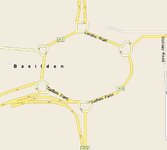
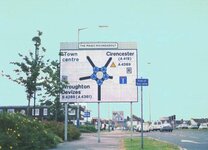
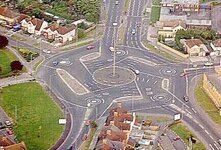
The only place I've managed to really screw betty up is here.......


She ended up telling me to take the third exit but was indicating the first.....twas odd.....otherwise no problems, assuming that you can tell the difference between an exit and an entrance intoa carpark or garage thats not really and exit if ya see what i mean :-)
 

Attachments

  • rbout.jpg
    rbout.jpg
    15.8 KB · Views: 192
Novice:

I'm not entirely sure what the "free upgrade offer" status is. I was assuming from Skipper's first post, above, that he bought a GPSR that contained an out of date CD at the time he purchased it. Garmin's policy is that anyone who buys any product with a map database in it (any kind of map database - CN, CS, marine BlueChart, aviation Jeppesen) that is out of date at the time of the purchase is automatically entitled to a free update to whatever map database is current as of the day they bought their GPSR.

For further information, and to see if you are eligible for a free update to the CS map database you have (I presume it is CS you have), check this Garmin web page I am pretty sure that the policy is: "If you purchased your GPSR on or after the 'release date' of the newer mapping product, you are then entitled to get the newer mapping product free."

I bought my map products a long time ago - CN North America in 2001, and CN Europe as a stand-alone package (ouch - about USD $600) back in 2002. So, I have to pay for my updates, for that reason I am not as up to date on map policies as I used to be.

PanEuropean

Fanum: - Ohmygawd, that's a friggin' nightmare! I'm gonna send that one to my buddy the programmer... and tell him it has to work in reverse (LHD). He'll jump out the window. Seriously - we did find problems - and still currently find problems - where the map data providers have listed an agricultural road, service road, or private road that comes out of a roundabout without tagging it with the correct attribute. In such cases the guidance will give you one number higher than you should have (e.g. 'take 4th exit' when it really should be 'take 3rd exit'). The way to get these problems fixed is to submit the snag as a cartography snag, not a software snag. The general rule of thumb for roundabout exit attributes is that the road has to have an individual exit guidance sign to be classified as a 'public' road, if it does not have a sign within the roundabout that shows it as an exit that is available to all, then the attribute for that road should be set to 'private', which means you will see the road on the map, but it won't be considered (in text and voice prompts) as a 'real exit' for counting purposes.
 
PanEuropean said:
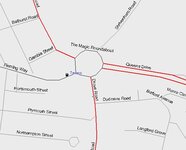
Ohmygawd, that's a friggin' nightmare! I'm gonna send that one to my buddy the programmer... and tell him it has to work in reverse (LHD). He'll jump out the window.

Tell him to try this one. You have to drive clockwise around each of the satellite roundabout but you can work either way around the main roundabout!

:D

Greg
 

Attachments

  • mrs.jpg
    mrs.jpg
    32.6 KB · Views: 172
PanEuropean,

No I was not complaining about the purchase I made. Its all to do with timing If you bought after V6 was realised then you get the latest software from Garmin and in my case at no cost it solves the problem.

The ones I feel sorry for is say whom bought in October registered then are not entitled to the upgrade, and so in my mind have a defective product. I would say to anyone who has the 25 digits unlock code think twice before you register and pick your timing, like waiting for next upgrade.

So someone buying say in July with current software could wait until January before registering product then claim next version of mapping software.

In My case I have a 2610 with CN V6 and was thinking of putting the other unlock code on my IQUE and then waiting until till the next version to register my IQUE I will then have CS V7.

My problem is getting my head around CS (city select) and CN (city navigator). CS that I have on a GPS V and an E-Trex and the IQUE, seems to be in smaller chunks of mapping data to allow for smaller memory in the GPS V and the E-trex, but this is not necessary for the IQUE as data cards can be fitted.

The reply from garmin seems to be that CS will be phased out, and all effort goes first into CN, and that the routing can be different. But that bit I have not tested.


Regards
 
skipper said:
In My case I have a 2610 with CN V6 and was thinking of putting the other unlock code on my IQUE and then waiting until till the next version to register my IQUE I will then have CS V7.

I don't think that you can do that unless you have also registered your iQue.

:(

Greg
 
Hi Skipper:

It's an interesting strategy - waiting to register, especially if you are close to the end of the average cycle for release of new maps. But I thought you had to register in order to get the unlock code needed to make the map that came in the box work with your GPSR? Like I said earlier, I am not too familiar with the iQue, only the SP series.

What I understand the differences between CS and CN are is as follows - keep in mind this is just my understanding, nothing official:

1) Both products are made from data that is supplied by NavTech.

2) Both products show exactly the same visual data - meaning, there is not one street or lane more or less on CS vs. CN, if you are comparing the same editions of both products.

3) CN contains more invisible street attributes for each street or highway than CS does. This accounts for why CN provides more detailed guidance respecting lane position, and more detailed guidance respecting roundabouts. I suspect that NavTech started adding additional attributes to the most recent edition of CS, based on the comments above that the most recent edition of CS gives fully satisfactory roundabout guidance. In the past, the products that shipped with CS (e.g. GPS V) did not have the processor power to use the additional attributes - now, in the case of the iQue, the processor is catching up to the shortcomings of the cartography (CS), so NavTech has probably added certain attributes at the request of Garmin.

4) CN contains the exact text that is displayed on overhead signs, so a prompt from CN to take "exit 4 to Alfa, Charlie and Bravo" will display the wording exactly as it is written on the overhead sign, even if there are errors in alphabetical order or spelling. This data is collected manually (through observations of the signs) by NavTech. CS does not contain these exact phrases, and CS provides generic guidance only - for example, if you have a route active to a town named Bravo, it will prompt you to "take exit 4 to Bravo"

5) CS data is smaller in size than CN data, for a given area. This is a very meaningful advantage for users of older GPS units that have limited memory capacity. It is less of an advantage for those who are buying 2004 products, but Garmin remembers that there are a lot of users of older products - for example, the GPS V - who want to continue to buy up to date data, but could not cope with the size increase of CN as the product quality improves.

6) NavTech charges Garmin much more for CN data than for CS data. Thus, Garmin needs to be sensitive to the price points on the total package (GPSR plus map data). Products like the GPS V, iQue, and new 60 series would not sell well if the price was $200 higher due to the inclusion of CN rather than CS.

I have not heard anything about CS being phased out. I suppose it could be done, and everyone would be happy, provided that the next issue of MetroGuide (the map product one notch below CS) supports autorouting. But, NavTech's policy has always been that if a product supports autorouting, then it has to either be serial number unlocked (as with Garmin products) or run off the original CD (as with OEM in-car navigation installs). So, it would require a major change in philosophy from NavTech to allow Garmin to switch to only CN with unlock codes (for the high end) and an autorouting-on-GPSR-capable MetroGuide without unlock codes (for the medium and low end). I am sure that both Garmin and the users would be thrilled if this is done, but don't hold your breath. It's NavTech's call, not Garmins.

Garmin cannot drop CS and go to a CN - MetroGuide only product line if the MetroGuide product requires an unlock code. This is because many of the older GPSR's don't support unlock code technology, and Garmin is unwilling to abandon the users of 1990's GPSR's who rely on map products that do not require unlock codes.

It is encouraging to note that the recent release of the exceptionally high quality MetroGuide Canada 4.0, which supports autorouting on both the GPSR and the PC, does not require an unlock code. This is probably because Garmin has more influence over the Canadian company that developed this map product than they have over NavTech.

Hope this helps you. Not sure if it answered your question dead-on or not, but it might help you see the big picture better.

PanEuropean
 
Pan European,
Garmin started shipping units in the UK some time back with the unlock code already in the box, so you could use it straight eaway without registering, so word got around not to register with Garmin, and when the upgrade came out, then register and .....free upgrade.
John


Back
Top Bottom