Getting third party MyRoute GPX files into a personal MyRoute library

adventuredon

Well-known member
UKGSer Subscriber
Joined
May 13, 2010
Messages
7,448
Reaction score
860
Location
Wandsworth, London
Thanks Richard, how do I add these routes to MRA or bookmark your folder etc in the app or even online? Saves me having tome here to get the link. Do I add you as a friend? If so, do I need your e-mail?

======

I have cut this post and short thread from the Travel section and created a title for it.

Richard
 
Last edited by a moderator:
Thanks Richard, how do I add these routes to MRA or bookmark your folder etc in the app or even online? Saves me having tome here to get the link. Do I add you as a friend? If so, do I need your e-mail?

You need to export them from Richard’s share folder and then import them to your MRA. Little bit of faff but only takes a few seconds to build your own collection. When you export they will be gpx files which you can send to anyone.
 
Thanks Richard, how do I add these routes to MRA or bookmark your folder etc in the app or even online? Saves me having tome here to get the link. Do I add you as a friend? If so, do I need your e-mail?

You need to export them from Richard’s share folder and then import them to your MRA. Little bit of faff but only takes a few seconds to build your own collection. When you export they will be gpx files which you can send to anyone.

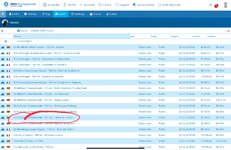
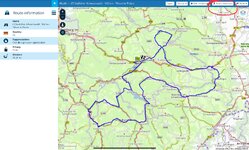
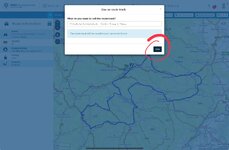
Here’s an example, importing some GPX files, kindly converted for me by Mzokk.

This is on an iPad.

IMG_1795.jpegIMG_1796.jpegIMG_1797.jpegIMG_1798.jpeg

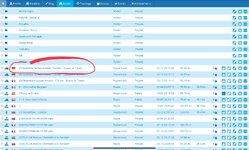
The import will be saved to your MyRoute library.

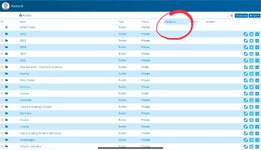
Depending on how many files and folders you have, it’s sometimes easier to find the import(s) by sorting them by date:

IMG_1799.jpeg

Play around, you can’t break it.


Back
Top Bottom