Help Garmin 340 LM

slimpickings

Well-known member
UKGSer Subscriber
Joined
Jun 28, 2010
Messages
1,676
Reaction score
110
Location
Doncaster
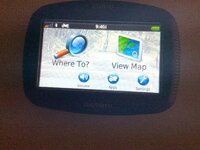
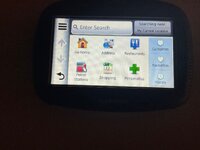
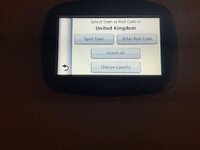
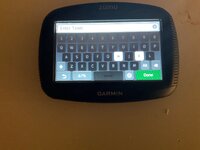
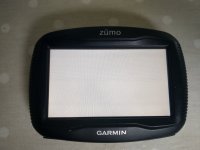
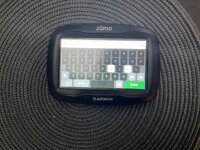
I have a garmin 340 LM. That will not take a destination It appears to be stuck on Hull :confused:

The key board has all the letters other than H and O greyed over

Any experts on here that could help me out before I bin it

I know this is all a bit vauge .

I think I have messed things up by trying to sort it :blast

I have to admit I am not particularly hot on tech ,


Thanks … in anticipation
 
Do a hard/factory reset and try it again.
You should probably buy a new nav as that is ancient.
 
I thought I might get that advice :D
 

Attachments

  • image.jpg
    image.jpg
    720.3 KB · Views: 7
  • image.jpg
    image.jpg
    485.2 KB · Views: 6
  • image.jpg
    image.jpg
    488.4 KB · Views: 7
  • image.jpg
    image.jpg
    457.4 KB · Views: 7
Do a hard/factory reset and try it again.
You should probably buy a new nav as that is ancient.
I've got one of these, had it for yonks, up until this point I'd never considered how 'ancient' it is. It still works OK though. I'll keep it until it fails.
 
do you have a screen protector fitted? If so, remove it and turn it off and on again. Differential expansion of the layers causes the problem you have shown.

for a reset, turn it off, press the screen as indicated in the video and turn on again

I have a 9 year old 390 that still works fine. Gave it an update last week and tested it on an outing on Tuesday and still fine!
 
Any idea how to do a hard factory reset
I did a Google search and followed that when I had to do my 590lm. It may have been hold down the power button for 20 seconds.
 
They are great little units. I have a 340 and 390. If a hard reset doesn't work, Possibly a bit of dirt at the screen edge. Try running a small piece of flat plastic under the perimeter of the screen edge. The screen totally failed on my 390 and I replaced it. (Documented in the GPS section) It was £25.
 
 
Thank you for trying to help
I have done the re set ,it appears to have made no difference

When I try to enter a destination I still get this :confused:

Looks like its next destination will be land fill
☹️
 

Attachments

  • image.jpg
    image.jpg
    728.4 KB · Views: 2
When I updated maps yesterday looks like it has only added Europe north deleting south and UK

Is it possible to reload the missing map ?

They don't appear in Garmin Express
 
When I updated maps yesterday looks like it has only added Europe north deleting south and UK

Is it possible to reload the missing map ?

They don't appear in Garmin Express

presumably you have an SD card installed. Is it big enough for the latest update? If it is big enough, has it expired or come loose?

when the 340 is connected to the computer, can you see the card in File Explorer? Does it report the correct size?
 
presumably you have an SD card installed. Is it big enough for the latest update? If it is big enough, has it expired or come loose?

when the 340 is connected to the computer, can you see the card in File Explorer? Does it report the correct size?
I think you are on the right track
The memory card would appear to be unable to cope with the last update.
I will try to find out what size I need and see about getting one fitted.
when connected to computer there is no File Explorer tab
 
Last edited:


Back
Top Bottom