Help - photo problems.

  • Thread starter Thread starter Wraithwrider
  • Start date Start date

Wraithwrider

Guest
I've been trying to post some photographs that I took of the bike today.

I'm using 'photobucket' to host the piccies (They resize if picture > 250Kb).

My original photos are about 322Kb and are 1280 x 960.

I'm using Irfan to resize them.

Whatever I do they come out postage stamp size when they're posted.

What am I doing wrong?

Peter
 
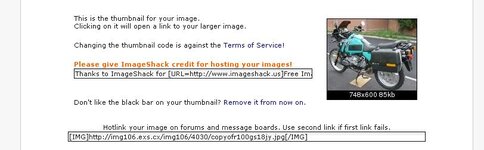
I've not ried photobucket but it sounds like you're using the address for the thumbnails rather than the actual pictures??

I use smugmug, and there's a switch that you add to the end- an s for small, m for medium etc; could it be something like that maybe?

my money's on the thumbnail adress though...make sure you're copying the address of the full sized pic.
 
Wraithwrider said:
I've been trying to post some photographs that I took of the bike today.

I'm using 'photobucket' to host the piccies (They resize if picture > 250Kb).

My original photos are about 322Kb and are 1280 x 960.

I'm using Irfan to resize them.

Whatever I do they come out postage stamp size when they're posted.

What am I doing wrong?

Peter

Peter - post an example - that should give us something to work with...

Mike:)
 
Thanks for the help. The thumbs suggestion and the address under the picture were the clues I needed.

MasterDabber suggested right clicking the photo and getting the url address from the properties page. Trouble is that gives the url of the thumbnail!

Getting the url address from below the picture was the answer.


The result of my effort is shown in the 'Fun day today' thread!

Thanks again
 
Wraithwrider said:

MasterDabber suggested right clicking the photo and getting the url address from the properties page. Trouble is that gives the url of the thumbnail!


In the FAQ I suggest you can either go into the full size picture, right click, go to properties, then copy the address into the img window (using the img button) or...
copy the address in the img window on photobucket and paste straight into your append without the need to use the img button.
I've gone back in to test this and when I right click on a full size photo it doesn't revert to the thumbnail picture.
Don't know what has happened there?
 
Nope MD but this numpty was right clicking the thumbnail!

:shoot:
 
Sorry to drag this up again, but I'm having difficulty with Photobucket sizes as well. I have saved 4 pics and downloaded them to Photobucket. I had already reduced the sizes in Photoshop, but for some reason the smallest photo appears the largest when stuck on here. :nenau

I've read about the Small Medium and Large size options (which sounds exactly what I need) but where do I stick the S M or L? Stop sniggering at the back. :D
 
In Photobucket....
upload photo. Click on thumbnail... you should now have your full-size photo displayed.
You can then right click on that full size photo. In the dropdown options, click on Properties.
In the Properties box, highlight and copy the Location address. and use that for your IMG link.


Back
Top Bottom