How to add pictures to via and way points

Wapping

Well-known member
Moderator
Joined
Oct 21, 2005
Messages
91,136
Reaction score
16,305
Location
Wapping, London
1. Make sure the route is unlocked.

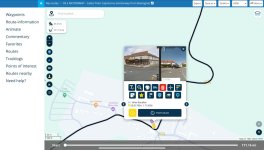
2. Tap on the via or way point, whereupon a pop-up box should appear

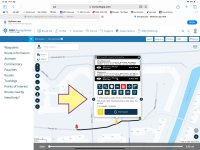
3. Expand the opinions by tapping on the three dots in the top right corner

IMG_5315.jpeg

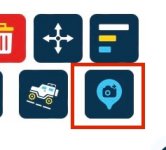
4. Tap on the camera

IMG_5317.jpeg
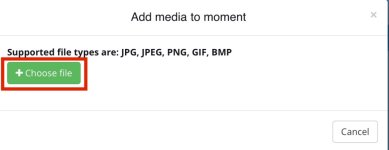
5. Tap on Choose file

IMG_5332.jpeg
6. Select the picture or pictures (you can add multiple) you want to add
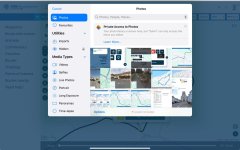
IMG_5319.jpeg

8. Job done

IMG_5321.jpeg
 
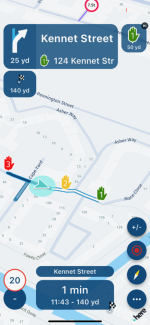
Does this photo show up on navigation, obviously not on a Garmin but while using the MRA Navigation?
 
I don’t know as I have never tried.

It would be easy enough to find out. Create a route two hundred yards from the front door, with a via point picture at say 100 yards and see what happens.
 
Does this photo show up on navigation, obviously not on a Garmin but while using the MRA Navigation?

I don’t know as I have never tried.

It would be easy enough to find out. Create a route two hundred yards from the front door, with a via point picture at say 100 yards and see what happens.

In the interests of bikermate enquiry and assistance, I have found out for you.

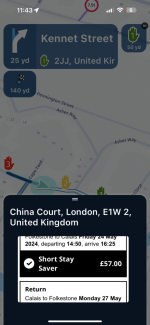
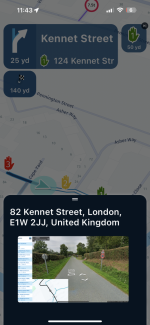
I created a thee hundred yard journey in London E1, starting point 1 (no picture) via point 2 (picture of Chunnel booking) end point 3 (picture of some D road or other in France).

IMG_4408.png

Tapping on icon 1 one brings up no picture, obviously.

Tapping on 2, brings up:

IMG_4409.png

Tapping on 3, brings up:

IMG_4410.png

If anyone wants to try it, here it is. Tap on the big blue square, it should open.


Why might it be useful to add pictures? I guess because they paint a thousand words. You could use them to remind yourself of places you’ve been. Or perhaps to send to a friend, saying: “This is the shop you are looking for, where they sell awesome doughnuts”.
 
IIRC adding notes to shaping/waypoints works in a similar manner. I have in the past "pasted" useful info into notes which you can display when running the route.
 
IIRC adding notes to shaping/waypoints works in a similar manner. I have in the past "pasted" useful info into notes which you can display when running the route.

Yup, adding text works too, and in exactly the same way.

IMG_5335.jpeg

That too is useful, adding for example: Really good hotel, parking around the back back. Get the code from the front desk, before riding around to the barrier!
 
Last edited:


Back
Top Bottom