it’s far easier to just send to my device than all this GPX, 1.1, MRA, change it to this, change it to that carry on….
It’s not really a carry on. But hey, you know that already, ya great drama queen



it’s far easier to just send to my device than all this GPX, 1.1, MRA, change it to this, change it to that carry on….
The XT has a larger screen and is far quicker at calculations than the 660, I had a 660 about 20 years agoNo, not yet. My current sat nav is an old Zumo 660. I use Basecamp to plan routes as it’s far easier to just send to my device than all this GPX, 1.1, MRA, change it to this, change it to that carry on. The XT looks to be the natural progression from the old 660. I’m not sure just how or even if any better the XT will be over the 660 but the lifetime mapping updates I bought are no longer supported for the old 660. Hopefully Basecamp will continue to work and be updated as the other systems I’ve tried all seem to be less user friendly. Calimoto is not too bad but it takes you the route it wants rather than the route I may want.


That sounds like a very complicated way to get a route to the device. I just draw it in Basecamp and send to device, job done. Oh and Basecamp is free.The XT has a larger screen and is far quicker at calculations than the 660, I had a 660 about 20 years ago
I never got on with Basecamp, MRA is very easy to use and exporting the gpx is really easy, you just export from MRA and save to the Garmin Drive app, all on your phone, then the drive app passes by bluetooth directly to the XT (if paired to it). But like all things, if your current solution works, stick with it.
That sounds like a very complicated way to get a route to the device. I just draw it in Basecamp and send to device, job done. Oh and Basecamp is free.
None of this MRA? Garmin drive? Bluetooth malarkey. Just send, done.
It’s not crap, just far too complicated and not user friendly. How some think it’s easier or more user friendly than Basecamp is just crazy. Basecamp is draw the route and send. That’s it. It couldn’t be easier.I’ll start you a new sub-section (to go with the Garmin one) ‘MyRoute is crap. Get it off your chest here’.
It really isn't. But "horse to water" and all that. I just draw it in MRA and send it by bluetooth to the device, can't see the difference, apart from Basecamp isn't supported anymore. MRA is full supported and there is a brilliant active forum for any issues encountered.That sounds like a very complicated way to get a route to the device. I just draw it in Basecamp and send to device, job done. Oh and Basecamp is free.
None of this MRA? Garmin drive? Bluetooth malarkey. Just send, done.

 There are great options now with dedicated sat nav's, phones and phone mirroring devices and any amount of software choices.

I think you will find, the minority think Basecamp is easier than MRA and they are probably crazyIt’s not crap, just far too complicated and not user friendly. How some think it’s easier or more user friendly than Basecamp is just crazy. Basecamp is draw the route and send. That’s it. It couldn’t be easier.
No piece of software can be everything to every person. You I would say have specific requirements that the vast majority of users do not. I plan routes for trips away, they are normally round routes from a fixed location. I then export to a gpx for others to load into their own devices. MRA allows me to do this, allows me to check routes for Tom Tom etc and ensure the routes work.As far as I’m aware, there’s still nothing as good as Basecamp in terms of managing waypoints and tracks.
Most of my trips involve specific places, and also some degree of unpaved roads. The advantage that Basecamp has its ability to create a waypoint once and then use it many times, duplicate it into different folders, modify it, etc.
Example.
On day 1 I want to go from A to D via B and C, taking a specific route involving off- pavement. I create a list called day 1, copy the waypoints into it and create a route and a track.
On day 2, I start from D. I create a list called Day 2 and copy D into it, move it slightly and call it Day 2 start or whatever, and then create the days route.
Etc.
MRA’s waypoint handling is still hopeless, as it’s track management so the above is really either hard to do or impossible in MRA.
I will still typically start in Basecamp, then export to MRA and a Garmin device. MRA is really just a back up, but it’s handy for some navigation and of course it’s easy to make routes on the fly, or modify a road route.
Wow, you have to do all that to make a route and you think Basecamp complicated. Very strange. I don’t need to do any of the GPX thing. I don’t even know what it means.No piece of software can be everything to every person. You I would say have specific requirements that the vast majority of users do not. I plan routes for trips away, they are normally round routes from a fixed location. I then export to a gpx for others to load into their own devices. MRA allows me to do this, allows me to check routes for Tom Tom etc and ensure the routes work

Good for you!I think you will find, the minority think Basecamp is easier than MRA and they are probably crazy
No piece of software can be everything to every person. You I would say have specific requirements that the vast majority of users do not. I plan routes for trips away, they are normally round routes from a fixed location. I then export to a gpx for others to load into their own devices. MRA allows me to do this, allows me to check routes for Tom Tom etc and ensure the routes work.
I have been using MRA since it came out, it has never let me down. But I am not doing complicated things with my routes.
I once tried to learn Basecamp, thought it was very difficult, whereas my knowledge has grown with MRA, not withstanding the threads on here, there are some knowledgeable users as there are on the MRA forum and Garmin XT forum.
Love learning, but if I don't need a particular feature for what I use the software for, it goes in one side and out the other.
ThanksGood for you!

I don’t use tracks, whatever that is or POI again whatever that is. I literally draw a start point, end point and then drag the route to wherever I want to go. Send to device and that’s it. I certainly try to Use the K, I, S, S principle.
Basically as above and have a paper map.
And you are picking your points of interest off a paper map. This is often my starting point. Yes you do.....once you have created a route and saved it you have created a GPX file for your nav to follow.Wow, you have to do all that to make a route and you think Basecamp complicated. Very strange. I don’t need to do any of the GPX thing. I don’t even know what it means.
We are very different but I’ll stick with Basecamp thanks, no need for any of this GPX crap just press send to device, done.
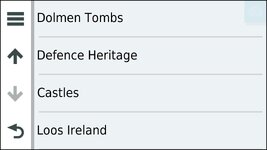
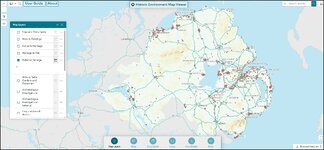
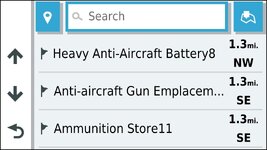
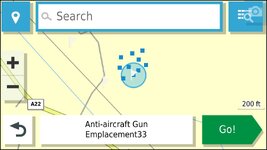
This is the nail on the head...we probably don't use half of what the navigation units and software are capable of and all of them are good at different things. At the moment I use paper maps for overview purposes and because I like paper maps, I use QGIS for some Points of interest I may want to use but not necessarily hold as waypoints to use in formal routes this is taken from Open Street maps and Google maps. Ditto the Northern Ireland Historic Environment map viewer I can identify places I might want to visit and save data as POI's to Basecamp and/or my Zumo XT or my other Garmin devices. That site allows subsets of GPS data to be downloaded as KML files which can be loaded as POI's via Garmin's POI loader. I Always use basecamp for track handling and some route planning but predominantly use MRA for route planning now as I have all my routes synced with my phone which I can't do with basecamp. (I could do it with Garmin Explore but give it a tryits a very very personal choice a bit like marmite, if you are happy with your prefered software i cant see the problem, i know of people who struggle with mra and others that struggle with base camp, me i struggle with mobile phones, and prefer to use a windows tablet or laptop when away on trips, as again i prefer it to mac just my choice. as long as the software and machine does ALL YOU need it to do then all is good.
) That means I can easily use the routes on my phone my Zumo's or the AA screen on my Africa twin and can change them and make new ones easily.