Is there a “how to” guide for the DMD Hub Planner?

Berin

Well-known member
UKGSer Subscriber
Joined
May 29, 2006
Messages
8,457
Reaction score
4,276
Location
South Oxfordshire
Is there a “how to” guide for the hub planner anywhere? Lots of good info for the app but I can’t see any for the hub.

Specifically, I was looking to create a rod route from waypoints, in the same was as basecamp - select the waypoints and then select create route in Basecamp, but I can’t seem to make that work in Hub.

I can see easily how to create a route by adding sections and clicking the map, but not how to either create a route using waypoints or inserting waypoints into a route.

======

I have started you a fresh thread.

Richard
 
Last edited by a moderator:
Is there a “how to” guide for the hub planner anywhere? Lots of good info for the app but I can’t see any for the hub.

Specifically, I was looking to create a rod route from waypoints, in the same was as basecamp - select the waypoints and then select create route in Basecamp, but I can’t seem to make that work in Hub.

I can see easily how to create a route by adding sections and clicking the map, but not how to either create a route using waypoints or inserting waypoints into a route.

======

I have started you a fresh thread.

Richard
Thanks Richard. Could you edit the title to read “DMD Hub Planner” please? It currently reads GBD planner. I realise that was probably my fault.
 
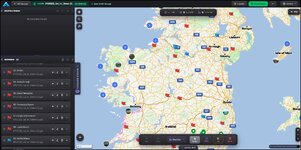
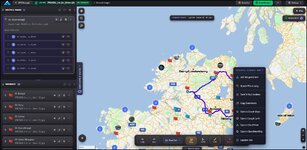
Hi Berin to make routes from Waypoints create or import your waypoints as a GPX. These are the Photorally ones.

1792495860882.jpg

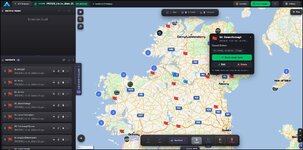
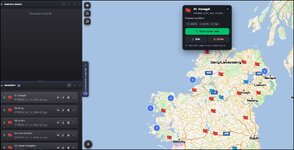
Click on the waypoint you want to start at and click start route here.

1792496041294.jpg
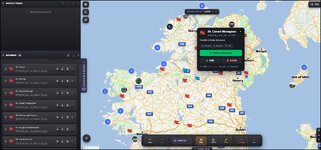
Click the next and add route point.

1792496107569.jpg
You can choose straight line or best fit.

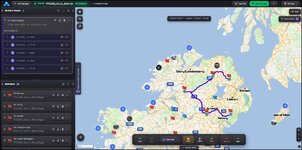
As you go round the Points appear in the route list.

1792496260373.jpg
If you want to create a waypoint not in your list right click and select add waypoint. Or if you left click you can just create a route shaping point

1792496369250.jpg
 
Oh and if you want to bung a shaping point between two existing waypoints as far as I can see you have to manually reorder them. But I'm still learning so there may be another trick I haven't sussed.
 
Thanks Mzokk. I was trying to create a route by selecting the waypoints in the left hand planner column, which didn't work. I was trying to avoid having to zoom out to see all the waypoints.

Just to be clear, you have to click on the waypoint on the map to include it in a route?
 
Thanks Mzokk. I was trying to create a route by selecting the waypoints in the left hand planner column, which didn't work. I was trying to avoid having to zoom out to see all the waypoints.

Just to be clear, you have to click on the waypoint on the map to include it in a route?
As far as I can see. If you hover the mouse over the waypoint on the left column then the waypoint on the map is highlighted but you have to go to the highlighted dialog to add it to the route.

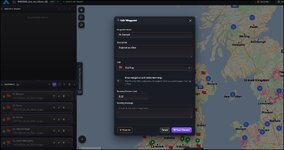
1792500278080.jpg

You can highlight some or all of the waypoints but I can't see a way of automatically creating a route from them. Though you can set their proximity alerts and Icons. (Glad you asked I couldn't remember how I changed the Icons for a load of POI's the other day!)

1792500640621.jpg
 
Yeah, it does “highlight” the waypoint but for some reason that disappears when you move to the map page. Plus, you need the map to be showing the area where the waypoint is.

Maybe I’ll raise a ticket. If the map zoomed to the highlighted waypoint which stayed highlighted when the cursor is moved to the map then that would be a big help, for creating longer routes
 
It would also be great to have an ‘optimise route’ option that puts the waypoints in order - like Basecamp does.
 
I need to have a play with that. I thought on the test routes I created that a Route point inserted into the route automatically ended up in the right place.
 
Have you joined the Facebook group yet?
Joao and Tex run it themselves and there’s loads of advice, updates and “how to” on there.


Back
Top Bottom