LARGER DIGITAL SPEEDO

bergboxer

Member
UKGSer Subscriber
Joined
Nov 10, 2008
Messages
72
Reaction score
5
Location
penrith lake district
Is it possible to have a larger digital speedo on the digital side of the latest dash?
I have no need to know what gear I am in & it is the largest figure, am I led to believe there is a custom set up for dash configuration. This on a new triple black GSA.
 
If you go into the dash settings you can choose which fields are shown and the position options are top/bottom/both, if I remember right. I’ve not tried it but presumably ‘both’ would do what you want.
 
No you can't replace the gear induction number with speed. You can have digital speed on the far right of the display, I have mine on the bottom with miles remaining on the top line.

Or buy a nav 5/6 and that can display current speed in large format.
 
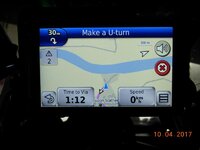
I've mounted a digital GPS driven speed display alongside my Nav V for two reasons. Firstly to get a bigger more visible speedo, and secondly to have a speedo which can easily be switched to km/h for European touring. Was surprised to find that the GS didn't have this facility.
 
For the worlds most popular tourer, the lack of an easy KMH digital display is a serious over sight by BMW. I never look at the analogue displays on cars or bikes after years of easy to read digital. A case of styling over function as the S1r display is superb, but does not fit in with the rough, tough persona of the GS.
 
I've mounted a digital GPS driven speed display alongside my Nav V for two reasons. Firstly to get a bigger more visible speedo, and secondly to have a speedo which can easily be switched to km/h for European touring. Was surprised to find that the GS didn't have this facility.

Do you have a web site address for your digital speedo?
 
Larger Digital Speedo

How big do you need it, my near sited vision is useless but this is very large and clear.


To change from mph to kph.
Go to settings in Nav-V.
Click on units.
Hit KPH button...then save!
Hey-ho its done, takes seconds, even easy to do on the fly.
 

Attachments

  • DSCN4182.jpg
    DSCN4182.jpg
    37.1 KB · Views: 1,005
Do you have a web site address for your digital speedo?

Below is a link to the supplier I bought from, though quite a few are selling the same item. I chose this one because most similar devices only work in HUD (head up display) mode to project onto a windscreen, so the numbers are inverted if viewed directly, but this is one of the few I found that have the option to switch between direct viewing or HUD mode, and even has another option for if you want to mount it upside down. I will post a picture of how I have mounted it later.

Fred

http://www.ebay.co.uk/itm/112150243135?_trksid=p2057872.m2749.l2649&ssPageName=STRK:MEBIDX:IT
 
How big do you need it, my near sited vision is useless but this is very large and clear.


To change from mph to kph.
Go to settings in Nav-V.
Click on units.
Hit KPH button...then save!
Hey-ho its done, takes seconds, even easy to do on the fly.

Well everyone has different requirements, but ideally I want my speed displayed bigger than that so I can see it at a quick glance - I tend to find I have to search for the info on the relatively cluttered satnav display.
 
Well everyone has different requirements, but ideally I want my speed displayed bigger than that so I can see it at a quick glance - I tend to find I have to search for the info on the relatively cluttered satnav display.

Like this ?
8960b61e3219a90cf3293461955aeb1e.jpg
 
How big do you need it, my near sited vision is useless but this is very large and clear.


To change from mph to kph.
Go to settings in Nav-V.
Click on units.
Hit KPH button...then save!
Hey-ho its done, takes seconds, even easy to do on the fly.


Brilliant - just set mine to LARGE mph - great advice !

I didn't know I could set this - need to RTFM !
 
Expensive speedo! :)

Perhaps to be clearer I should have said that I want to check my speed and location with one quick glance, and no messing with the wonderwheel!

Here is my installation. The RAM mount for the digital speedo is one intended for use with a mirror stalk so has a small enough diameter clamp to fit on the satnav mounting bar. I've put the Nav V on a Touratech extension mount because having a tall body I found the stock position unsatisfactory. I had to angle the satnav up to avoid obscuring the rev counter and to see it properly with a sun screen fitted, and it then caught the sunlight more easily. I like the new position much better.

Fred

A6K-3047129-5574-X3.jpg


A6K-3047129-5579-X3.jpg
 
(Expensive speedo!
Perhaps to be clearer I should have said that I want to check my speed and location with one quick glance, and no messing with the wonderwheel!)


How is it expensive if you already have a Nav fitted?

You don't need to mess with your wonder wheel, you set it just once and that's it DONE!

My speed display window is permanently 'on' in the bottom right hand corner of the screen.

Once set it remains as a default setting, so every time you ride the bike it is there.

Another advantage of this is that if you are speeding above the local road limit the speed numerals change to RED, very useful, and it's accurate. :thumb
 
(Expensive speedo!
Perhaps to be clearer I should have said that I want to check my speed and location with one quick glance, and no messing with the wonderwheel!)


How is it expensive if you already have a Nav fitted?

You don't need to mess with your wonder wheel, you set it just once and that's it DONE!

My speed display window is permanently 'on' in the bottom right hand corner of the screen.

Once set it remains as a default setting, so every time you ride the bike it is there.

Another advantage of this is that if you are speeding above the local road limit the speed numerals change to RED, very useful, and it's accurate. :thumb

Sorry - should have made it clear that I was replying to iand46 who had suggested setting the full screen speed display on the Nav V, and with that I assume a bit of wonderwheel twiddling would be needed every time you wanted to see the map and revert to speedo display. Your suggestion is how I have my satnav set, and I do sometimes find the red display when exceeding the speed limit useful, though I need to have a look to see if I can turn off the audible alerts as every time it beeps it cuts off the Sena intercomm link to my wife.

However, I find that display just a bit small to take in at a glance if I just want to quickly check my speed. I don't need glasses for distance but do need them for reading, so a bigger display is a big benefit to me and avoids me having to wear bifocals for driving - it's not that I can't read the display at all without glasses, but it takes that bit longer to get it in focus - obviously not everyone has the same requirement.

Fred
 
So, if I'm not wrong, you can have your speed displayed in four different ways and all at the same time? Wow :eek:

Andres

Well I could, but this frees up one of the bike LCD slots for some other info, and of course that mph display can't be changed by the user to km/h for European travel, so is not that useful anyway. The speedo itself is what it is - a lot of speed markings crammed very close together, so not that useful to me - though I'm sure some people are perfectly happy with it.
 
However, I find that display just a bit small to take in at a glance if I just want to quickly check my speed. I don't need glasses for distance but do need them for reading, so a bigger display is a big benefit to me and avoids me having to wear bifocals for driving - it's not that I can't read the display at all without glasses, but it takes that bit longer to get it in focus - obviously not everyone has the same requirement.
I have the same problem and especially when wearing sunglasses or with the drop down dark visor on my helmet in position. I can't read anything on the dashboard, except for the gear indicator, without taking my eyes off the road and allowing them to refocus. The dashboard display on the GS/GSA is really rubbish compared to something like the K1600GT

Btw sorry to drift the thread but may I ask how you fitted the Givi Airflow screen to your GS LC? I loved the Airflow on my previous GS but I thought that Givi didnt offer a model for the new LC
 
I have the same problem and especially when wearing sunglasses or with the drop down dark visor on my helmet in position. I can't read anything on the dashboard, except for the gear indicator, without taking my eyes off the road and allowing them to refocus. The dashboard display on the GS/GSA is really rubbish compared to something like the K1600GT

Btw sorry to drift the thread but may I ask how you fitted the Givi Airflow screen to your GS LC? I loved the Airflow on my previous GS but I thought that Givi didnt offer a model for the new LC

As far as I can tell Givi don't offer an AirFlow screen for the GS LC model, but like you I have had them on other bikes and found them very effective. On one previous bike where Givi didn't offer an AirFlow screen I made my own by buying the AirFlow secondary screen and attachment clamps as spare parts on eBay, and very carefully measuring and fitting the AirFlow against the base screen before drilling the main clamp holes.

Having bought a good but inexpensive aftermarket screen for the GS from SlipScreens on eBay, I decided to add an AirFlow to that, and although the SlipScreens screen was a big improvement over the stock one, I think it is a bit better with the AirFlow in place. It is very tricky to fit as you need to use tie wraps or a short bolt to hold the clamp pieces together without the bolt that goes through them, so that you can slide them on to the rails and then offer the whole thing up to the base screen. You need to find an exact position with the clamps angled on their rails to fit flat against the curved surface of the base screen, while also getting it central, and in the optimum position vertically for the range of overlap you want between the two screens. You ideally need at least three hands for this!

Once you have an accurate position you need to cut the two big holes for the clamp bolt to go through. After drilling a pilot hole I used a hole cutter very carefully and fairly slowly on a variable speed drill to cut halfway through from one side, then turned it over and cut the rest of the way through from the other side - this is to avoid any chance of splintering and damaging the surface. I found it best to then fit everything and get the two sides of the clamp aligned with the rails before marking and drilling the two holes on each side for the screws which hold the two sides of the clamp together. I also bought and fitted the screen steady for the left side that Givi sell, and have found it very effective.

Hope that helps,

Fred


Back
Top Bottom