Loading Basecamp Routes to Nav V with main map on SD

redsmartie

Registered user
Joined
Jan 22, 2016
Messages
154
Reaction score
0
Location
Manchester
I have a problem related to routes on the Nav V that have been created on Basecamp where the latest map on the device is on the SD. The Basecamp software ignores that the latest map is on etc card and tries to recalculate based on the map on the internal storage.

I've posted in the Nav V forum but its also one for the Basecamp experts so I thought I'd link it up here

http://www.ukgser.com/forums/showthread.php/429207-Map-assistance-needed-Routes-made-with-maps-on-SD

I assume you have selected the latest map?

John
 
I assume you have selected the latest map?

John

Yes. The latest map was selected when creating the route. It just when transferring to the Nav V internal memory Basecamp decides that the route is to be recalculated based on the map on the internal memory of the destination and not that if the map on the SD card that matches the one used to create the route.

It is possible that if I would have ignored the recalculation I would have ejected the Nav, started it up and it would have recalculated on the device in the fly using the most recently installed map.


Sent from my iPhone using Tapatalk
 
Yes. The latest map was selected when creating the route. It just when transferring to the Nav V internal memory Basecamp decides that the route is to be recalculated based on the map on the internal memory of the destination and not that if the map on the SD card that matches the one used to create the route.

It is possible that if I would have ignored the recalculation I would have ejected the Nav, started it up and it would have recalculated on the device in the fly using the most recently installed map.


Sent from my iPhone using Tapatalk

I meant on the unit, make sure you have done that as it could be only the base map is being used instead of your desired map. Check the settings on the Nav V. One set of maps should be ticked, make sure it is the updated map that is ticked.

There should be no reason why the device can't cope, I have the latest Garmin maps on my 390 and openstreetmap UK version on the card. I can switch between using the appropriate menu in settings. Even if I plot a route using the Garmin maps and transfer it to the 390 and use, as I prefer, the openstreetmap maps the device will still recalculate the route for me. This can, of course, produce errors if the maps differ so I would not recommend it. It really sounds like your Nav V does not have full mapping selected and is trying to work on its base map-

John
 
I'll give it a try.

I had looked and there were three selected. Two of the same name but one with a suffix of 3D and another of which I don't recall its name.

I can also see transfer options in Basecamp for each device (Gps and SD) about matching maps but I don't have any more info.

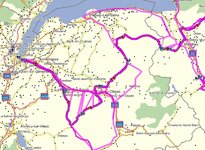
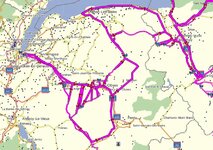
I took a look at one of the recalculated maps on the device. It did seem to have recalculated again on the Nav V but it didn't seem as clean and I could see at least one strange anomaly.

Either way I don't want to take chances with 9 160-200 mile routes. Once I leave on Tuesday for France/Switzerland early in the morning it's just me, the bike and the GPS (and a change of underwear).


Sent from my iPhone using Tapatalk
 
I've had a similar problem. On my MacBook I've got basecamp and it says I have the latest version. Do a route, send it to Nav 5 and the unit recalcs a different route. Tried everything and was getting really pissed off so decided to do a new install of basecamp on our iMac. Thing is that it installed a much never version than that on my MacBook. Installed Garmin express and my lates maps onto the iMac, (maps from garmin not from my nav5) and tadda routes transfer perfectly now. I would try uninstalling basecamp and garmin express and start again from "my garmin" it may just work.
 
It's almost like Basecamp and the Nav V (Garmin) are from different companies


Sent from my iPhone using Tapatalk
 
It's almost like Basecamp and the Nav V (Garmin) are from different companies


Sent from my iPhone using Tapatalk

Do you have the settings on the PC the same as the Nav ?

Avoidances etc all the same ?

Have a look in preferences on basecamp on the PC and check which transfer settings you have

Get back to us
 
I'll give it a try.

I had looked and there were three selected. Two of the same name but one with a suffix of 3D and another of which I don't recall its name.

I can also see transfer options in Basecamp for each device (Gps and SD) about matching maps but I don't have any more info.

I took a look at one of the recalculated maps on the device. It did seem to have recalculated again on the Nav V but it didn't seem as clean and I could see at least one strange anomaly.

Either way I don't want to take chances with 9 160-200 mile routes. Once I leave on Tuesday for France/Switzerland early in the morning it's just me, the bike and the GPS (and a change of underwear).


Sent from my iPhone using Tapatalk

Three selected is not good. The Garmin Europe maps will be two of those (one being the 3D stuff) I would un tick the third one.

Then check preferences and avoidances match between Basecamp and the device. Also check that you have plotted the route in a way that tells the device what to do. By this I mean putting via points along each route.

It might help if you could post one of the routes for us to look at but if you are already on your way that might not help!

As long as you ave your end point for each days riding correctly located and marked your Sat Nav will get you there. Have a good trip

John
 
I've had a similar thing happen to me on a 660, after installing the latest map update 2017.1(?)

When loading the routes to the unit the 660 recaluated the route, I got round this by loading the routes to the SD card, and then importing them when the 660 found them.
 

Attachments

  • Screenshot 2016-07-01 08.42.12.jpg
    Screenshot 2016-07-01 08.42.12.jpg
    97.7 KB · Views: 123
  • Screenshot 2016-07-01 08.42.25.jpg
    Screenshot 2016-07-01 08.42.25.jpg
    109.3 KB · Views: 129
Much better. I think I can relax now.
 

Attachments

  • Screenshot 2016-07-01 13.30.11.jpg
    Screenshot 2016-07-01 13.30.11.jpg
    131.8 KB · Views: 133
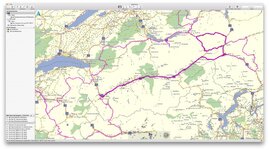
Good news, I had a quick look at one of your routes. If they are all like that you should have had no problems. I think your Nav V was just getting confused because you had two different maps selected.

Now get on with enjoying the trip.

John
 
Good news, I had a quick look at one of your routes. If they are all like that you should have had no problems. I think your Nav V was just getting confused because you had two different maps selected.

Now get on with enjoying the trip.

John

Thanks John. Much appreciated for the help.


Back
Top Bottom