richie
Registered user
- Joined
- Aug 14, 2003
- Messages
- 9,437
- Reaction score
- 440
Could someone please answer this question which could be interesting for beginers, such as myself.
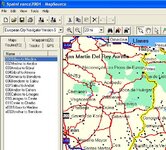
I am playing with the mapsource program whilst waiting for the delivery of my GPS.
So far I've made about five different files for five different routes which I plan to try it on. But I'm begining to think that the best thing to do is mark all the waypoints that I might need in the future into one file and then create all the different routes in to the same file. Lets say around 100 waypoints and 50 routes. Then saving the file without the maps.
Then before wishing to ride one of the routes I save the necesary maps onto the file and upload it to the GPS.
Is this the right way of doing it or should I keep making my individual files.
Ta very much the GPS is the 60C with 56 meg of memory allowing 1000 waypoints and 50 reversible routes to be saved. Plus of course the necessary maps.
I am playing with the mapsource program whilst waiting for the delivery of my GPS.
So far I've made about five different files for five different routes which I plan to try it on. But I'm begining to think that the best thing to do is mark all the waypoints that I might need in the future into one file and then create all the different routes in to the same file. Lets say around 100 waypoints and 50 routes. Then saving the file without the maps.
Then before wishing to ride one of the routes I save the necesary maps onto the file and upload it to the GPS.
Is this the right way of doing it or should I keep making my individual files.
Ta very much the GPS is the 60C with 56 meg of memory allowing 1000 waypoints and 50 reversible routes to be saved. Plus of course the necessary maps.