Nav 6 - Displaying the trip computer screen, when the device is in its cradle

Joe Bar

Too old to die young.
UKGSer Subscriber
Joined
Mar 28, 2006
Messages
556
Reaction score
73
Location
Not far away.
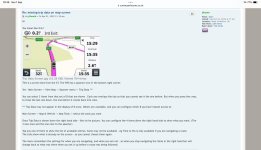
I can't seem to find the answer to this question in my handbook or the Nav VI user manual, so hopefully someone here may be able to help. I'm new to the Nav VI, but not Garmin and use a Zumo 340 and XT on my other bikes. On all my Garmin's when I touch the speedo on the map page it brings up the following info screen.

AEsAvB.jpg


It also does this on the Nav VI, but when it's in the cradle on the bike it shows this screen with my bike info rather than my ride info.

3vtdfc.jpg


I use the ride info screen quite a lot, and it's of more use to me than the bike info. Is there a way to show the trip info screen instead of the bike info screen when it's in the bike cradle?

=============

The solution is in post #14

Richard
 
Last edited by a moderator:
Just shooting from the hip here, as bike in the garage, but why would you touch the screen and not use the wonderwheel?
Push right (or left??) once to get the "my motorcycle" page, and you can format each box to whatever you want - have them all the same if you wish.
 
When I use the wonder wheel I can't get to the trip data screen as shown in the first picture. I can't get to the trip data screen by touching the screen either when it's in the cradle on the bike. I'm asking if there's a way to access the trip data screen as I can't find it.
 
Let’s start at a simple point.

Can you alter the basic display buttons, as shown in this link?


Post #2 of this thread, might tell yiu how to display the 16 trip data field:

 
Last edited:
Thanks for those Wapping.

Yes, I can alter the basic display buttons on the dashboard of the map page as per first link.

In the cradle I can also display the 16 data fields of My Motorcycle, either by youching the speedo on the map page or via the wonder wheel. Form you link to Post #2 of the thread link I can also customise the fields displayed and order of the fields as below, and choose the number of fields displayed.

km64Ct.jpg


iPunkW.jpg


Mcjolr.jpg


But, when the Nav VI is in the cradle, I cannot get this data and display to show, which is what I'm after if possible.

AEsAvB.jpg
 
OK, thank you.

It’s a long time since I last held a Navigator VI.

Do you have to be running a route, in order to display the trip data?
 
Off the cradle, on the map page, when I touch the speedo I get this trip data display page. With a trip loaded in here is everything it shows as you arrow down This is what I cannot access in the cradle.

rzwxqg.jpg


Bm779k.jpg


Yi6gp0.jpg


QamdUs.jpg
 
Does this help in any way? It’s for an XT but it might work for a Navigator VI, too:

IMG_6034.jpeg
 
On my XT you can still get the trip data screen up by tapping the speedo on the map page.

aVOcIG.jpg


Then, as per your image when I have a route loaded I can add the trip data side bar, and the three fields are customisable.

tOQeWP.jpg


But, the data side bar option isn't there on the Nav VI, which out of the cradle, operates quite similarly to my old Zumo 340.
 
Hopefully, someone with a Navigator VI, will be along to tell the OP how to do it. There is more than a few of them on the forum, judging by the number who participated in the ‘Me device is on the blink, like’ threads.
 
On some units, there is an option to automatically change the profile set up display when unit is powered by a cradle-
A direction for you to look into.
 
Hopefully, someone's got a solution, but thanks for your input.
I've now altered the data screens to better suit my needs as well, so I've learnt something new. 👍
 
On some units, there is an option to automatically change the profile set up display when unit is powered by a cradle-
A direction for you to look into.
Thanks, I'll investigate further.
 
I've found a solution. :) As usual, it was pretty straightforward once I'd actually found it. The answer was to add the Trip Computer button to the Map Page.

Settings > Map & Vehicle > Map Buttons > Trip Computer

Thanks for your input and help. (y)

Cql6Re.jpg
 
Excellent. Thank you for the update and solution.

I have edited the title of the opening post and the post itself.

I’ll make it a sticky, as it might well help others.


Richard


Back
Top Bottom