
Nav v can't seem to transfer a route onto the unit

kevingrahambutler

Registered user
Joined
May 12, 2012
Messages
1,262
Reaction score
-2
Location
sunderland, england
I got this with a new GSA, I've messed around with this now for two months I'm thinking of putting it in the bin,,, I've done my routes round Ireland for the summer but it will not put the routes on the unit, it will recognise the unit but when I transfer the routes over the computer will say not responding for about five minutes then it works, I've tried dragging the routes over that done the same but this time it's telling me they are on the unit but I can't find them,

I'm just about pissed right off now, I haven't got a clue now I tried every thing ,
I think the unit has two lots of the same maps on so I may need too remove one or start from scratch and reset it, it you can
 
I got this with a new GSA, I've messed around with this now for two months I'm thinking of putting it in the bin,,, I've done my routes round Ireland for the summer but it will not put the routes on the unit, it will recognise the unit but when I transfer the routes over the computer will say not responding for about five minutes then it works, I've tried dragging the routes over that done the same but this time it's telling me they are on the unit but I can't find them,

I'm just about pissed right off now, I haven't got a clue now I tried every thing ,
I think the unit has two lots of the same maps on so I may need too remove one or start from scratch and reset it, it you can

Your unit will show 2 maps but one will be just the 3D file that it needs.

I'd start by downloading the latest maps & device software using the latest version of Garmin Express. There's been a few issues with the Nav V. Then do a master reset & see if that works.
 
Kevin

Your Thread title does not make sense, and so I assume that you are trying to transfer a route from your computer to a Nav V. Yes?

Can you confirm/clarify:
a) What software you have made your routes on? Basecamp or Mapsource, or something else?
b) Software versions of that software and whether your computer is a pc or an Apple mac/
c) What maps are you using on the computer in Basecamp/Mapsource/or whatever? I.e. there may be more than one version of maps in Basecamp/mapsource, but which version is "selected" in the "Maps" drop-down menu?
d) What version maps do you have on the Nav V? i.e. are they the same as you used to crete the route?
e) Clarify how you tried to transfer the route(s) from your computer to the nav V? Did you try to do it using the process available within Basecamp/Mapsource?

peeps should then be able to help/advise
 
The internal storage is 90% full its says 699mb free
I've saved my route as trip to Ireland, when I select device at the top it shows navigator v so I click on that then it tells me they are sending over when done it's showing that they are there on the unit so I unplug it to look for routes but can't find them, when I plug the unit in to synk with the computer there are no routes in the storage on the left column ,,,,

I have three maps on the unit
Europe dem
Cn Europe ntu 3d
Cn Europe ntu all

I'm using basecamp
I'm using a PC windows
The maps are 2014.40
 
That's what I did no good
I transfer the way he did on you tube
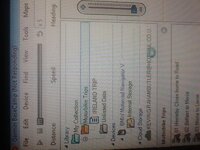
On the left of screen in base camp devices is showing bmw motorrad navigator underneath that it has internal storage so I save the routes to that, it starts to transfer, when it finishes I click on the internal storage and I can see that they have been transferred, I unplug the unit from the computer to see if I can see them on the unit I can't find them so I plug the unit back into the computer and there are not showing on the internal storage, how can that be
 
That's what I did no good
I transfer the way he did on you tube
On the left of screen in base camp devices is showing bmw motorrad navigator underneath that it has internal storage so I save the routes to that, it starts to transfer, when it finishes I click on the internal storage and I can see that they have been transferred, I unplug the unit from the computer to see if I can see them on the unit I can't find them so I plug the unit back into the computer and there are not showing on the internal storage, how can that be

Another video, see if it helps. http://youtu.be/DZk5-wQbm84 :thumby:
 
That's what I did no good
I transfer the way he did on you tube
On the left of screen in base camp devices is showing bmw motorrad navigator underneath that it has internal storage so I save the routes to that, it starts to transfer, when it finishes I click on the internal storage and I can see that they have been transferred, I unplug the unit from the computer to see if I can see them on the unit I can't find them so I plug the unit back into the computer and there are not showing on the internal storage, how can that be

After you transfer your data, if you close BaseCamp with your NAV5 still connected to the computer and then open the NAV5 Internal storage in Windows Explorer or Mac Finder, you should find a newly saved temp.gpx file in the Garmin/GPX folder. If that temp.gpx file is not there then BaseCamp is not writing it properly and/or there is data that the NAV5 thinks is not valid and is therefore erasing the temp.gpx file at boot.
 
I offered two possibilities and you chose both. :) Is the temp.gpx file not there when you close BaseCamp with the NAV5 still connected? If the answer is YES, then I would do the following to try and determine if there is bad data or bad BaseCamp behavior.

Export the data to a GPX file. Then Close BaseCamp with your NAV5 still connected to the computer. Now, copy the exported GPX file to the GPX folder on the NAV5. Now, disconnect the NAV5 and start it up. Let us know what happens.
 
I sent the data to nav v for about a hour it's got a orange tag on the internal storage folder, it's saying transferring data but that was about one hour ago so I think it's not responding, it's frozen I think
Here is a photo

It's just flashed up saying nav v not responding,
 

Attachments

  • image.jpg
    image.jpg
    62 KB · Views: 177
OK. Just try Exporting the data to your desktop or a location on your computer you'll remember. Then do as I suggested and copy that GPX file to the NAV5--not using BaseCamp.
 
I'd say it's a BaseCamp issue and you might want to report it to Product Support although they should know that BC doesn't sync that well with nuvi & zumo based units. I know that they are working on making this better for v4.3 release but it will still not be as good as the handheld units.
 
If you are asking where to copy your MP3 music files, that would be anywhere you want. I put mine on my microSD Card with the following folder structure which optimizes how the NAV5 indexes the music and improves search times:

SDCard/Garmin/Music/Artist Name/Album Name/song tracks.

The "Music" folder can be called anything you wish but Music or MP3 are good choices.
 
I've got a 64 gb mini sd card it recognised it at first so I but music on the card, it couldn't see the music, I tried to format the card now it doesn't recognise the card at all
Should I get a certain card, what size would be best
 
According to the BMW website, the device will support SD cards up to 64 gb.

Here is the blurb from the Nav 5' owner's manual about creating music files:

Creating a Playlist on a Computer

1 Using your computer and an audio program, create a playlist of music files.

2 Save the playlist or M3U8 file, in the same location as the music files.

3 If necessary, use a text editor application to remove the path to the file names in the M3U file.

4 Transfer the playlist and the music files to the device.

To me that reads as gibberish but it may well make sense to somebody.

I have always been of the opinion that music and motorcycles don't mix. I give thanks, as it's obviously hell's own job to get the music files to work, a task I have be spared.


PS As far as I know, the Nav V and other Garmin devices will only play MP3 files.... You are loading MP3 files aren't you?


PPS scroll down this webpage

http://globeriders.com/article_pages/article07_gps/article07_nav5.shtml

The author has managed to get MP3 files playing on a 64gb card quite happily. Maybe contact him for help?
 
I've got a 64 gb mini sd card it recognised it at first so I but music on the card, it couldn't see the music, I tried to format the card now it doesn't recognise the card at all
Should I get a certain card, what size would be best
I'm the author of the NAV5 review that Wapping suggested -- thank you Wapping.

You most likely formatted the SDCard to a format other than FAT32. The Card must be formatted to FAT32. If you use a Mac computer, no problem. If you use a Windows PC than you will need third party software to format the card to FAT32 as Windows will not do that for a 64GB card.

As for the Music, you may not be using MP3 coded music files. The device only plays MP3 files as Wapping mentioned.

If you get the card formatted to FAT32 and your music files are MP3 you can place them in a folder of your choosing on the Card. The NAV5 will find the music.


Back
Top Bottom