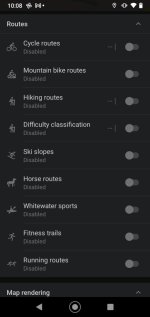
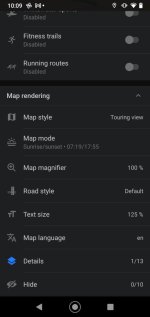
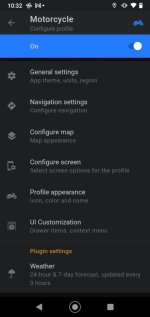
In the spirit of experimentation I tried Myroute App with Android Auto A month or so ago and was impressed even though I don't think it is yet a replacement for a dedicated navigation device. In the same spirit I thought I would give OSMand a go. I had looked at the app before but it is not as straight forward as the myroute option as its use is not only automotive but also hiking cycling etc. It is therefore highly configureable and thus not as easy to use as it could be. I invested a couple of hours watching these two video's
Basic Overview
In depth view.
And looking at OSMand's website. https://osmand.net/docs/user/navigation/auto-car/
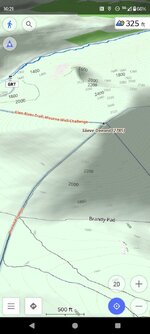
I also invested a fiver in the use of the app for a year as you can't use Android auto without subscription. This allows access to AA and loads of free mapping options including topo and slope (useful for walkers and cyclists).
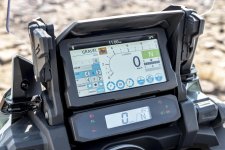
To test the app I used one of my old phones a Motorola G7 and I factory reset it. So a clean phone and all I loaded was OSMand and the required map. I used the same test route as I used in my route app and loaded it onto the phone and my Zumo XT.
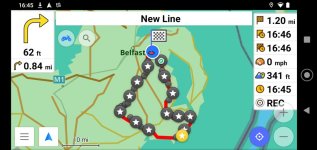
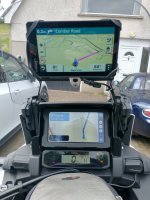
Ready for the off but both have slightly different notions of how to get to the start point!! Followed the Garmin but OSMand recalculated and followed the same route. Recalculation was a bit slow but its an old phone I'm sure that a newer more powerful phone would recalculate more quickly.
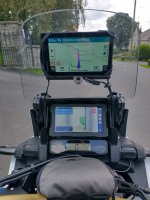
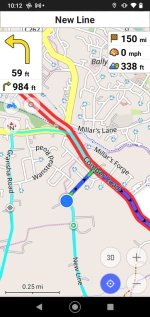
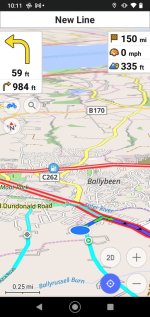
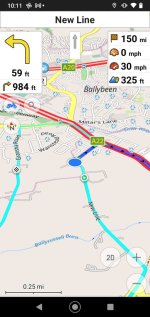
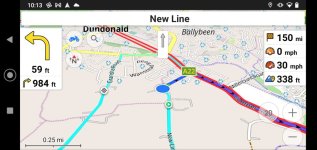
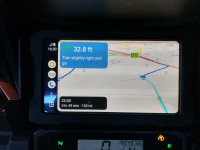
After about 0.3 of a mile to a junction it gives the distance in feet but audio directions continue in points of a mile until about 300ft. A nice feature is it warns of stop signs at junctions as can be seen above. It also warns of speed bumps coming up which I'm sure would be welcome in a strange place particularly if it was raining/dark and the warning paint had worn off the bumps as it has done with many round here.
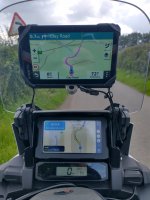
Another feature is describing sharp bends and giving a visual and Audio indication. Probably a feature that was designed for cyclists. Could be a pain or a godsend depending on your viewpoint. It probably can be switched off as the app is highly configureable.
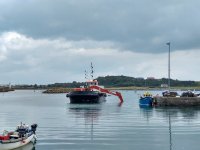
Northern Ireland Harbour authority dredger in Ardglass.......a digger strapped/chained to a barge.
Overall I was impressed by the app. I shortend the test as it was starting to bucket on me. So I routed home with the Garmin and the OSMand App. The OSMand was more likely to route to main roads than the Garmin rather than shorter time (though road speeds can be configured in the app which would change this). My garmin was not connected to bluetooth/my phone for this test and seemed to be routing in a somewhat similar way to my Old Garmins on the way home. (Wonder if the sometimes weird routing behaviour of the XT somehow linked to roads information relayed by ones phone over bluetooth??)
Observations
1. The app is slow to recalculate compared to the Garmin or Myroute app (but this could be the phone). Think streetpilot 2610 vs Zumo XT Slower but not catastrophic
2. Street names are not given when navigating a GPX file but are when navigating direct. Could have been the way I set up the route?
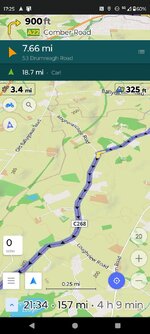
3. When navigating a GPX file the app automatically displays the track which is nice.
4. Very little difference between the Garmin navigating Here maps and OSMand navigating open street maps
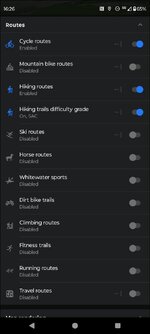
5. Its more of a 2d display rather than a 3d. On the screen some of the menu items such as
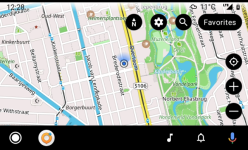
Disapear until you touch the screen meaning the screen is not cluttered.
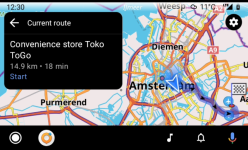
6.The app did not drop out or do anything else odd over about 2.5hrs 3hrs of use.
Finally you can route in the app but its not as easy as using basecamp or particularly myrouteapp. Now the free version of MRA gives access to OSM routing. It would be a perfect companion to this app. There is loads to learn about OSMand and I'll persist experimenting with it. However, none of these apps are as convenient or as polished or as fast as a dedicated Nav device like the Garmin Zumo range.
Hope this helps someone!
Basic Overview
In depth view.
And looking at OSMand's website. https://osmand.net/docs/user/navigation/auto-car/
I also invested a fiver in the use of the app for a year as you can't use Android auto without subscription. This allows access to AA and loads of free mapping options including topo and slope (useful for walkers and cyclists).
To test the app I used one of my old phones a Motorola G7 and I factory reset it. So a clean phone and all I loaded was OSMand and the required map. I used the same test route as I used in my route app and loaded it onto the phone and my Zumo XT.
Ready for the off but both have slightly different notions of how to get to the start point!! Followed the Garmin but OSMand recalculated and followed the same route. Recalculation was a bit slow but its an old phone I'm sure that a newer more powerful phone would recalculate more quickly.
After about 0.3 of a mile to a junction it gives the distance in feet but audio directions continue in points of a mile until about 300ft. A nice feature is it warns of stop signs at junctions as can be seen above. It also warns of speed bumps coming up which I'm sure would be welcome in a strange place particularly if it was raining/dark and the warning paint had worn off the bumps as it has done with many round here.
Another feature is describing sharp bends and giving a visual and Audio indication. Probably a feature that was designed for cyclists. Could be a pain or a godsend depending on your viewpoint. It probably can be switched off as the app is highly configureable.
Northern Ireland Harbour authority dredger in Ardglass.......a digger strapped/chained to a barge.
Overall I was impressed by the app. I shortend the test as it was starting to bucket on me. So I routed home with the Garmin and the OSMand App. The OSMand was more likely to route to main roads than the Garmin rather than shorter time (though road speeds can be configured in the app which would change this). My garmin was not connected to bluetooth/my phone for this test and seemed to be routing in a somewhat similar way to my Old Garmins on the way home. (Wonder if the sometimes weird routing behaviour of the XT somehow linked to roads information relayed by ones phone over bluetooth??)
Observations
1. The app is slow to recalculate compared to the Garmin or Myroute app (but this could be the phone). Think streetpilot 2610 vs Zumo XT Slower but not catastrophic
2. Street names are not given when navigating a GPX file but are when navigating direct. Could have been the way I set up the route?
3. When navigating a GPX file the app automatically displays the track which is nice.
4. Very little difference between the Garmin navigating Here maps and OSMand navigating open street maps
5. Its more of a 2d display rather than a 3d. On the screen some of the menu items such as
Disapear until you touch the screen meaning the screen is not cluttered.
6.The app did not drop out or do anything else odd over about 2.5hrs 3hrs of use.
Finally you can route in the app but its not as easy as using basecamp or particularly myrouteapp. Now the free version of MRA gives access to OSM routing. It would be a perfect companion to this app. There is loads to learn about OSMand and I'll persist experimenting with it. However, none of these apps are as convenient or as polished or as fast as a dedicated Nav device like the Garmin Zumo range.
Hope this helps someone!