Outlook Network issue

AndyT

Well-known member
UKGSer Subscriber
Joined
Jun 26, 2002
Messages
8,331
Reaction score
10
Location
Stuck in SE Asia.....Thank you Covid 19
I have previously posted this but the problem is so bad I can't accewss my email through outlook.

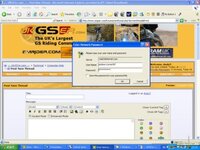
When I open up outlook I keep getting a pop up box asking for my Network password!!! It is a stand alone PC and even when I enter my email password it does not work. There is a box which when checked remembers the password but this does not appear to be happening. It may be a case ov uninstalling outlook and starting all over again :eek:

If thats the case where would all my emails be stored so I can copy them and reload them after as I don't want to loose them>

Also does anyone know how I can get rid of this damn pop up box...

many thanks in advance

Andy T (very frustrated tonight) :spitfire
 
Got the exact wording of the dialog that pops up? Also how many fields for username/password (domain might be another that it could ask for) that it has available....

A screenshot of the dialog would be helpful basically - although if you do, don't leave anything 'interesting' like your username, password or even email address in the picture if you do post a screenie....

I can't think of why it would be asking unless you have the wrong password and are trying that each time (or the email account has been locked due to too many incorrect passwords entered - some email systems do that).

Sorry I can't be of more help.
 
Often it means your email server is unavailable i.e. it can't authenticate your username/password so keeps asking you.

Search for a .PST file if using Outlook.
 
doh.........

Damn it - forgot to attach the screen dump.

I can get my email no problem if I go into btyahoo via the web but its this pop up which seems to only come up with outlook.

I'll try again

AndyT
 

Attachments

  • network problem.jpg
    network problem.jpg
    28.9 KB · Views: 101
I forgot to ask - what version of Outlook?

By the looks of it, the server is there, but the password is wrong - you usually get a totally different message if the server isn't responding.

I'm presuming this is a POP3 or IMAP4 connection rather than an Exchange Server that you are connecting to - either way I'm going for locked account or password incorrect....

If its your server, it should be easy to unlock the account (or fix the password) if thats the issue, if its an ISP's server, it might get a bit tricky - espeically if you can't send email or read it on that account ;)
 
Outlook is ver 10.4 SP2,

I think you are right about the password or similar but I can't understand why it has been coming on intermittantly for a few months now with increasinng frequency and now it won't let me send/recieve.

I changed the POP3 settings tonight and got a load of emails through but can't get through to telecom for therir assistance....I'll try again tomorrow as its to late now.

Thanks for the tips - i'll let you know how i get on

AndyT
 
Andy

I'm on SP3 although I doubt that would help / make a difference.

You could always try the Outlook repair option before attempting any re-install. Detect and repair under Help or from the Office install CD.

Other than that set up a new email account within Outlook and re-enter all the login name, password etc before deleting the one that's playing up.

Worth a shot.

Adam
 
AndyT said:
Damn it - forgot to attach the screen dump.

I can get my email no problem if I go into btyahoo via the web but its this pop up which seems to only come up with outlook.

I'll try again

AndyT

Andy
If you want to get a screen shot of just the active window, press ALT-Print Screen. Makes the issue very clear.

Can you access your email through Mail2web? Just check to see that your mail server is available (or get the IP address and either ping it (get the command window open and either ping (IP address) or tracert (IP address).

If you don't get any response, then maybe the mail server is temporarily unavailable.

Andy
 
Had a bit more time to do some research on this one.

I'm hoping version 10.x of Outlook is also known as Outlook 2002 given Outlook 2000 is version 9.x

Anyway, the first link is to what I hope is the problem, mainly because the second link isn't fun at all....

Outlook 2002 prompts you for a password for an e-mail account that has a saved password

Save password setting not retained in Outlook or Outlook Express

Failing that, I would still go for the password being the issue - unless of course you can log on using a webmail system and the password is correct.....

Hoping the above helps!
 
I can access my mail through a web browser its just from outlook I can't get it working at all now. I think the link to the MS problem regarding this will be useful although I'll b intouch with BT tonight when i get home. They are very helpful once they answer the phone :-)

Andy
 
AndyT...... They are very helpful once they answer the phone :-) Andy[/QUOTE said:
what a bunch of tossers - I have been passed all round bt with a myriad of excuses why its not that particular department problem and they can't even agree on my mail server details...........

I think a reload is required and a call to Tiscali


AndyT :spitfire
 
Did you try re-entering the password at the prompt and if so what was the result ?
Have you looked in the mail account options to check your email details are correct...or even still showing ...within Outlook ?
 
centaur said:
Did you try re-entering the password at the prompt and if so what was the result ?
Have you looked in the mail account options to check your email details are correct...or even still showing ...within Outlook ?
I spoke with BT who said that they do not support MS Outlook only Outlook express? Anyway the 2 packages are basically the same. I tried all computations of mail server and POP3 adresses as directed by them to no avail. I checked my password with them and it all okay. I can get my email via the web but not via Outlook so I may have to wipe it and reinstall it. I am convinced Norton Internet security is not helping things as I have had more problems since putting this on than ever before.

I'm offshore at the moment for the weekend but will have another bash on Monday when I get home.

regards

Andy
 
If you have a choice of ANY other package than Norton, I'd be inclined to use it as most folk I know have had nowt but trouble with it. Most of us use AVG which is obtainable in a free version and it is very good and not intrusive.
I don't understand why BT differentiate between Outlook and Outlook express, because to all intents and purposes they are the same since POP3 and IMAP (hotmail) accounts are supported.
If you do decide to bin Norton and uninstall it via the windows uninstall option, I strongly advise you to use something like Crap Cleaner to sweep out the registry entries Norton tends to leave behind, since they can interfere just as well as the main proggy does !
 
centaur said:
If you have a choice of ANY other package than Norton, I'd be inclined to use it as most folk I know have had nowt but trouble with it. Most of us use AVG which is obtainable in a free version and it is very good and not intrusive.
I don't understand why BT differentiate between Outlook and Outlook express, because to all intents and purposes they are the same since POP3 and IMAP (hotmail) accounts are supported.
If you do decide to bin Norton and uninstall it via the windows uninstall option, I strongly advise you to use something like Crap Cleaner to sweep out the registry entries Norton tends to leave behind, since they can interfere just as well as the main proggy does !
Thanks for the advice - i will give AVG a whirl when I get back.

regards
AndyT :thumb
 
Well I'm back from offshore, fire up the PC and log on to my mail using outlook and its perfect with no problems....

Now I am confused....I'm more in the line of thought that Telecom were having problems they wouldn't let on about (or didn't even know about).

To tired to think of anything else at the moment.

AndyT
 
AndyT said:
Well I'm back from offshore, fire up the PC and log on to my mail using outlook and its perfect with no problems....

Now I am confused....I'm more in the line of thought that Telecom were having problems they wouldn't let on about (or didn't even know about).

To tired to think of anything else at the moment.

AndyT

Could well have been due to server maintenance...moral here is to check for Operating Status on the main ISP website first :)


Back
Top Bottom