On my motorbike travels I have the habit of keeping the GPS track recording on (actually, I keep this on at all times).
When I come back from vacation I do generally group all the tracks, as those are segmented by power on/off periods, merge them together and archive them as a "full trip" recording.
Proved useful over the years.
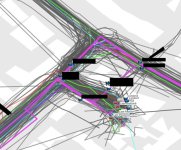
I do this with both my GPSs, an XT and GPSMap 64s. Only issue is that the 64 doesn't segment the tracks, and if you switch it off, say in Wales at the bottom of mount snowdon where you hiked, and turn it on a week after and use it to greenlane on the motorbike in Surrey, it will treat that as a single recording with massive "jumps" around the place. Ask me how I know
Anyway, to my question: I want to record (more interesting) trips by car.
While in the car I generally use Waze, and then OSMAnd if I want to follow specific routes, but I cannot record the tracks (not sure if OSMAnd does that) and I also jump between the two during the trip.
Keeping the 64s somewhere running in the car is not a good idea as it will take space, doesn't last forever on battery, and the aforementioned issue with not segmenting recordings.
Not sure if there are apps that do this, but I'd rather use a separate device.
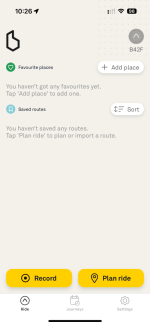
Does the Beeline Moto 2 record tracks if left running to its own devices (I'm trying to find an excuse to buy one to be fair)?
Are there any other small devices that track only (and can maybe be powered by the car via USB)?
Not sure if the car's onboard navi (BMW iDrive, older version) does this. I actually never used the onboard navigation system as even just inputting an address is a chore.
When I come back from vacation I do generally group all the tracks, as those are segmented by power on/off periods, merge them together and archive them as a "full trip" recording.
Proved useful over the years.
I do this with both my GPSs, an XT and GPSMap 64s. Only issue is that the 64 doesn't segment the tracks, and if you switch it off, say in Wales at the bottom of mount snowdon where you hiked, and turn it on a week after and use it to greenlane on the motorbike in Surrey, it will treat that as a single recording with massive "jumps" around the place. Ask me how I know
Anyway, to my question: I want to record (more interesting) trips by car.
While in the car I generally use Waze, and then OSMAnd if I want to follow specific routes, but I cannot record the tracks (not sure if OSMAnd does that) and I also jump between the two during the trip.
Keeping the 64s somewhere running in the car is not a good idea as it will take space, doesn't last forever on battery, and the aforementioned issue with not segmenting recordings.
Not sure if there are apps that do this, but I'd rather use a separate device.
Does the Beeline Moto 2 record tracks if left running to its own devices (I'm trying to find an excuse to buy one to be fair)?
Are there any other small devices that track only (and can maybe be powered by the car via USB)?
Not sure if the car's onboard navi (BMW iDrive, older version) does this. I actually never used the onboard navigation system as even just inputting an address is a chore.