andyclift
Registered user
I spent all yesterday trying to transfer music from my iMAC to an 8 GByte SD card for use in my Zumo satnav. Whatever I did, the satnav could not find any music. Tried a 1 GByte card and that worked perfectly.
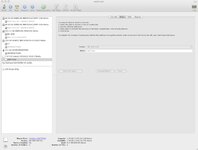
Garmin help confirmed that an 8 GByte card should work and that the folder structure was not a problem but apart from that was beaten but I found the problem last night. Use Disc Utility to format the 1 GByte card and it shows as a FAT device with a FAT partition. Use the same method on the 8 GByte card and it shows as a Mac OS Extended device with a FAT partition - although I select the device and choose FAT.
To overcome the problem I put the 8 GByte card in my Digital camera, formatted it and then put it in the iMAC to copy the music. Everything worked OK. Checking this card with Disk Utility shows a FAT device with a FAT partition - the iMAC could read it but can't make it.
Now to the obvious question. How do I make a proper FAT formatted card in the iMAC?
Garmin help confirmed that an 8 GByte card should work and that the folder structure was not a problem but apart from that was beaten but I found the problem last night. Use Disc Utility to format the 1 GByte card and it shows as a FAT device with a FAT partition. Use the same method on the 8 GByte card and it shows as a Mac OS Extended device with a FAT partition - although I select the device and choose FAT.
To overcome the problem I put the 8 GByte card in my Digital camera, formatted it and then put it in the iMAC to copy the music. Everything worked OK. Checking this card with Disk Utility shows a FAT device with a FAT partition - the iMAC could read it but can't make it.
Now to the obvious question. How do I make a proper FAT formatted card in the iMAC?