Setting Up a Wireless Network

BBB61

Registered user
Joined
May 28, 2002
Messages
3,783
Reaction score
0
Location
Welwyn Garden City
SWMBO and I have just bought a house and we are looking to set up a WiFi network. She has a laptop with the Intel Centrino processor and this is already set up for wireless use. My PC is now upstairs, but the BT phoneline is downstairs. Rather than put wires in all over the place, we think the wifi network will be a better solution.

My understanding of all this is limited, but we want to connect it to use a broadband connection. Am I right in thinking the following:-

That her laptop is ready to go?

That I need some sort of network card to plug in the back of my PC?

That I will need some sort of router?

Is there anything else?

Are there any pitfalls?

Your collective help would be most appreciated.
 
That her laptop is ready to go?

Yes......the wireless protocols are pretty much standardized so it shouldn't be a major problem linking the laptop up to the network.....

That I need some sort of network card to plug in the back of my PC?
Yep..... a standard wireless ethernet card.
Normally, you'd take the signal from the BT line into your broadband modem, then wire that to a broadband wireless router.
From the router you'd have a wire to the desktop PC (that will control and setup the router) and the laptop will connect to the wireless router, er, wirelessly :D

That I will need some sort of router?
Yep, see above......

Is there anything else?

Er..I've just re-read your post Bob and the most obvious thing that sticks out is that you describe the internet connection as a BT line....are you saying you're on dial up not broadband?????

If so, get broadband asap......it's dead cheap now, getting really fast and makes a huge difference.

Are there any pitfalls?

Security.....if you don't make your network secure someone like me will sit outside your house on their lunch break and surf using your connection ;)
Do a search on wireless security and you'll find loads of info on it.

So, starting again, you'll need;
A broadband connection (about 14 quid a month)
1x Broadband modem/ADSL modem (comes free with connection)
1x Broadband router (either ADSL or Cable, depends on what sort of broadband you get) (about 60 quid)
1x PCI ethernet card for your desktop PC (less than 20 quid)
1x Ethernet cable to go from modem to Router and 1x Ethernet cable to go from router to your Desktop PC
 
PS I don't normally like them, but the best bet might be to pop along to PC world....Wireless is the big thing and they have some pretty good deals...they even have some fairly competent people in from my experiences with them (Thurrock in particular)

I've got some days free next week if you want to met up over there and have a root around ;)

PS It's not necessary but I'd advise geting everything the same make.....Belkin cards seem to talk to Belkin routers than mixing Belkin and Netgear/Dlink etc......

:)
 
Thanks Bill,

I already have the broadband connection and the broadband modem, so all I need now is the router, ethernet card for the PC and the various cables!!

:thumb :thumb
 
Fanum said:
From the router you'd have a wire to the desktop PC (that will control and setup the router) and the laptop will connect to the wireless router, er, wirelessly :D


so you can't put a wireless router upstairs plugged into the only BB socket (old skool BT BB faceplate) and have a couple of PCs downstairs unless one of them is hard wired to the router?

got to do this myself soon. i assumed the router would talk to the PC via a wireless link :confused:
 
cookie said:
so you can't put a wireless router upstairs plugged into the only BB socket (old skool BT BB faceplate) and have a couple of PCs downstairs unless one of them is hard wired to the router?

got to do this myself soon. i assumed the router would talk to the PC via a wireless link :confused:


I don't think so......

I'm probably wrong but I think you have to have one PC hardwired in order to set up the router...there are things the PC needs to 'tell' the router to set it up.....

I'm not sure what would happen if you set the router up hardwired then plugged in a wireless card (or USB wireless dongle) and had the PC completely seperate from the router.......never tried it but I can't see why it wouldn't work :nenau

No doubt someone who knows a lot more than me will be along soon to set us all right ;)
 
FWIW I'm no tecchy but I managed to set up a wireless network in my house. I used the wireless connection first via my laptop. I only connected the desk top computer later via a cable.

It's a Netgear route from PC World. It was really simple - very straight forward instructions.
 
BT ?

If you're on BT broadband you can get the kit (made by Linksys) from them direct; I know it's not secure but I used 3 x USB Adaptors and a plug in card for the (old) laptop, no router required. I recall it's called an ad-hoc network. The only downside is that the PC with the broadband modem has to be 'on-line' for the others to get access. 3 desktop PC's and a lappie, all connected relatively simply.
 
You may need to configure the router via a network cable initially, however once configured both machines can access the router via WiFi. There is no need for an ADSL modem - almost all DSL routers these days have an ADSL modem built in.

Try and get one with a SPI firewall built in - a bit more secure. I'm a big fan of Zyxel kit. The 660HW should fit your needs perfectly.

Broadband Buyer do some good deals.

If I can help, just ask :)
 
DrAlf said:
You may need to configure the router via a network cable initially, however once configured both machines can access the router via WiFi. There is no need for an ADSL modem - almost all DSL routers these days have an ADSL modem built in.

Try and get one with a SPI firewall built in - a bit more secure. I'm a big fan of Zyxel kit. The 660HW should fit your needs perfectly.

Broadband Buyer do some good deals.

If I can help, just ask :)

- What he said is right - I fitted a similar setup in my bosses house, with a wireless box plugged straight into the phone socket, no need for wires beyond that point. Also it might be a good idea to enable the security on the box if you've got lots of neighbours nearby - WEP should be sufficient, but WPA is even better.
 
cookie said:
so you can't put a wireless router upstairs plugged into the only BB socket (old skool BT BB faceplate) and have a couple of PCs downstairs unless one of them is hard wired to the router?

got to do this myself soon. i assumed the router would talk to the PC via a wireless link :confused:


You require the router connected into the phone line off the data spur on the filter (as you would do for the std BB modem).

The Router MUST be a modem/router , a normal router will not make the connection to the internet. The normal ones are used to re route the signal to other areas either by cable or wirelessly.

Both you laptop and and PC can run wirelesly, you would need a wireles network card for the PC instead of a std network card and the Laptop sounds like its OK.

To configure the router, you use a webpage which sits on the router hard coded. The manual will tell you the address, it will be something like http://192.168.0.1/ once on this page you will find all the settings and wizards to configure the modem side of the box (it will ask you for the connection info) and the router side of the box, options for security, routing passwords DMZ and a myriad of techie things which for the most part you can ignore.

This webpage can be accessed by any one connected to the "local" network either by wireless or wired.

Typically the bandwidth of a wired router will be 100Mbs and wireless around 54Mbs, so wireless is slower, however as the broard band feeds the internet to your PC at 1Mbs (varies on the package you have) you will not notice the diference. However if you are moving large files between the 2 machines if they are both hard wired the transfer would be x2 as fast. Not normally a problem for 99% of users but worth baring in mind if you intend to move large amounts of data (pic, movies etc) between tha machines.

If you need more PM me.

HG
 
If you set it up wirelessly make sure you write down the passwords, keys etc when changing the security settings. My mate got this wrong and locked himself out of his own connection :yelrotflm

He phoned me in a panic until I told him he could just hit the reset button on the router and start again.

Adam :)
 
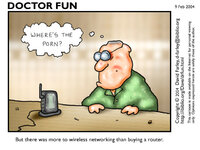
You know that post office add Bob??

The one that goes.....'I saw this and thought of you........' ??

:D :D :D
 

Attachments

  • df20040209.jpg
    df20040209.jpg
    92.4 KB · Views: 126
Not being a fan of PC world, i was very pleased with a wireless router / modem bought in a tesco extra in yeovil, a linksys (who are owned by Cisco) make sure you get the right one as they have ADSL and NTL / Cable, wireless speed up to 54mbps all for £54!

The CD is pretty straight forward and you even get a short patch lead to connect your pc / laptop to it via the on board network card that your pc / Laptop should have

do heed the warnings about writing down / printing out your settings, although the changes should be 'written' to the RAM in the router I had the pleasure of re inputting everything again after a lengthy power cut!

start of with the basics of getting your connections working before going for anything to advanced, a couple of good tips for security are

change the 'broadcast' name of your router, and disable the broadcast (that way anyone 'driving by' will have a more difficult time hacking your wireless)

also change the default password to access the router to something that you will easily remember otherwise it will be a very easy for 'drive by' surfing

If they want to hack you they will but if you make it difficult by making a few changes they will drive further down the road!

Hope that Helps
 
Gents,

Many thanks for the help and advice. I eventually got my arse down to PC World and took advantage of one of the deals they were doing. The home network is all set up and running nicely. SWMBO is happy that she can now use her wifi laptop as the makers intended. :)

PS Bill, you are a very bad man :D :D


Back
Top Bottom