2. When plotting a route, if I edit and delete a section that I've just done, then go back the routeing tool starts as a new route rather than go back to the point I was at. Is it possible to set it up for the routing tool to go to the point before the edit ?
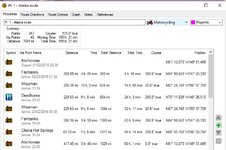
Leave the routing tool active (the pencil with the black line), then to edit a route (eg delete the last points in the route) double click on the route name in the lower LH panel and it will open the route properties. Highlight and delete the points you don't want. When you move the cursor back on to the map it will still be in routing mode and you can start adding more to the route. An alternative is to go ahead and create a new route, then open route properties, highlight all the points, 'copy' then paste these onto the end of your original route.
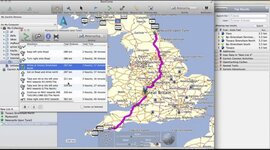
You seem to be using a 'jump from point to point' route method which is fine in some circumstances (eg. when making a circular route) but it will probably create a route with loads of unnecessary routing points if the route is a long one. A quicker way is to place (true) waypoints at your start and end points, and let Basecamp calculate the fastest route between these. Then drag and drop the route onto the roads you want to ride. Start somewhere in the middle of the route and work out towards the start and finish and you'll find you can create long routes without using lots of shaping points. A quick way to drag n drop is to change the cursor to 'hand' mode (so can drag the map around on screen), move the hand over the active route, then hold down the ALT key whilst pressing the L mouse. The hand changes temporarily into the pencil (routing) tool with straight black lines either side. Keep the L mouse button down as you move the pencil onto the road you want. Let go and it drops a via point and the route recalculates. It sounds complicated in writing but in reality is quick and fast. Use the hand to drag the map around, use the mouse scroll wheel to zoom in and out. To edit the route either double click on it's name in the LH panel or R-click on it, then 'open'. The double click will make the map zoom out to show the entire route which is sometimes a pain if you have zoomed in on a specific section. R-click, 'open' does not change the map zoom.
BTW, ignore the suggestions to use Mapsource to create routes for the Nav V as you'll find odd things happen with shaping points - you'll get flags and announcements of each one. In Basecamp, if you open route properties you'll see that most shaping points are light grey text and have '(won't alert)'. Any that are solid black text WILL alert, and you can change them by R-lick 'don't alert'. To change the properties of multiple points in a route just use SHIFT or CTRL and L-click to select multiple points.
One final tip: when you come to ride the route, if you are not actually at the start point the Nav V will ask where you want to go to. Select the FIRST waypoint; if you select the end point the Nav V will calculate a fastest route to the end point and not use your carefully crafted route.
And one more final tip (!): only use 'fastest' as the settings for calculating planned routes in Basecamp and on the Nav V. If you use 'shortest' or 'curvy' the route on the Nav V will almost certainly be different to the one you planned on the PC
Persevere with Basecamp because the Nav V works properly with routes created in Basecamp, whereas you'll find problems with routes planned purely in Mapsource. Basecamp also has one huge advantage over Mapsource: you can import all your routes and tracks etc. into 'lists' (an individual route file) and you can organise your lists (ie routes) into folders (eg country and year) and they are all available to view/copy/re-use without the hassle of having to open each individual file in a separate Mapsource window.