Slow XP: changing between accounts

Repoman

Registered user
Joined
Nov 24, 2003
Messages
623
Reaction score
0
Location
Location, Location
I am running XP Home Edition on my Dell machine. The machine itself was new this year and has a 3 Ghz processor and 512mb of Ram

I have 4 different logins set up, 1 for each member of the family but it is now grindingly slow to change from one to another - like 3 or 4 minutes changing from Repo junior's login to mine.

Any quick fixes that I can do to make things better?

Thank you kindly..
 
Interesting, I've got the same problem (along with my hibernation issues and Eudora suddenly deciding that it won't initialise any more). This XP doesn't seem to be much of an improvement over 98 afaics.
 
guitarman said:
Interesting, I've got the same problem (along with my hibernation issues and Eudora suddenly deciding that it won't initialise any more). This XP doesn't seem to be much of an improvement over 98 afaics.

My sympathies Dick. Mine was OK but has really slowed down recently. Suggest we sit here quietly and wait for a nice man to come along and tell us what to do.
 
Sounds like someone has something runnning that is taking up all the processor time. Logon as an administrator level account and start task manager (CTRL - ALT - DEL then task manager). Take a look at the processes tab and sort by CPU. That should show you what's running and taking up all the processor time. It may be something else that's taking up all the memory instead so it's worth doing a sort on Mem usage as well. I've seen IEXPLORE taking up 100% when there's a java game running.
You can also see who is running the task by adding the user name column in (View | Select Columns | tick user name).
I'm basnig this on XP Pro rather than home but I believe task manager works the same way.
Hope that helps
 
Aah... java. I installed it onto my PC with 1Gb of memory and it crippled the speed of IE so it was immediately uninstalled.

I'm wondering if this is the cause of the slow switch between users on my wife's PC [wanders off to see if it's there to uninstall]... bloody cartoonnetwork.co.uk has a lot to answer for :D

Adam
 
turbine_2 said:
Sounds like someone has something runnning that is taking up all the processor time. Logon as an administrator level account and start task manager (CTRL - ALT - DEL then task manager). Take a look at the processes tab and sort by CPU. That should show you what's running and taking up all the processor time. It may be something else that's taking up all the memory instead so it's worth doing a sort on Mem usage as well. I've seen IEXPLORE taking up 100% when there's a java game running.
You can also see who is running the task by adding the user name column in (View | Select Columns | tick user name).
I'm basnig this on XP Pro rather than home but I believe task manager works the same way.
Hope that helps


Thanks for that. Defragging the disk at the moment but then I'll give it a try.
 
Also, when you change users, don't use "switch user" but rather log off and then log back on again.

Also also, it hardly needs saying, but make sure your machine isn't infected with spyware etc, this can cause massive slowdowns.
 
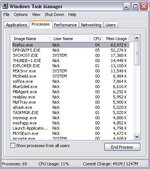
OK - usage looks like this - what does it tell me? I always have about 20 tabs open on Firefox btw - would this slow things down?
 

Attachments

  • moz-screenshot.jpg
    moz-screenshot.jpg
    50.7 KB · Views: 61
69 running proccessss? is a lot. i have 39, and think that is way too many.

hibernation & account problems are 2 of the very few probs i've had with xp.

i solved them by only having one account and never using the hibernate function.

simple :)
 
Try going to Run on the Start Menu and typing-

Msconfig.exe

The press OK

Click the "Startup" tab and you will see all the programs automatically loaded each time you start.
Then you can uncheck the ones that you hardly ever use, its difficult to see what some of them are so you may need to go online to find what they do.
Some are obvious like Drg to Dsc for the Roxio Drag to Disc function but avoid disabling your antivirus or firewall before going online.
When you restart you will get a warning that changes have been made.
All unchecked programs should all be available to run from the Start Menu if you need them, they will just take slightly longer to start.
 
Well, nothing there that's obvious, but you need to tick that box at the bottom that says 'show processes from all users'. Could you also post an image with the sort by processor utilisation, max at top?
 
Nostromo - done that ta - weeded some stuff out that I never use.

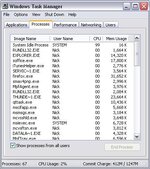
Turbine / Zmeagol it now looks like this -
 

Attachments

  • moz-screenshot2.jpg
    moz-screenshot2.jpg
    49.7 KB · Views: 46
Hmm, nothing there that looks too bad. You may want to shut down firefox and thunderbird then start them again but I don't think that will make much difference. What do the graphs on the performance tab look like.

Also, try http://www.sysinternals.com/ntw2k/freeware/procexp.shtml on the SERVIC~1 file, you may find that ending that task will speed up the computer.
 
Last edited:


Back
Top Bottom