TIF image?

Banger

Well-known member
UKGSer Subscriber
Joined
Jul 7, 2004
Messages
1,374
Reaction score
9
Location
Yorkshire Dales
What is it? I have been sent it in this format and i want it blown up to 15x10. Can i still do this or does it have to be a JPEG.

If so how do i transfer it to JPEG or is it OK to burn the TIF on to disc to take down to the photo shop to get blown up?

Thanks
 
A TIF image is as accurate as you'll get from the camera - and hence a very large file.

Converting to JPEG will make the file smaller at the expence of resolution etc. and that is what is important when making a print.

I'm sure someone will correct me, but, for a decent print you will probably want around 300 dots (pixels) per inch, so for that size print the original photo needs to have about 15 x 300 x 10 x 300 pixels - that's about 13.5 megapixels! :eek:

As for getting it printed, any half decent printer should be able to deal with a TIF image so don't convert to JPEG unless file size is a problem.

Iain
 
Found in answer to "what is a .tif" n google

Acronym for tagged image file format, one of the most widely supported file formats for storing bit-mapped images on personal computers (both PCs and Macintosh computers). Other popular formats are BMP and PCX.

TIFF graphics can be any resolution, and they can be black and white, gray-scaled, or color. Files in TIFF format often end with a .tif extension.

The other Tim
 
Iain Hogg said:
A TIF image is as accurate as you'll get from the camera - and hence a very large file.

Converting to JPEG will make the file smaller at the expence of resolution etc. and that is what is important when making a print.

I'm sure someone will correct me, but, for a decent print you will probably want around 300 dots (pixels) per inch, so for that size print the original photo needs to have about 15 x 300 x 10 x 300 pixels - that's about 13.5 megapixels! :eek:

As for getting it printed, any half decent printer should be able to deal with a TIF image so don't convert to JPEG unless file size is a problem.

Iain

The original File is 6 million pixels which i jeard that 15x10 would be the max you could blow it up too.

Its all a little confusing as some say 6 is fine for 15x10 others not?
 
Banger said:
Its all a little confusing as some say 6 is fine for 15x10 others not?

It all depends how closely you want to view the print.

Iain
 
I had this filed away as a guide to what you can get out of a digital camera...

16071028-M.jpg


I reckon 15 x 10 is probably on the limit of acceptability, but that probably means it's a "suck it and see". A landscape at that size will probably look better than a portrait because you'll see the problems more clearly on a face.

Worth a try I'd say.
 
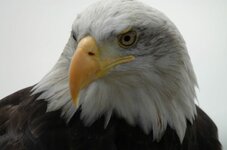
Its good quality. It was taken with my Digital SLR which my mate borrowed to go to Alaska which he picked up this.Its a superb picture.
He is over there for a month so i asked him to take general shots of Landscape , wildlife etc.

Here is attached (downsized) of the picture.
 

Attachments

  • downsized 15x10.jpg
    downsized 15x10.jpg
    21.8 KB · Views: 62
Iain Hogg said:
I'm sure someone will correct me, but, for a decent print you will probably want around 300 dots (pixels) per inch,

300 dpi (dots per inch) is printing at magazine quality, you could get away with 250 or even 200 but this all depends on the subject matter and how far away it will be viewed.

so if it was a image that had a lot of complex shape and was to be hung on a wall to be viewed you could get away with 200dpi, however if it was a more simple image with a high degree of gradual shading IE a portrait then you would want to go nearer the 300dpi end of the scale,

if you want to find out what size to print the general rule is 250dpi is good enough for images not on public view

the problem is print quality is a subjective matter so what works for one person somebody else will see faults. this is why you get a wide ranging max print size's for the same resolution size.


so depending what resolutoin your DSLR is will depend the print size not what the image size is as they file could have some compression to reduce the file size down to a managable level.

if your DSLR is a 6meg resolution then the sensor size is 3000x2000 pixels (or dots) so dividing this by 250dpi will give you the print size

IE 3000/250= 12 inch 2000/250=8 inch


hope this rambling was of some use


Back
Top Bottom