


You are using an out of date browser. It may not display this or other websites correctly.
You should upgrade or use an alternative browser.
You should upgrade or use an alternative browser.
Wapping's Wanders Three - Dijon - 15 July to 20 July
- Thread starter Wapping
- Start date

CuzGS
Registered user
Anyone want to share Accn guys ??

Anyone want to share Accn guys ??
Already in with Toad.. but have to wear ear plugs !


Anyone want to share Accn guys ??
I have already booked accom and am more than happy to share. I have read that you were looking to leave early on the 19th July.
PM me with your contact details etc.
Graeme

CuzGS
Registered user
Booked and sorted,
Train 15th 1950 (I'll ride over with Graeme so he's not Billy no mates)
Train 19th 2020 (followed by ride to Manch )
)
Am rooming with Graeme, sorted
Roll on 15th
Oh if anyone needs Accn in this area on 14th let me know
Train 15th 1950 (I'll ride over with Graeme so he's not Billy no mates
)Train 19th 2020 (followed by ride to Manch
)Am rooming with Graeme, sorted
Roll on 15th
Oh if anyone needs Accn in this area on 14th let me know
Top stuff.
I will slot the ride-outs and return route together ASAP after the weekend.
I will slot the ride-outs and return route together ASAP after the weekend.

9 days until the off
Indeedy, indeedy
I have slotted the assorted routes and suggested ride-outs together.
Just need to check them through
I have slotted the assorted routes and suggested ride-outs together.
Just need to check them through
All the routes and possible days out are now sorted out completely.
I have a glitch on my wifi so will have to go to the pub tomorrow to try to upload them. Patience a little longer, please.
I have a glitch on my wifi so will have to go to the pub tomorrow to try to upload them. Patience a little longer, please.
All the routes and possible days out are now sorted out completely.
I have a glitch on my wifi so will have to go to the pub tomorrow to try to upload them. Patience a little longer, please.
We thank you for this sacrifice on our behalf
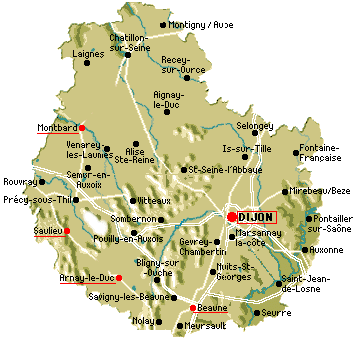
Here are all the suggested routes etc.
I have broken them up into four separate compressed zipped folders, each containing Mapsource files.
I can't open the files at the moment, so I am having to guess at the mileages from memory.
(A) The routes down and back
First part, roughly 30 miles from the Chunnel to St Omer.
Second part, roughly 370 miles from St Omer down to Dijon. This is a reasonably schlep, so it is useful to have an 80 mile or so chunk of motorway at the start, just to get going.
Third part, roughly 370 back again from Dijon to the Chunnel. This is near enough a reverse of the route down, with a change of road between Dijon and Chatillon-s-Seine.
OOOPS.... File is too big by 0.2kb
 Never mind I will sort something out.
(B) Michelin ride-out
This is a broadly circular 280 mile route, based on recommendations from Michelin's excellent 80 Virees a moto book. Doable in a day for sure with a reasonably prompt start. Should be good if anyone fancies a 'longer' day ride-out, including parts of the famous local vineyards. No motorways.
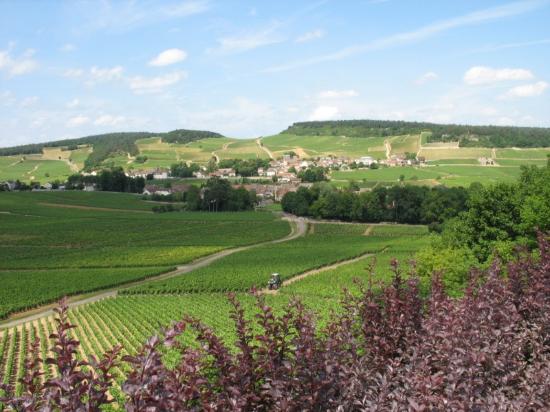
(C) Dijon - Chatillon - St Seine - Chatillon - Dijon ride-out
This is a shorter ride-out, taking in many of the excellent local roads. About 160 miles in assorted legs. No motorways.
(D) Lake de Settons ride-out

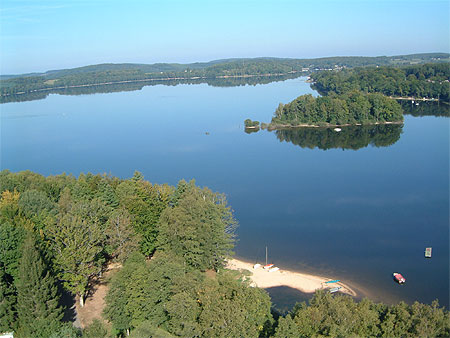
This takes us out of the Cote d'Or region, due west into the Morvan natural park. It is about 160 miles, which can be done either of two ways, each a reverse of the other.
(i) 100 miles out and 60 miles back
(ii) 60 miles out and 100 miles back
Both alternatives have about a 30 mile stretch of motorway (either on the way out, or the way back). This is simply to avoid some tedious link roads east to west and is a worthwhile sacrifice / time saver.
Richard
Attachments
CuzGS
Registered user
Thanks for all the work done, look FWd to it no end, I've just weed my twat suit with excitement
Just booked for new tyres on Friday morning
Everything else
Looks brill Richard
Everything else
Looks brill Richard
Richard,
Thanks for your planning and hard work on this - looking good
Think yourself lucky mate as my bike, a 1200GS, is currently have a new clutch fitted by Vines of Guildford
I am in current dialogue with Vines who are trying on my behalf in trying to get the parts supplied FOC by BMW.
This is for a number of reasons that I will not bore you with.
Still on the positive side at least this has happened to me whilst in the UK
Looking forward to next Friday.....
Graeme
Thanks for your planning and hard work on this - looking good
Just booked for new tyres on Friday morning
Everything else
Looks brill Richard
Think yourself lucky mate as my bike, a 1200GS, is currently have a new clutch fitted by Vines of Guildford
I am in current dialogue with Vines who are trying on my behalf
in trying to get the parts supplied FOC by BMW. This is for a number of reasons that I will not bore you with.
Still on the positive side at least this has happened to me whilst in the UK
Looking forward to next Friday.....
Graeme
Looks great
Again, Richard thank for all your efforts... really looking forward to the few days....
Heading over on Thursday... thought i'd have a nice spin down to the south coast.... , might even take in some of sunny Wales on route. Should be fresh for Friday / Sat
See all on Friday
Dave
Again, Richard thank for all your efforts... really looking forward to the few days....
Heading over on Thursday... thought i'd have a nice spin down to the south coast.... , might even take in some of sunny Wales on route. Should be fresh for Friday / Sat
See all on Friday
Dave
Thanks for the PM's chaps
I see that we have a thundering Buell 1125 joining us. Excellent not least as it's not a bike that you see every day of the week.
According to the man with the fir cones and dried seaweed, the long range forecast is 'mixed', so a bit like home but much warmer when the sun shines properly. Some friends have just come back from the Ardennes where they were soaked on one day and boiled on the next two.
Here are the suggested routes down and back, now broken into two separate files.
Richard
I see that we have a thundering Buell 1125 joining us. Excellent
not least as it's not a bike that you see every day of the week.According to the man with the fir cones and dried seaweed, the long range forecast is 'mixed', so a bit like home but much warmer when the sun shines properly. Some friends have just come back from the Ardennes where they were soaked on one day and boiled on the next two.
Here are the suggested routes down and back, now broken into two separate files.
Richard
Attachments
Dullness 
When I import the routes they are fine in Mapsource, but then recalculated when I add them on to the 660.
All the routes once transferred to the 660 are screwed up
I know you had this before Richard - did you ever get to the bottom of it?
BTW - These are not the straight line routes, just recalculated versions.
When I import the routes they are fine in Mapsource, but then recalculated when I add them on to the 660.
All the routes once transferred to the 660 are screwed up
I know you had this before Richard - did you ever get to the bottom of it?
BTW - These are not the straight line routes, just recalculated versions.
I never got to the bottom of that little glitch.
I would re-do them for you in an earlier version of a map (which is where your problem lies, I think) but I have deleted the old maps from my PC.
The easiest answer is:
Open the routes on your PC.
Trace over them. It helps if you change the colour of the route to, say, green (a good toad colour).
Save the fresh route and import it.
It won't take long
PS One idea, which may work.
Open Mapsource in two separate windows on your PC.
In one window, open my route. Go to route properties (I think that's it, i haven't got Mapsource available on my Mac) and copy the basic directions.
Then open a new file in the second window and create a dummy route of say a mile. Go to route properties and past in the bits you copied. Edit out the bit you do not want.... Hey presto??????
I have no idea if that works but it does for snipping out bits and then pasting them into another route, so it may just be the badger.
Richard
I would re-do them for you in an earlier version of a map (which is where your problem lies, I think) but I have deleted the old maps from my PC.
The easiest answer is:
Open the routes on your PC.
Trace over them. It helps if you change the colour of the route to, say, green (a good toad colour).
Save the fresh route and import it.
It won't take long
PS One idea, which may work.
Open Mapsource in two separate windows on your PC.
In one window, open my route. Go to route properties (I think that's it, i haven't got Mapsource available on my Mac) and copy the basic directions.
Then open a new file in the second window and create a dummy route of say a mile. Go to route properties and past in the bits you copied. Edit out the bit you do not want.... Hey presto??????
I have no idea if that works but it does for snipping out bits and then pasting them into another route, so it may just be the badger.
Richard
I never got to the bottom of that little glitch.
I would re-do them for you in an earlier version of a map (which is where your problem lies, I think) but I have deleted the old maps from my PC.
The easiest answer is:
Open the routes on your PC.
Trace over them. It helps if you change the colour of the route to, say, green (a good toad colour).
Save the fresh route and import it.
It won't take long
PS One idea, which may work.
Open Mapsource in two separate windows on your PC.
In one window, open my route. Go to route properties (I think that's it, i haven't got Mapsource available on my Mac) and copy the basic directions.
Then open a new file in the second window and create a dummy route of say a mile. Go to route properties and past in the bits you copied. Edit out the bit you do not want.... Hey presto??????
I have no idea if that works but it does for snipping out bits and then pasting them into another route, so it may just be the badger.
Richard
Lost patience this evening, so will have another go tomorrow. Thanks for the tips.
As we're using the drop-off I may not bother but just keep the destinations just in case

Map version should be OK, as I've got the lifetime updates, and I checked first thing that it's all up-to-date.
Sometimes Garmin are great. Some times they really aren't

Similar threads

- Replies
- 6
- Views
- 1,723

- Replies
- 45
- Views
- 31,550

- Replies
- 75
- Views
- 46,481

- Replies
- 69
- Views
- 41,881