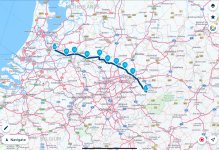
Would be good if someone could show me how to load up GPX files onto the forum

grantmac

Commuting between NL & UK
UKGSer Subscriber
Joined
Feb 7, 2017
Messages
4,066
Reaction score
5,295
Location
The Hague, Holland

Cut from a post in the Travel section.

Richard

=========

They are GPX files in Basecamp and I can’t be arsed to convert them to MRA that’s why I suggested the OP PM and I can send to him via email……

Would be good if someone could show me how to load up GPX files onto the forum
 
Last edited by a moderator:
They are like any other file, though some can be too large for the forum limit.

Take the GPX file and shove it onto some cloud based platform, like Dropbox. From there, create a link to the file and share it here.

For example, here’s one of your GPX files from your website, which I uploaded to Google Drive:


Here it is downloaded from Google Drive, using the link and displayed on the MyRoute app, all using noting more than my iPad:

IMG_0128.jpeg


And here it is, in MyRoute. Again, using nothing more than an iPad:

 
Last edited:
They are like any other file, though some can be too large for the forum limit.

Take the GPX file and shove it onto some cloud based platform, like Dropbox. From there, create a link to the file and share it here.

Dropbox only seems to work if you subscribe to additional space. I only use the free version as a repository for phone photos before any good ones are edited and archived elsewhere. I think they switched off some of the functions I used to use for being a cheapskate.

Of the free cloud storage places, I find the one that come with windows, Onedrive, to be the most successful with people using a link to download the file. Even for iMac users. Google's G Drive works fine for sensible people using the Chrome browser or Android. Less good for those encumbered with iCrappy devices or Edge.
 
Do Zip gpx files before sharing them on Dropbox (I have a paid account). Make it slightly easier for the browser to understand that it has to download (and not display) them.
The few I shared in here are uploaded on my web server, but Dropbox would do the same.

BTW, if you need/want, mail them to me and will upload and give you the links.
 
the easiest way to share routes from basecamp if not using MRA is to either use dropbox or one of the other cloud sites, to save a route from base camp using pc highlight the route you wish to share in the bottom left window of basecamp, then go to file at the top menue bar click and then select export and then export selection, choose a place to save it and then once saved it is ready to upload to where ever or email to who you want to.
Note the forum has a size limit for files, dropbox and the likes take much larger files its also free up to a certain amount of data.
 
Last edited:


Back
Top Bottom