Here is a quick tutorial on an iPhone* (it should be fairly similar on Android phone/tablet)
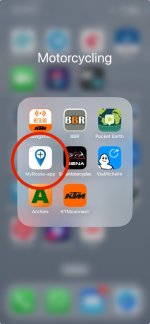
Open MyRoute App (download and sign in as necessary)...
View attachment 316730
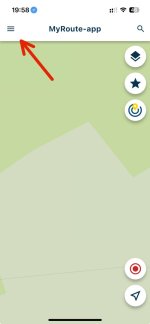
Then tap on the "Hamburger" stack...
View attachment 316731
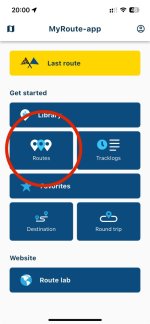
Tap on Routes tab, to open you saved routes library...
View attachment 316732
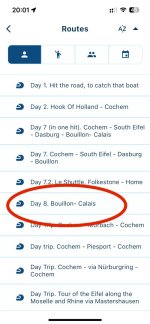
... tap & select on a route to be transferred to your (friends) Garmin XT/XT2...
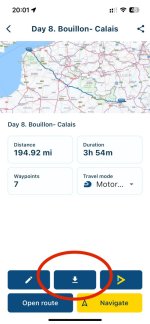
View attachment 316733
...tap on a download tab (downward pointing arrow)...
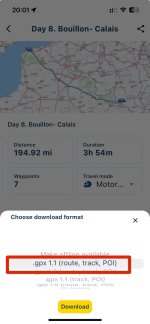
View attachment 316734
... choose a format to be exported and tap on download tab.
It has been noted that for Garmin, the highlighted .gpx 1.1 is the best option to choose...
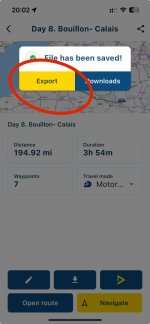
View attachment 316735
... tap on export tab. You may wish to tap on Download tab, should you know that you might be in the wilds of Mongolian Steppe and finding a mobile network or a coffee shop with a public wifi might be a fair bit of wishful thinking. By tapping on Download, you can save the
route.gpx file to device' onboard storage (hard drive if you like)... more later.
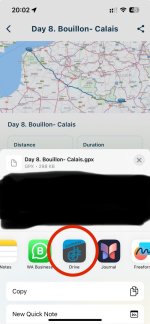
View attachment 316736
*You need to download Garmin Drive app (
see post #6), as this is the only way that your (friends) Garmin XT will be able to communicate by means of utilising Bluetooth. You must pair said Garmin Device with your (friends) iPhone first.
When prompted, tap on Garmin Drive app within the pop-up menu.
View attachment 316737
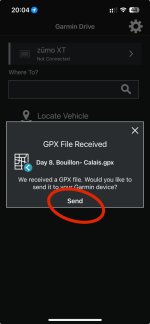
When your XT is connected, the iPhone by means of Bluetooth and Garmin Drive app will do the rest. you just have to tap on Send and wait a few moments, for this to complete. do not go wondering off with your phone away from the Garmin XT, as this will stop communication between these devices.
View attachment 316738
Once transfer has completed, head over to your (friends) Garmin device menu and select Trip Planner app, (you may get a notification, such as "New trip has been imported") followed by selecting Saved Trips, then find the route you just have transferred. Select it, it'll show a route summary, check that it does tally up to that on MyRoute App. You may also tap on the Map tab, to preview the entire route, Other wise tap on Go and select nearest entry point and tap OK.