Aaaarrrrgggghhhh!!!!!

JerseyGS
Have you fitted your 590 to a GSA? Is so did you mount it on the screen brace?
What did you do with all the miles of unwanted cables?

I have convinced myself that I "need" one but still concerned about how it will fit. I would be tempted to chop all the extra cables off as I only want blue tooth. Do you have any photos of yours in situ?

Cheers

Neil
 
JerseyGS
Have you fitted your 590 to a GSA? Is so did you mount it on the screen brace?
What did you do with all the miles of unwanted cables?

I have convinced myself that I "need" one but still concerned about how it will fit. I would be tempted to chop all the extra cables off as I only want blue tooth. Do you have any photos of yours in situ?

Cheers

Neil

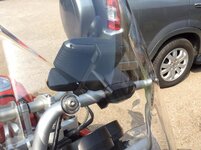
Hi Neil I mounted it on the Handlebars LHS right next to the hand guard, fitted the ram mount there in fact same place as my 550, easier to change screens while riding with your left hand.
More of a reach mounted on the screen brace but user choice.

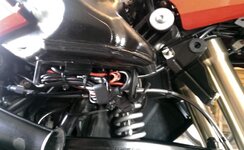
As for cable if you connect to the battery its not a huge problem. if you use a Nippy Normans CAnbus cable there is more head scratching to dress the cable in. I fed the cable down the brake cable and under the tank then decided which cables I wasn't going to use (USB and mic) and cable tied them away and dressed the cable to the frame.

Cheers

Andy
 
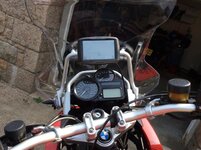
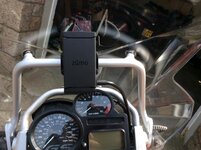
Here you go Photos

As you can see it slightly obscures the speedo however the GPS has its own speedo and that's the one I use!


Here you can see where I mounted the ram and fed the Zumo cable down the brake cable.


Only thing I am not happy with is the cable is the wrong side of the tank mount I will sort this the next time I service the bike


I tidied the power leads above the battery and coiled the usb and other connectors under the seat, I am fairly happy with this.


Hope this helps

Andy
 
I tested the track/route and (dunno why) i had the impression that the GPS would calculate back to the track if you came off it. It didn't :-(

My GPS recalculate is set to prompt, half way through my test route deliberately came off the route when prompted to recalculate
I clicked "Yes" and the Zumo re-calculated a completely different route to the destination. OK in future (now i know) i will click "No"

Its interesting to see the different route the GPS calculates compared to the track that i still had on the map.

I created the track/route from an old route i built with waypoints on Basecamp do i need to re-build it in a new list and use shaping nodes?


If i had put in waypoints it would re-calculate to the next one so, would only have missed part of the route rather than all the way to the end.
Would it do the same with shaping nodes?

I am scratching my head with this, I cannot seem to get a middle ground, why can't there be a setting to just follow the given route and get you
straight back onto it when or if you take a wrong turn. Rather than recalculating different ways.


Faster time is (as it says) getting you there ASAP.
Shorter distance is not an option (I have learned) unless you want to green lane all day or cut through private roads gravel tracks and tiny country roads.
Curvy roads may be an answer will have to try, I don't want to be taken somewhere else though.

I don't really want any of these, I want to build my routes and stick to them and not be unwittingly taken elsewhere because of some algorithm calculation.
 
Ok after finding some quality threads on this site http://www.ukgser.com/forums/showth...e-learned-today-using-BaseCamp-on-a-Mac/page4 i have all the answers to my 590 woes

What i had done in my previous post was created a route from a track, and because of this there were no route shaping nodes within the route so when i deviated off the route the GPS calculated a different
fastest time route.

So today i did the same route but with shaping nodes along the route, i deviated the route at the same junction and eureka! the GPS calculated me to the next shaping node the fastest time. Awesome \0/ \0/

When building a route on basecamp if you use waypoints to build the routes. when you are ready to "send to device" change the waypoints to route shaping nodes by double clicking the route denoted by two
green squares and a motorcycle in the lower left hand window of Basecamp. This pops a route window highlight each waypoint right click and select "don't alert on arrival(shaping point)".

If your route is already loaded on your device with waypoints fret not! Below is the work of Wapping :thumb:thumb i believe, not me!!

Goto Trip Planner.

select the route.

select the Map view, you will see the route displayed, with the waypoint flags

Exit from the map back to the route


Select the three horizontal lines.


Select Edit Destinations. You will see all the flags shown.


Select a yellow flag touch the flag. This will bring up a screen with several quite clever options: Duration (you can tell the device how long you intend to stop there).
Change Location (you can insert some other location) Remove Location (we'll come back to this) and Rename Location (call it whatever you like).

Select Remove Location. When prompted that doing so will remove the details and timing, click 'YES'.


You will now see that what was a yellow flag is now a dot.


Repeat as necessary, working down the list, "Dotting' as many of the yellow flags as you like. Remember, any you leave as yellow flags WILL stay as Waypoints.


Click 'Save'. The route will recalculate.


You will then be taken back to the 'detail screen'.


Select map. You'll see that what were once yellow flags are now dots. They are no longer Waypoints, that you must go through, they are simply 'shaping points' and the route itself has maintained its integrity.

:beerjug:
 
Well I 'invested' in one after selling my trusty 550. I was torn between hacking off all the extra cables as I never intend to use them however I adopted to keep my options open approach. I powered it via the GPS canbus plug, coiled all th cables up and found the perfect place to store them out the way...... I used the empty bracket for the U.S. charcoal filter which had the perfect loops for a couple of cable ties I then continued the USB lead back so that it is coiled under my seat in the tool tray (I have no intention of using it however it will easily reach my tank bag should I need to charge my phone on a trip). Really pleased with it so far.

I used my Migsel mount that I had for my 550 to fix it to the screen brace.
 

Attachments

  • image.jpg
    image.jpg
    55.5 KB · Views: 533
  • image.jpg
    image.jpg
    76.3 KB · Views: 525
  • image.jpg
    image.jpg
    69.4 KB · Views: 546
  • image.jpg
    image.jpg
    66.8 KB · Views: 549
Have any of you fitted the 590 and managed to use the audio out to hard wire a feed an Autocom or similar. Or is it strictly a bluetooth job.
 
It is just a bluetooth job for me. I'm sure it would be perfect wired to an Autocom though the cables are nice and long and would all reach back to under the seat.

All the cables you would need are part of the standard loom.

Neil
 
Used my 590 in anger for the first time at the weekend and it behaved beautifully, St Malo - Nantes Nantes - Quimper Quimper back to St Malo.
I loaded the routes with tracks for permanent route reference so you are aware if you are off track if the set re calculates.

Really happy with the set I guess i am just getting familiar with the way it works and really glad i upgraded.
What is really useful is the "up ahead" menu you can pick out petrol stations and its so much easier to navigate/ add in a fuel station to the route using this method.

Neil thats a really neat mount on the screen brace :clap hope you are equally as pleased ;)
 
Side cutters!! Cut the cable, dig out the power cables...black and red wrapped in thin foil, shorten/seal the rest and connect it via the canbus plug...
 
Interesting reading, I'm going to be changing my BMW Navi 111 for a garmin, maybe the 590 is way too clever for me
 
Interesting reading, I'm going to be changing my BMW Navi 111 for a garmin, maybe the 590 is way too clever for me

Zumo 390 and 590 appear to work exactly alike the only difference with the 590 is its larger screen and some fancy functions that you will probably never use.
 
I tagged this thread a while back and marked it as a reminder that I'm not the only person who was struggling with the new changes to the Zumo 590/390 compared with the 660 and the 550 that I have owned before that.

Since flagging this post, I have been getting to grips with Basecamp and with the 590, and have worked out a lot more than the Tech support at Garmin seemed to be able to help me with. I thought I'd take the trouble to post some of it back.

First:
The Zumo 590 (and 390) will not talk to MapSource. You have to use Basecamp.
Basecamp gets frequent updates and bug fixes. Check you have the latest.
You should have the same version of maps on both your Pc/Mac and on the Zumo. If not, your route will recalculate and you will end up with a different route being plotted.
Basecamp has a couple of settings in Edit/Options/Device Transfer which seem to cause a route to recalculate when it is transferred to the Zumo. Clear the ticks in this option.


Now some terminology -as Garmin seem to be using some key words in ways that are different from things I have read before. These definitions come from my understanding from using Basecamp and from using the Zumo 590, as well as trying to get some clarification from technical support. All of these terms I have seen used in different ways by different people, and indeed by Garmin.

So - as I understand it:


Waypoint - doesn't refer to a point on a route specifically. A waypoint is a point that exists in the map database - either because it was there originally, or because you have added a new point to the database. You can include waypoints in a route, but a point in a route is not necessarily a waypoint.

Via Point.
Is used by the Zumo to indicate a point on the route which it will insist that you visit. Unlike the 660, if you missed a point on the route (maybe positioned incorrectly up a side road), but continued towards the purple highlighted route, the 660 would continue navigating once you had reached the purple line. The 590 doesn't. It nags you until you have been there - or you can press the skip button. The skip button isn't installed by default, and it is available from the menu button in the bottom right corner. 'Skip' was a added as a later fix to the Zumo software.
Via points will show up in the data display eg as in 'Time to Via', 'Distance to Via'.
The satnav will announce - visually and audibly - your approach to and your arrival at a Via Point.
The 590 gives a list of all of the Via points on your route when you select a route to follow. But it shows ONLY the Via points. It doesn't show any other points.
Via points on the 590 show up as flags in the route and on the map.

Shaping Points
On the 590, Shaping points appear as dots (small filled circles), on the route lists and on the map.
Shaping points are silent. They do not alert on arrival either visually or audibly.
Shaping points do not appear in the list of points presented by the 590 as 'Select Next Destination' options when the route is first loaded.
Shaping points can be ignored if they are slightly inaccurately placed but you remain on the purple route. (eg a point placed just up a side road). If recalculation is turned off, and (say) a new bypass has been built, then recalculation will continue correctly as soon as you join the purple route again. Even if the bypass missed out visiting the shaping point.

Recalculation
Will take place if you have the option turned on. Recalculation always results in the original route from planned in Basecamp being over-ruled and a new route is plotted using the routing preferences that are set in the 590. But it will always calculate a route to the next Via Point or Shaping point.
The notion that you must have the routing preferences set to be the same as was set in Basecamp is a false one. Basecamp has many more preferences. the 590 has 3 - faster, shortest, curvy. (Plus the avoidances of course) You can use the setting to approximate to what you had in Basecamp, but they are only ever used if the Zumo performs a recalculation. Not otherwise.
The zumo knows what was plotted in Basecamp by virtue of the fact that when the route is transmitted to the zumo, it transmits the Star, End, Via and Shaping points that have been plotted, but it also transmits hundreds of invisible intermediate points as GPX extensions. I call them 'Ghost Points' and they force the Zumo to take you along precisely the same roads that were in the route in Basecamp. When the zumo is forced to recalculate, (different maps, going off route), the first thing that gets lost is these extra points in the current section. The Via points and shaping points remain, but the zumo has to calculate its own route in between the last and the present points. To prevent this causing problems, it is better to have more via points and shaping points, and to use these according to whether or not you want them to appear on the lists or in the data displays.

Basecamp.

Here's an example of Garmin using the terms differently. At the time of writing this Garmin seems to imply that all points on a route are via points - which is confusing to say the least.
The distinguishing feature is whether or not they alert on arrival. If they do alert, they are treated as via points when transmitted to the 590. If they do not alert, they are treated as shaping point.

By default, a waypoint (one that is in the database or one that has been placed by you using the flag tool) - when added to the route, will be a via point. If the route tool is used from the menu, or the insert point tool (or CTRL I) is used, they are added as shaping points.

When you visit the edit route window, you can right click on each point and set them to alert on arrival or not alert on arrival (shaping point) - which is handy. What is confusing though, is that the symbol - flag or dot - doesn't change to match how the 590 displays them. A flag shows for a waypoint that is added to the route as a via point. If you change it to a shaping point (do not alert), it remains as a flag in basecamp.

Mentioned earlier. Beware the settings in Edit / Options/ Device transfer. There is an option there to strip out the shaping points when the route is transmitted. The Ghost points will ensure that the route is received by the Zumo correctly, but if the Zumo recalculates, the ghost points are lost, and it can only recalculate by finding its own route from the start to the finish points, which in many cases will be a few metres away from each other for an out and back route.

Enough. I have covered a this and much more in a series of short videos working with Basecamp version 4.6.2 and the Zumo 590 software 3.20. I reckon that even if you think you know a lot about it, there will be stuff in here that you didn't know.

Hope you find this little lot useful. Link to Videos

And just a reminder - if you are reading this and you do not use Basecamp or the 590 / 390 you may well have different definitions for some of the above terms. And you may well be right, as the same terms have been used in the past with slightly different meanings. Check the date when reading forum posts and be cautious. Some of these words like waypoint, via point, shaping point are used interchangeably.
 
I tagged this thread a while back and marked it as a reminder that I'm not the only person who was struggling with the new changes to the Zumo 590/390 compared with the 660 and the 550 that I have owned before that.

Since flagging this post, I have been getting to grips with Basecamp and with the 590, and have worked out a lot more than the Tech support at Garmin seemed to be able to help me with. I thought I'd take the trouble to post some of it back.

First:
The Zumo 590 (and 390) will not talk to MapSource. You have to use Basecamp.
Basecamp gets frequent updates and bug fixes. Check you have the latest.
You should have the same version of maps on both your Pc/Mac and on the Zumo. If not, your route will recalculate and you will end up with a different route being plotted.
Basecamp has a couple of settings in Edit/Options/Device Transfer which seem to cause a route to recalculate when it is transferred to the Zumo. Clear the ticks in this option.


Now some terminology -as Garmin seem to be using some key words in ways that are different from things I have read before. These definitions come from my understanding from using Basecamp and from using the Zumo 590, as well as trying to get some clarification from technical support. All of these terms I have seen used in different ways by different people, and indeed by Garmin.

So - as I understand it:


Waypoint - doesn't refer to a point on a route specifically. A waypoint is a point that exists in the map database - either because it was there originally, or because you have added a new point to the database. You can include waypoints in a route, but a point in a route is not necessarily a waypoint.

Via Point.
Is used by the Zumo to indicate a point on the route which it will insist that you visit. Unlike the 660, if you missed a point on the route (maybe positioned incorrectly up a side road), but continued towards the purple highlighted route, the 660 would continue navigating once you had reached the purple line. The 590 doesn't. It nags you until you have been there - or you can press the skip button. The skip button isn't installed by default, and it is available from the menu button in the bottom right corner. 'Skip' was a added as a later fix to the Zumo software.
Via points will show up in the data display eg as in 'Time to Via', 'Distance to Via'.
The satnav will announce - visually and audibly - your approach to and your arrival at a Via Point.
The 590 gives a list of all of the Via points on your route when you select a route to follow. But it shows ONLY the Via points. It doesn't show any other points.
Via points on the 590 show up as flags in the route and on the map.

Shaping Points
On the 590, Shaping points appear as dots (small filled circles), on the route lists and on the map.
Shaping points are silent. They do not alert on arrival either visually or audibly.
Shaping points do not appear in the list of points presented by the 590 as 'Select Next Destination' options when the route is first loaded.
Shaping points can be ignored if they are slightly inaccurately placed but you remain on the purple route. (eg a point placed just up a side road). If recalculation is turned off, and (say) a new bypass has been built, then recalculation will continue correctly as soon as you join the purple route again. Even if the bypass missed out visiting the shaping point.

Recalculation
Will take place if you have the option turned on. Recalculation always results in the original route from planned in Basecamp being over-ruled and a new route is plotted using the routing preferences that are set in the 590. But it will always calculate a route to the next Via Point or Shaping point.
The notion that you must have the routing preferences set to be the same as was set in Basecamp is a false one. Basecamp has many more preferences. the 590 has 3 - faster, shortest, curvy. (Plus the avoidances of course) You can use the setting to approximate to what you had in Basecamp, but they are only ever used if the Zumo performs a recalculation. Not otherwise.
The zumo knows what was plotted in Basecamp by virtue of the fact that when the route is transmitted to the zumo, it transmits the Star, End, Via and Shaping points that have been plotted, but it also transmits hundreds of invisible intermediate points as GPX extensions. I call them 'Ghost Points' and they force the Zumo to take you along precisely the same roads that were in the route in Basecamp. When the zumo is forced to recalculate, (different maps, going off route), the first thing that gets lost is these extra points in the current section. The Via points and shaping points remain, but the zumo has to calculate its own route in between the last and the present points. To prevent this causing problems, it is better to have more via points and shaping points, and to use these according to whether or not you want them to appear on the lists or in the data displays.

Basecamp.

Here's an example of Garmin using the terms differently. At the time of writing this Garmin seems to imply that all points on a route are via points - which is confusing to say the least.
The distinguishing feature is whether or not they alert on arrival. If they do alert, they are treated as via points when transmitted to the 590. If they do not alert, they are treated as shaping point.

By default, a waypoint (one that is in the database or one that has been placed by you using the flag tool) - when added to the route, will be a via point. If the route tool is used from the menu, or the insert point tool (or CTRL I) is used, they are added as shaping points.

When you visit the edit route window, you can right click on each point and set them to alert on arrival or not alert on arrival (shaping point) - which is handy. What is confusing though, is that the symbol - flag or dot - doesn't change to match how the 590 displays them. A flag shows for a waypoint that is added to the route as a via point. If you change it to a shaping point (do not alert), it remains as a flag in basecamp.

Mentioned earlier. Beware the settings in Edit / Options/ Device transfer. There is an option there to strip out the shaping points when the route is transmitted. The Ghost points will ensure that the route is received by the Zumo correctly, but if the Zumo recalculates, the ghost points are lost, and it can only recalculate by finding its own route from the start to the finish points, which in many cases will be a few metres away from each other for an out and back route.

Enough. I have covered a this and much more in a series of short videos working with Basecamp version 4.6.2 and the Zumo 590 software 3.20. I reckon that even if you think you know a lot about it, there will be stuff in here that you didn't know.

Hope you find this little lot useful. Link to Videos

And just a reminder - if you are reading this and you do not use Basecamp or the 590 / 390 you may well have different definitions for some of the above terms. And you may well be right, as the same terms have been used in the past with slightly different meanings. Check the date when reading forum posts and be cautious. Some of these words like waypoint, via point, shaping point are used interchangeably.

Hi jfheath Thank you for this certainly clears up why routing is lost on recalculation and this is why my 590 is
permanently set to recalculate when prompted.

One thing to be aware of i learned to my annoyance when starting a route if you choose
the destination as the point when asked "where to" in the route list of points instead of the first via point it will
take you to the destination and completely ignore the route planned the fastest way.

I was in Barcelona going to La Rochelle had a route planned through the Pyrenees only realised what was happening when
it was too late at Perpignan wasn't happy!

 
My 390 and the 590 certainly talk to Mapsource.
I would bin it if I had to use Basecamp.
I find that putting enough Basecamp Waypoints into a route and making sure that the routing settings match between software and Zumo sorts any problems.
They can't invent stuff, they are too stupid. You just have to get the instruction precisely correct.
Well, its worked so far all over the UK, France and Spain.

But I still have the bit of paper with towns and roads scrawled on it in my tankbag. Thats 'cos I'm old.
 
Good stuff jfheath thanks for taking the time to write this up.

You are correct when you state that if your Zumo has different maps to base camp then it will automatically recalculate during the transfer to device. However there is a setting in base camp that turns this off. I have turned this off (unticked a box in settings) and successfully downloaded my routes from my PC with a slightly older map to that of my recently updated Zumo map. I also successfully downloaded the same routes this weekend onto a friends nuvi which only had 2014 maps. Once this option is turned off it remains that way.

Neil
 
Hi jfheath Thank you for this certainly clears up why routing is lost on recalculation and this is why my 590 is
permanently set to recalculate when prompted.

One thing to be aware of i learned to my annoyance when starting a route if you choose
the destination as the point when asked "where to" in the route list of points instead of the first via point it will
take you to the destination and completely ignore the route planned the fastest way.

I was in Barcelona going to La Rochelle had a route planned through the Pyrenees only realised what was happening when
it was too late at Perpignan wasn't happy!

Thanks for the all of the comments

Yes - I was going to mention that, Jersey GS, but I'd already written far too much.

I did some experiments with what was going on with select next destination. I don't think you are 100% correct in the statement that the route gets completely ignored, although I would be more than happy to be proved wrong on this - I'm learning too. What happened in my tests was that you select your next destination from the list of via points, and the Zumo 590 / 390 calculates its own route using its internal routing preferences and avoidances in order to get you to that point. After that, the satnav follows the route that was plotted in Basecamp and sent to the Zumo (providing that it didn't get recalculated).

It is impossible to guarantee that you will set off from the very spot that you select as your start point or your stopping off for coffee point. I have a few suggestions

My Via Points (including my start point) are carefully positioned so that they are located on the route that I intend to take once I have started, or set off again after coffee. This may be a mile down the road. It is likely to be located just after a road junction on the road I intend to take at that junction. I will call it 'After Freds Café' or something like that.
Then, when I set off, I don't care where I am, I can select the next destination 'After Freds Café' and the satnav will take me to the correct road using its own routing rules. Its only a mile and it will work it out from where I am now. No recalculations involved, my original route doesn't get altered.

But then, I still need to get to Fred's Café. So that goes into the route as a Shaping point - or as a Via Point, depending on the circumstances.

If I put it in as a shaping point, it gives me the opportunity to miss out Freds Café if I want. The satnav will try to take me there, but I can just continue to the purple planned route (which I can pick up along the road at After Freds Cafe' and the satnav will continue its navigation. If Freds Café was just up a side road along which I would have to return, I won't notice anything. If Freds Café involves going into a village and out the other side, then what happens next depends on whether or not you have recalculation on.

If it is on, the satnav will keep attempting to take you to Freds Café, and it will plot a new route to get there. It recalculates, but it only recalculates up to the shaping point at Freds Café, so that's OK. You could press Skip, in which case it will recalculate a route to 'After Freds Cafe' and then resume its original route.

If Recalculation is off, then you will be continuing along roads which do not show the purple route. Zoom out and you will see it plotted along a different route, and you will be able to see the flag indicating the location of After Freds Café. As soon as you get on the purple route again, the satnav will continue to lead you to After Freds Café without any further input from you.

This is why it is important to carefully choose the location of Via points. They need to be on roads which you absolutely, definitely will be riding along, no matter which direction you end up coming from. So the Freds Café turns out to be closed and you end up hunting round the village or going to MacDonalds a mile in the wrong direction, or you decide to miss it out altogether - After Freds Café is placed on the road that you intend to take.

On occasions it might be best to have a point that Nags you to get there - especially if you suspect that it is difficult to find. In which case I would make Freds Café a Via Point rather than a shaping point.

In all of my experiments, any recalculations that the Zumo made were made only up to the next via point or shaping point.

But - selecting the 'Where To' destination is asking the satnav to navigate you to that point and it ignores any shaping points in between where you are now and where you select. (If you had the old 660, this is like the satnav navigating you to the start of the route - except the 660 would stop navigating when you got there). I haven't tested this, but I am pretty sure that if you chose the top entry in the list - ie the start of the route - (you need to scroll up), and then pressed Skip, the satnav would then navigate you to the next shaping point.

The only other time the route gets calculated is when you load it into the Zumo. Those options in Basecamp can affect this (see my first post). The zumo then only has the via points and the shaping points to work with. After that it uses its own preferences.

You need plenty of points on your route in order to force the satnav, should it ever recalculate. The routing preferences don't have to be the same as they are in Basecamp, (The Zumo doesn't know what they are set to anyway) but if the satnav does recalculate the route, then it helps if it is at least using similar rules. My preference is for setting faster times and avoid motorways and unpaved roads. With something similar set on Basecamp, I can then see where I need to put the points in order to force it along the back roads.

Shorter Distance can often result in riding narrow country lanes with grass growing down the middle and not enough traffic to clear away the nails.
Curvy roads are an unknown quantity to me. I tried it when I first got the 590, it plotted routes around housing estates !
Faster times seems to plot routes which are more predictable.


Back
Top Bottom