REM - did you do that manually or are you able to import the tracklog straight into Google maps. Would be interested to know, it's a really good way to view a route.
errm not quite straight into Google Maps.
First you have to create a kml file from the GPS log. I converted Nins track log (gdb file) using GPSbabel into a text file listing the points in order travelled. I used a sample kml file and pasted the lon/lat positions into the relevant section. (there must be a direct converter from GPS to kml somewhere)
At this stage you can load the kml into Google Earth and get the same result only not so easy to share it.
To load into Googel Maps you first have to have a web hosting site. You can probably use your SIP provider - Could we use UKGSER ????. I opened a Googlemail account which included some web space Googlepages. I uploaded the kml file to this space and made a note of the URL.
In Googel Maps, paste the URL for the kml file into the Search Maps box. This loads the route in the map view. Then click "link to the page" which places the complete URL for the location that you are viewing and the data loaded into your Browser address bar. Then paste or send this URL to whereever and whoever.
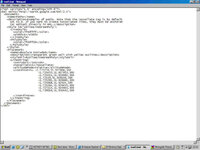
This if the kml file with just an extract of the list of coordinates that make up the actual route. You can change the name, descriptions, colours and a whole load of other features some of which only work in Google Earth. I have not got my head around them all yet:
<?xml version="1.0" encoding="UTF-8"?>
<kml xmlns="http://earth.google.com/kml/2.1">
<Document>
<name>Paths</name>
<description>Examples of paths. Note that the tessellate tag is by default
set to 0. If you want to create tessellated lines, they must be authored
(or edited) directly in KML.</description>
<Style id="yellowLineGreenPoly">
<LineStyle>
<color>7f00ffff</color>
<width>4</width>
</LineStyle>
<PolyStyle>
<color>7f00ff00</color>
</PolyStyle>
</Style>
<Placemark>
<name>Absolute Extruded</name>
<description>Transparent green wall with yellow outlines</description>
<styleUrl>#yellowLineGreenPoly</styleUrl>
<LineString>
<extrude>1</extrude>
<tessellate>1</tessellate>
<altitudeMode>relative</altitudeMode>
<coordinates>
-1.725776,51.927888,300
-1.725433,51.927953,300
-1.725411,51.928082,300
-1.72539,51.928146,300
-1.725261,51.928661,300
-1.725068,51.92924,300
-1.725261,51.929455,300
-1.727214,51.929905,300
-1.729016,51.930442,300
-1.729424,51.930506,300
-1.731441,51.930635,300
-1.732879,51.930399
-1.73599,51.92997
-1.739273,51.929884
-1.739509,51.929862
2.230439,51.514957
-2.230461,51.514957 </coordinates>
</LineString>
</Placemark>
</Document>
</kml>
When I first tried this I just used the lon/lat values and nothing appeared. I then added some altitude values but not for all the points, and bizarely it worked.
I think you can include placemarkers with images so we could publish the route with photos at the locations where they were shot.
Lots of potential, but we were lucky on this route that the aerial imagery is quite good, although the map background is still useful.



 , I've been through the track log and my sent texts...