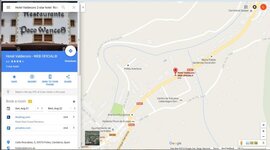
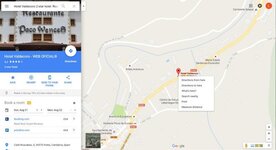
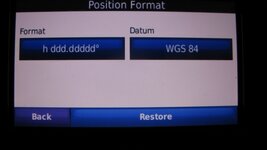
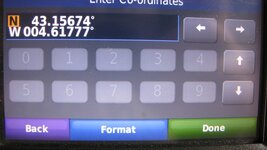
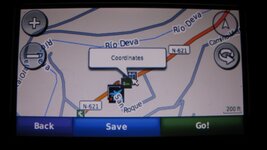
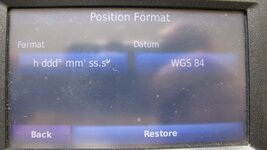
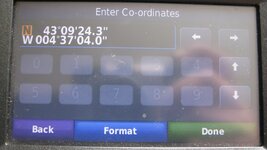
You can see that when downloading osm maps you have already run into a problem, just like when you have to learn how to do anything new, there can be hurdles you have to overcome. These hurdles maybe easy to get over or hard , depending on a persons ability. This maybe in your case learning how to put coordinates into your sat nav so you can then find the said location, or loading osm maps so that again you may find said location. You should pick a method you are happy and comfortable using, any of the two methods above will work, or you can choose to use a different method that will give you the result you are after. I would not presume to tell you what to use, but would try to help you to use whatever method you choose.
Its been said many times before, you have to learn to use what you have chosen to use, for some this will take no time at all, and for others it may take a while.
With reference to your osm problem, i will attempt to give instructions.
First go to the page in your link,
under choose your map type select Generic Routable (new style), or whatever version you require
next Choose a predefined country: one of your choice.
when chosen you will see the tiles highlighted on the map.
next select the tiles you need by clicking on the ones you want just once.
next under. Request your map or download it directly, enter your email addy and then click build my map.
you will then get the instructions about email and what to do, follow these instructions.
next when your map becomes available on the download page, go to it, you will then see these choices
[TXT] tiles.txt 52 Contains a list of tile numbers that are used for the maps in this directory.
[ ] osm_generic_new_windows.exe 18M Map installer for BaseCamp/MapSource on the Windows platform.
[ ] osm_generic_new_tiles.zip 17M Compressed file that contains the tiles and overview map. This is useful for applications like Qlandkarte and Linux users.
[ ] osm_generic_new_macosx.zip 17M Map installer for BaseCamp/RoadTrip on the Mac OSX platform.
[ ] osm_generic_new_gmapsupp.zip 17M Compressed file that contains a single image that can be placed directly onto the SD-card of the GPS.
[TXT] license.txt 1.0K License information for OpenStreetMap. Also contains the Mkgmap version used to combine the maps.
[TXT] buildlog.txt 3.7K
[TXT] 63240000_license.txt 379 License information for OpenStreetMap. Also contains the Mkgmap version used to combine the maps.
[ ] 63240000.nsi 6.1K Nullsoft Scriptable Installer script used to create the BaseCamp/MapSource installer.
[ ] 2000.typ 14K The Garmin TYP file used for this map.
i will presume you are wanting to load the map you have chosen onto your computer to use and also send to your sat nav and i will also presume you are using a pc. if this is the case you would choose,
osm_generic_new_windows.exe 18M Map installer for BaseCamp/MapSource on the Windows platform.
once this has downloaded you will need to install it by double clicking this downloaded file, a window will open select your language and then follow it through ensure to select the correct destination folder.
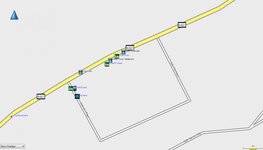
once completed open basecamp or mapsource go to your maps and select osm_generic_new and if all is good it should then be displayed.
its a while since i have done this so it may be wrong but thats how i remember it, i am sure The Grey One will correct any or all if its wrong, as he is more ofey with osm than i am.