
Cap touch

steadysteve

Well-known member
UKGSer Subscriber
Joined
Feb 26, 2012
Messages
2,961
Reaction score
302
Location
Lincolnshire
My Nav6 started playing silly buggers recently whereby it would calculate a route up to 99% but then say “ cannot calculate route “ , also kept dropping in and out of charging.
Garmin CS were great and sent me an email returns label. They duly replied with an email saying they would be replacing it upon receipt of my old unit.

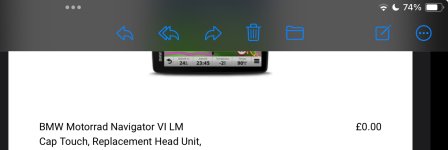
Can anyone translate this for me please so I know what I’ll actually be getting to replace it? Pic attached of their dispatch summary.

For example, I’m trying to establish what ‘Cap Touch’ means. Also does ‘head unit’ mean it’s just a replacement screen? Also unsure what LM means.
My unit was completely unmarked so I won’t necessarily be able to tell if it’s had a new screen nailed onto my old unit.
Thanks.
 

Attachments

  • IMG_0336.jpeg
    IMG_0336.jpeg
    154.3 KB · Views: 12
Cap Touch, is simply the touch screen, which responds to gloved finger touches. Due to many earlierproblems, Garmin replaced the type of ‘capacitive’ screen fitted to the latest generation of Nav 6’s.

You’ll either receive a brand new device or a ‘brand new’ refurbished item. There is nothing wrong with either. I have a refurbished XT and it’s fine.

The chances of getting your old device back, fully repaired, are all but zero.

Head unit, is the device itself.

LM, is the abbreviation for ‘Free Lifetime Maps’.

In short, nothing to worry about at all.
 
Last edited:
Cap Touch, is simply the touch screen, which responds to gloved finger touches. Due to ma y earlierproblems, Garmin replaced the type of ‘capacitive’ screen fitted to the latest generation of Nav 6’s.

You’ll either receive a brand new device or a ‘brand new’ refurbished item. There is nothing wrong with either. I have a refurbished XT and it’s fine.

The chances of getting your old device back, fully repaired, are all but zero.

Head unit, is the device itself.

LM, is the abbreviation for ‘Free Lifetime Maps’.

In short, nothing to worry about at all.

Thanks Wapping. Those are the answers I had hoped for.

Re the XT , I thought mine was faulty as it started jumping and wouldn’t respond to any touches on the screen . After speaking to ‘ The Man’ at Garmin CS we established that the screen protector was the problem. Apparently Garmin do not recommend screen protectors on their devices. Rain made it especially jumpy. It's been fine , rain or shine, since removing the protector.
 
I don’t use screen protectors on GPS devices. I do though try my very best not to scratch the screens.
 
I don’t use screen protectors on GPS devices. I do though try my very best not to scratch the screens.

I only fitted one on the XT after some pesky Welsh dust left very fine scratches on the screen. Obviously plastic , not glass.


Back
Top Bottom
