
Carpuride connection

vRSG60

Well-known member
UKGSer Subscriber
Joined
Aug 19, 2014
Messages
1,910
Reaction score
383
Location
Barrowford Lancastershire
Maybe someone can help.
I’m Thinking of getting a Carpuride 702BS
Lots of the videos I’ve seen recommend connecting the phone to the Carpuride and your phone to your helmet.
This is not the way I’ve ever connected a Garmin Nav.
Usually it’s phone to Nav, Nav to helmet.
If the Carpuride isn’t connected to the helmet then how does the music from an SD card get to play in the helmet speakers?


Sent from my iPhone using Tapatalk
 
I copied the info below from the Carpuride FB group. When I checked through it is how I’ve got mine set up to iPhone & Sena 50s.


I think I finally figured the connection issues out with the Carpuride 702BS in combination with the TFT screen and BMW Connected Ride App.


With this configuration everything works, CarPlay navigation and regular use, as does the BMW Connected Ride App with it’s registration of the ride etc..


What have I done:


- Connect iPhone via BT to my helmet and SC2 headset using Phone channel #1 on the SC2 headset


- Connect iPhone via BT to the BMW TFT screen


- Connect SC2 headset as driver headset to TFT screen using Phone channel #2 on the SC2 headset


- Connect Carpuride 702BS for CarPlay use, using iPlay (NOT BT Trans)


See attached schematic of the connections.


With this configuration there is no need for an additional automation to reconnect headset to phone, as I used to have.


So far I tested the most common things, phone calls work, Siri works, listening to music works, using CarPlay works and registration of the rides with the connected ride app works.


The only thing you need is the possibility to connect two phones to your headset. I believe most headsets provide this possibility.


Additional benefit, as you can see in the picture, I can see what song I am listening to on the TFT and I can see the navigation app full screen on the Carpuride. Both I can manipulate using the wonderwheel.
 
Thanks
I don’t have TFT screen but if I buy a Carpuride I’ll give this a go.


Sent from my iPhone using Tapatalk
 
I’ve got a W702 now.
To enable SD card music on 702
I’ve connected as I did on a Nav
Phone to 702
702 to helmet.
If I connect phone to 702 then phone to helmet I couldn’t see how music on the 702 would get to the helmet.
Can’t see it going to the phone then the helmet.
I’ll try various connections tomorrow.


Sent from my iPhone using Tapatalk

 
I’ve got a W702 now.
To enable SD card music on 702
I’ve connected as I did on a Nav
Phone to 702
702 to helmet.
If I connect phone to 702 then phone to helmet I couldn’t see how music on the 702 would get to the helmet.
Can’t see it going to the phone then the helmet.
I’ll try various connections tomorrow.


Sent from my iPhone using Tapatalk
Hi Ditch the SD card put the play list on your phone, connect phone to Carpuride using iPlay ( assuming i phone) connect phone to comms only, there is a Carpuride vt on utube demonstrating this set up, you will have all Naviigation options on your phone, make calls if required, stream live radio, if your using MRA in offline mode no need for phone signal either.
 
Thanks
I’ve a shed load of music I’ll have to get some organising done on iTunes.
It’s the only way I know of adding more music to my iPhone.


Sent from my iPhone using Tapatalk
 
I have given up! I can’t get to grips with connecting my iPhone, Carpuride 702 2x and my Cardo 2x headset. I don’t even want to start on connecting the TFT screen!
Anyone who can help?
Leave for a 3 week trip to France on Thursday!
I have tried over and over, watched numerous YT videos and read stuff on here but just don’t get it!
:beerjug:
 
Connect
I have given up! I can’t get to grips with connecting my iPhone, Carpuride 702 2x and my Cardo 2x headset. I don’t even want to start on connecting the TFT screen!
Anyone who can help?
Leave for a 3 week trip to France on Thursday!
I have tried over and over, watched numerous YT videos and read stuff on here but just don’t get it!
:beerjug:
Connect your phone to the carpuride, just like any other car play device, then connect your mobile to your headset as a mobile, its that simple.
 
  • Like
Reactions: KJB
Connect

Connect your phone to the carpuride, just like any other car play device, then connect your mobile to your headset as a mobile, its that simple.
If only it were that simple! I'm. no techy but, I can usually work things out and use quite a bit of tech but, this is baffling me. Connect using what, Bluetooth, Airplay, Airplay and Bluetooth combined.

I think I have it all connected, tunes playing, Google maps showing my route and then it all goes pear shaped, when I answer a call, change tracks, press one of the impossible to remember what does what on the Cardo buttons.

It seems like each device is trying to take the dominant role, overriding the others, the screen flickers between the apps running (my iTunes from the phone and Google Maps, for eg.)

I have put the Nav V on but need to wait until the bike battery recovers, having drained it trying to suss this problem out.

That'll be the next challenge, updating Maps!
 
If only it were that simple! I'm. no techy but, I can usually work things out and use quite a bit of tech but, this is baffling me. Connect using what, Bluetooth, Airplay, Airplay and Bluetooth combined.

I think I have it all connected, tunes playing, Google maps showing my route and then it all goes pear shaped, when I answer a call, change tracks, press one of the impossible to remember what does what on the Cardo buttons.

It seems like each device is trying to take the dominant role, overriding the others, the screen flickers between the apps running (my iTunes from the phone and Google Maps, for eg.)

I have put the Nav V on but need to wait until the bike battery recovers, having drained it trying to suss this problem out.

That'll be the next challenge, updating Maps!

Hi as EPG said, watch the VT below and follow, you cannot with any security add the TFT into the mix, the only issue I am not sure a about is you wanting intercom with partner etc, if Cardo has a two channel option use one to connect to your phone and the second to the other Cardo, I only use a Sena SRL with absolutely no issues but currently do not pair to another set, although have in the past and it works

 
If only it were that simple! I'm. no techy but, I can usually work things out and use quite a bit of tech but, this is baffling me. Connect using what, Bluetooth, Airplay, Airplay and Bluetooth combined.

I think I have it all connected, tunes playing, Google maps showing my route and then it all goes pear shaped, when I answer a call, change tracks, press one of the impossible to remember what does what on the Cardo buttons.

It seems like each device is trying to take the dominant role, overriding the others, the screen flickers between the apps running (my iTunes from the phone and Google Maps, for eg.)

I have put the Nav V on but need to wait until the bike battery recovers, having drained it trying to suss this problem out.

That'll be the next challenge, updating Maps!
Updating maps? they are on your phone.
 
Hi as EPG said, watch the VT below and follow, you cannot with any security add the TFT into the mix, the only issue I am not sure a about is you wanting intercom with partner etc, if Cardo has a two channel option use one to connect to your phone and the second to the other Cardo, I only use a Sena SRL with absolutely no issues but currently do not pair to another set, although have in the past and it works

Hallelujah ! :D

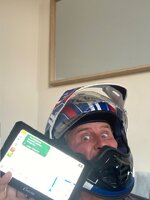
Well, I think I eventually got there, though I am sitting in my living room, helmet on, Carpuride on my knees powered from the mains. Tested and working for my tunes and my route in Google maps.

I'll put it all on the bike tomorrow for confirmation but, fingers crossed, the puzzle is solved.

I did say it's not quite as simple as suggested but the video (repeated, held and rewound a few times) got me there.

Thank you! :beerjug:Hurrah!.jpeg
 
Hallelujah ! :D

Well, I think I eventually got there, though I am sitting in my living room, helmet on, Carpuride on my knees powered from the mains. Tested and working for my tunes and my route in Google maps.

I'll put it all on the bike tomorrow for confirmation but, fingers crossed, the puzzle is solved.

I did say it's not quite as simple as suggested but the video (repeated, held and rewound a few times) got me there.

Thank you! :beerjug:View attachment 421042
Now, where were those threads for the Balcony Roads ... ah yes, I remember ...
 
What a load of shite!

All was working until .... I went for a shake down ride and to fuel up for the pending expedition, bike all loaded up with panniers, camping gear and so on.

Off I set and the Carpuride flashes up on "Maps" though no destination entered as I'm going for fuel first.

I dismount my mighty steed and start the process of getting at the filler cap, removing tank bag and try the latch on the filler cap. Nope, not avin it mate! I blip the fob ... nope, not today mate. I try a few more times, much to the grievance of others wanting for the pump. Red faced, I push the donkey backwards, slightly up hill, carefully avoiding the diesel spill patches.

I try a few more attempts and decide to get Youtube up on the phone. Give up as loading was taking too long and give it a few more random presses and pulls and bingo, open it pops. No rhyme or reason. Push back to the pump, fill up, pay up and fuck off, but not before putting in a satnav destination.

Great, satnav working, audio coming through fine. Time for some toons I reckon. Select chosen track and click, it plays ... for about 1 second and stops. After several tries to get it playing, I give up and head for home.

On dismounting the pig, wishing it would explode into a vapour, I resist a John Cleese moment, and ignore the large stick kept by the front door and head inside.

I then spot a blemish on my brand new, first time of wearing, £799 Tour X helmet and attempt to remove it, only to discover it's a small chip in the paint that was not there before I left on my miserable journey.

Anyone want a fully loaded, almost new, BMW R1250Adventure, less than 5k miles. If you're quick. I'll throw in the ticket to France via the tunnel for this Thursday. Full tank of fuel also included.

I want my old 2004, 54 plate 1200 back!
 
If you undo the two front screws, and clean the catch, them WD40, on both sides you should be okay..
They all do that sir
 
If you undo the two front screws, and clean the catch, them WD40, on both sides you should be okay..
They all do that sir
I did as you suggested and it was clean as a whistle however, I now understand the "mechanics" of how it works and now know it can take a bit stronger push to the latch, possibly with a little weight applied to the filler cap. Anyway, it pops open easily now so thank you. :beerjug:
 
Nearly 2 hours with Bahnstormer service desk today and ... no further forward.

Something isn't right but fuck knows what the problem is. I've had another go at home and nearly get there, apart from the satnav announcements coming via the phone speaker. Not much use on a bike. Maps were showing on the screen, music playing via headset in helmet.

I'm trying here, just not quite getting there.
 
Last edited:
Nearly 2 hours with Bahnstormer service desk today and ... no further forward.

Something isn't right but fuck knows what the problem is. I've had a mother go at home and nearly get there, apart from the satnav announcements coming via the phone speaker. Not much use on a bike. Maps were showing on the screen, music playing via headset in helmet.

I'm trying here, just not quite getting there.
Hi again, can I ask is your phone connected in any way to the TFT ?


Back
Top Bottom