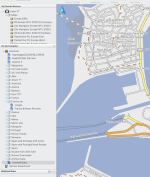
That’s not how it works. If you want to send a gpx file from Basecamp, then just connect the Nav to Mac, making sure Garmin Express and Commander One are off, and start up Basecamp.
It can take ages - maybe 5 minutes- but the Nav should appear in Basecamp, then you can send from Basecamp to the Nav using “send to device”.
2nd method is to fire up Basecamp, find the routes/tracks you want, and export them as a GPX file using Basecamp.
Then, close Basecamp, unplug and then replug in the Nav, and making sure neither Basecamp nor Garmin Express are running, fire up Commander 1.
Navigate in 1 window to the correct folder on the Nav, and in the second to the correct folder on the Mac, where you stored your GPX file.
Drag the file to the Nav.
Eject the Nav, unplug, and the gpx file containing all your routes should be there.
I export all my routes and tracks to somewhere safe on the hard drive in case Basecamp crashes and loses everything
Sent from my iPhone using Tapatalk