
Duplicating a route in the app

Wapping

Well-known member
Moderator
Joined
Oct 21, 2005
Messages
91,136
Reaction score
16,305
Location
Wapping, London
I drop into MyRoute’s very good forum from time to time. As much as anything, people sometimes ask a question, the answer to which is news to me. For example, I didn’t know that it was possible to duplicate (copy) a route within the app itself. This might be old news to some, but here’s how to do it:
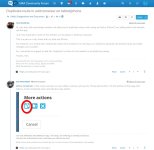
IMG_6124.jpeg
 
Thanks Wapping, I was looking for how to do that.

More details:
From the MRA app open route lab.
open routes
Find the route you want, then as above.

As far as I can see, you can’t actually duplicate a route in the app. From the app,you have to open the web app Route Lab and then you can.
 
So Wapping got me curious, and I now know how to do something in the app that I didn’t know was possible.

In the app, click “routes/tracks”, find a route and then click the pencil icon to edit it (in the app, not using the web planner)

There’s then an option to “copy route”. At first it didn’t seem to do anything, but then I figured it out. If you click copy route and do nothing else, nothing happens.

However, if you click “copy route” and then make some changes and click save, your changes will be saved in a new route. The existing route will remain as it was. What’s confusing is that the copy of the route (ie the new one with the changes you just made) is saved in the root of your library, not the folder where the original route is stored.

5cf90768392cfcd33e73a32375f846d1.png
 
Thank you. That is interesting, not least as I’d not seen it before. I have had a play around, using nothing more than a test route. It seems to work, exactly as daesimps describes.

One oddity, when you save the amended copy route, you don’t seem to be able to rename it from within the app. Or did I miss something?
 
Last edited:
One oddity, when you save the amended copy route, you don’t seem to be able to rename it from within the app. Or did I miss something?

That was my experience too. Wrong folder and it just gets COPY added to the name. Not there yet, but it’s getting better.
 
That is handy, when I was away in the borders last week I copied all of my intended routes into another folder in case I altered them. For me this means that, that workflow would not be required. As an aside we were on a route from Moffat to the Lakes and as we went South it increasingly looked like rain. I got the phone and map out in a coffee shop in Alston and created a bespoke route back north via Kielder in a few minutes.....though I did send it to the XT for navigation.


Back
Top Bottom
