Emailing routes from my GPS, how?

Big Lee

Registered user
Joined
Jun 21, 2004
Messages
2,831
Reaction score
5
Location
Cumberland
Is it possible to email my route page I`ve loaded from my 2610 to another email address? A bit like Mike O did on his round the US trip.
Can anybody give me any ideas as I`d like to mail routes we`ve done to my fellow riders :thumb

Cheers

Lee
 
Assuming you have loaded your route into MapSource, just click File, Send Mail to email the .gdb file.

You can open Mapsource multiple times and copy/paste routes, waypoints etc, so you can copy a single route into a new file and email that.

Andy.
 
Thanks guys :thumb

I tried the "send mail" yesterday but it didn`t work, today I saved the route to the "My Garmin" folder then "send mail" hopefully it`ll work :thumb I can see it when sent but I`ve got the Garmin program on my `puter :confused:


Lee
 
Are you sending it so someone without "the Garmin program"

If you are then they won't be able to open it.

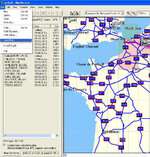
You need to open the map with the route on it and do a screen print. Then send this as an image file attached to your e-mail. :)
 
Whatton said:
Are you sending it so someone without "the Garmin program"

If you are then they won't be able to open it.

You need to open the map with the route on it and do a screen print. Then send this as an image file attached to your e-mail. :)

Very intuitive M Whatton, peut etre c'est ca
 
Whatton said:
Are you sending it so someone without "the Garmin program"

If you are then they won't be able to open it.

You need to open the map with the route on it and do a screen print. Then send this as an image file attached to your e-mail. :)

Ah ha!! that explains it!! So, how do I do that? :banghead: Bloody computers
 
Big Lee said:
Ah ha!! that explains it!! So, how do I do that? :banghead: Bloody computers

It's not the computers fault, you need a bit of basic knowledge of files and applications to be able to use them properly :rolleyes:
 
I know it isn`t the computers fault :rolleyes: but it doesn`t stop me blaming it!
So, how do I do it? I am willing to learn :thumb

Cheers

Lee
 
Beat me to it Richie, I find Gadwin Screen print indispensable....

Get it here for free! http://www.gadwin.com/

Set the preferances as below.......


screenshot0197tq.jpg


screenshot0189fn.jpg


screenshot0179bx.jpg


screenshot0162jo.jpg


Set the folder you save the images to as one on your computer, obviously the one in the pics is mine. :)
 
Fantastic guys :thumb thanks very much :D I`m off for a bite to eat & will be back to try it out :thumb :beerjug: :beerjug:



Back
Top Bottom