


Strange things been happening over last 2 weeks. Plugged in my 590LM and got a garmin express notification to update to 2024.1 maps. No problem installing to computer and device.
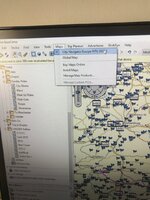
However after install basecamp shows PC map as 2024.1 (see above) but Garmin unit in basecamp continues showing 2023.1 (below)
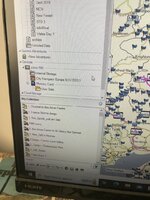
When I transfer a route created in basecamp i get the usual error that route created and transferred differs to that of the map on device (see pic 1). Fair do you would expect. However, when I disconnect the unit, the map version under my maps, shows that 2024.1 IS installed! The 2023.maps are unticked.
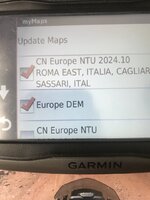
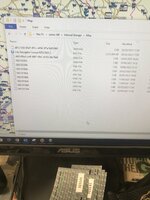
Now when I look in the file explorer I see that memory card and internal memory both have a copy of the 2024.1 maps.
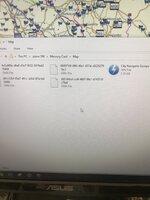
heres the internal memory
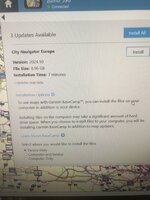
Then when I reconnect device to the PC i get another garmin express popup asking me to install maps! Ignore the device only option as I set that just before taking the pic. I have already deleted all maps off PC using a command line tool as they are hidden in he directories. Removed and deleted maps from both memory card and internal storage and then re installed on device as per garmin express. I have also (and I bet if I tried now) under basecamp and used mapinstall, id get a message that says that maps are ready to be installed to device...and nothing will change. Stumped. Ideas? I have checked and all software is up to date.
However after install basecamp shows PC map as 2024.1 (see above) but Garmin unit in basecamp continues showing 2023.1 (below)
When I transfer a route created in basecamp i get the usual error that route created and transferred differs to that of the map on device (see pic 1). Fair do you would expect. However, when I disconnect the unit, the map version under my maps, shows that 2024.1 IS installed! The 2023.maps are unticked.
Now when I look in the file explorer I see that memory card and internal memory both have a copy of the 2024.1 maps.
heres the internal memory
Then when I reconnect device to the PC i get another garmin express popup asking me to install maps! Ignore the device only option as I set that just before taking the pic. I have already deleted all maps off PC using a command line tool as they are hidden in he directories. Removed and deleted maps from both memory card and internal storage and then re installed on device as per garmin express. I have also (and I bet if I tried now) under basecamp and used mapinstall, id get a message that says that maps are ready to be installed to device...and nothing will change. Stumped. Ideas? I have checked and all software is up to date.





