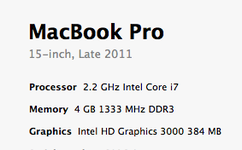
There is a few questions i want you to ask first before I will try to sort your issue. First of all are there any other devices connected to the Mac? The next one is, do you have a slow reaction time when you do a search with spotlight ?the third one is do you experience issues in your Browser(Safari) in particular opening Video content like tube,vimeo ? and last are there updates available in the AppStore ?
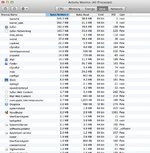
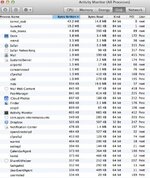
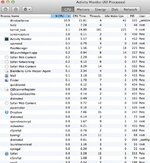
your Activity Monitor shows absolute normal values and just in case you're still hoping to go to previous versions of Software, ditch the idea please. Also there is no need to run third party products to test the mac, all they can do is what the mac can do on its own without help from outside.
Verifying and repairing the Diskpermissions was a very good thing to do, but might not have solved all the problems.
Steps ....
As it was Mentioned and you might have done it already is reset SMC ....The SystemManagement Controller is a *Fuseboard* and decides what component gets what power when.Shut down the computer.
Plug in the MagSafe power adapter to a power source, connecting it to the Mac if its not already connected.
On the built-in keyboard, press the (left side) Shift-Control-Option keys and the power button at the same time.
Release all the keys and the power button at the same time.
Press the power button to turn on the computer.
Note: The LED on the MagSafe power adapter may change states or temporarily turn off when you reset the SMC.
2.
reset the pram. because you had a HD replacement after the update the MacBook might be confused with what components are built in. Same again no other devices connected and go as follows
Shut down your Mac.
Locate the following keys on the keyboard: Command (⌘), Option, P, and R. You will need to hold these keys down simultaneously in step 4.
Turn on the computer.
Press and hold the Command-Option-P-R keys before the gray screen appears.
Hold the keys down until the computer restarts and you hear the startup sound for the second time.
3. if when searching spotlight is slow old files might have issues to find their Applikation because since the update they have changed. To rearrange the Finder do this please From the Apple () menu, choose System Preferences.
Click Spotlight.
Click the Privacy tab.
Drag a folder or an entire volume (your hard drive) to the list.
If prompted for confirmation, click OK.
Remove the item or volume you just added to the list by clicking it and then clicking the minus ("-") button.
Close Spotlight preferences.Spotlight will re-index the contents of the folder or volume.
4. For Slow Video content in the bowser the best thing to do is to empty the Caches. After a update the might get stuck in a loop. When you open the Finder and look at the Menubar on top you see GO click on Go and then press the ALT ⌥ key you will see the Libray appear in the List ....click on it and search for the Folder.......Caches ......drag and drop the complete Folder onto the desktop and restart the computer afterwards.
After you have done all this I'm very confident things will be fine. If not let me know cheers ......i will go for a spin now
References
http://support.apple.com/kb/HT3964
http://support.apple.com/kb/HT1379
http://support.apple.com/kb/HT2409